Multi-Modal Practice
A study session from one document: it finds the topics and takes each through four steps, read, memorize, practice, test, to a result made from what you did.
- Year
- 2025
- Track
- design
- Category
- case-study
Tools
- Figma
- Claude Design
Multi-Modal Practice is a study session for a student with an exam coming. It reads one of their documents, finds the topics in it, and takes each topic through the same four steps with a short break between them: read the summary or listen to it, memorize it with flashcards, practice it with questions that answer back, then test it with nothing marked until the end. The result is made from what the student did in each step, and it ends on the next topic. I designed the session and led a team of seven at an internal hackathon at Studocu in January 2025. The idea shipped later and became one of Studocu's major initiatives. The screens here are the design as a working prototype, one topic from the plan to the result.
Prototype. The course, the student and every number on screen are sample data.
The problem
We pitched it on 6 January 2025. The problem, as the pitch put it: "Preparing for exams can be very overwhelming; students need to process and retain large volumes of study materials effectively." Under it, the three jobs a student would hire the session for, in the pitch's words:
- I want to quickly identify key concepts across different study materials
- I want to study key concepts in a less overwhelming way
- I want to better understand, retain and apply key concepts
One topic, four steps
The pitch answered with a method, and stated it as principles: "focusing on topics, one by one", "structured, manageable study sessions", "digestible, bite-sized chunks", "consuming content in various ways to enhance learning" and "applying their newly gained knowledge with case studies". In the session that becomes one topic at a time, four steps a topic, each a different way into the same material. Read is the topic in a few paragraphs, read or listened to. Memorize is seven flashcards you rate yourself. Practice is six questions with feedback after every answer, a second try at the ones you missed, then one open question where you apply what you have learnt in your own words. Test is twelve questions on a timer, with nothing marked until you submit. Between steps there is a break of two minutes, which you can skip. The plan gives a topic 48 minutes, the team's estimate.
The result comes from the steps themselves: how many cards you knew, how many questions you got right first time, the test's score and how long it took. Then the next topic, the same four steps again.
One topic, start to finish
The minutes are the plan's, 48 a topic, the team's estimate. Everything else is the prototype's own rule. Prototype.
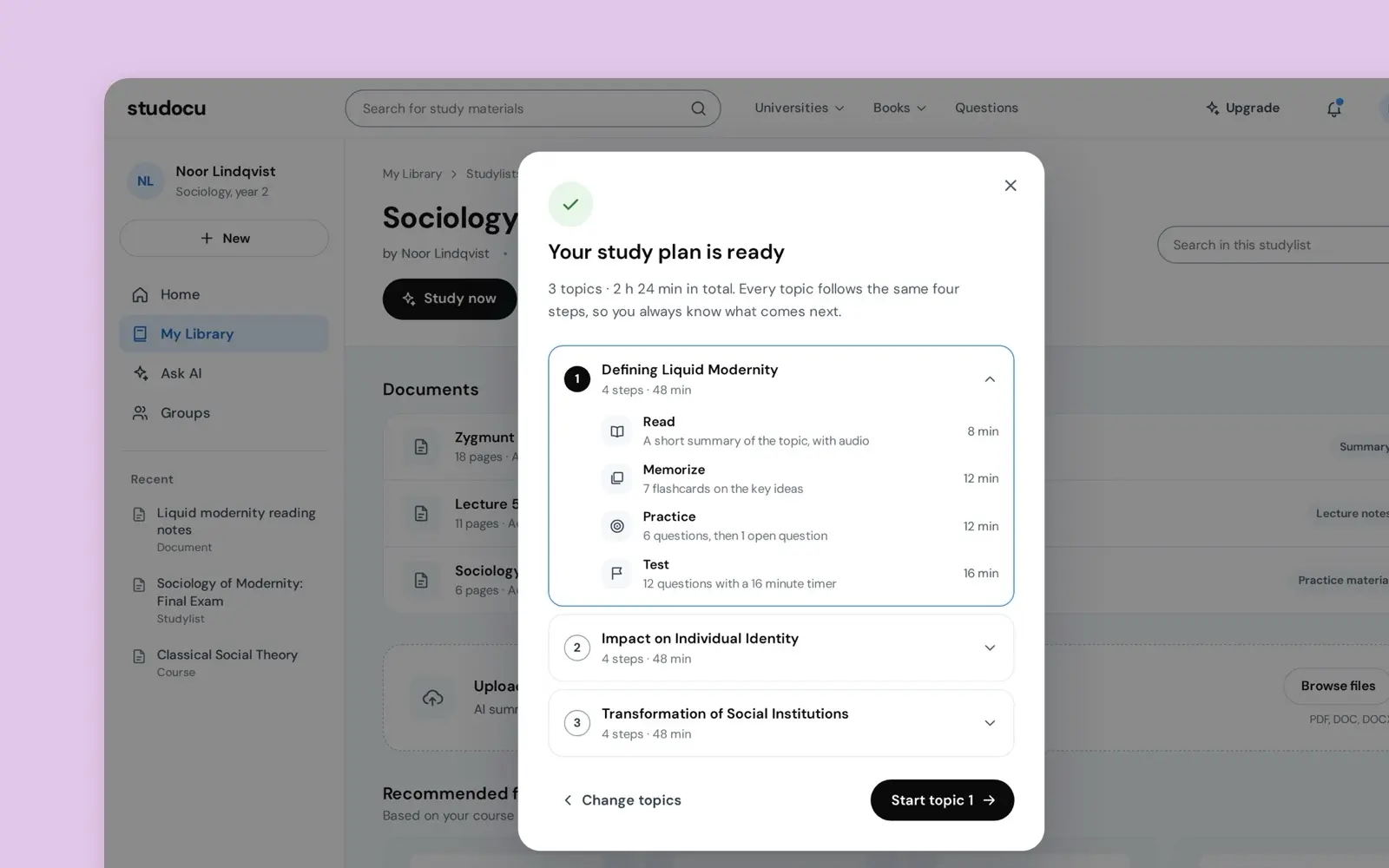
A topic: 4 steps, 48 min
Read 8 min
A short summary of the topic, with audio
Read it, or listen with the sentence highlighted.
Break, 2 min
Memorize 12 min
7 flashcards on the key ideas
You rate each card: Still learning or I knew it.
To the result: Flashcards known
Break, 2 min
Practice 12 min
6 questions, then 1 open question
Feedback after every answer, then a second try at the mistakes.
To the result: Practice, right first time
Break, 2 min
Test 16 min
12 questions with a 16 minute timer
No feedback until you submit.
To the result: The score, Test, time used
The result
Made from what the steps hand it.
The next topic
The same 4 steps again.
Between steps, a break of 2 minutes. Skip it, or the next step starts on its own when it ends.
A plan from the document
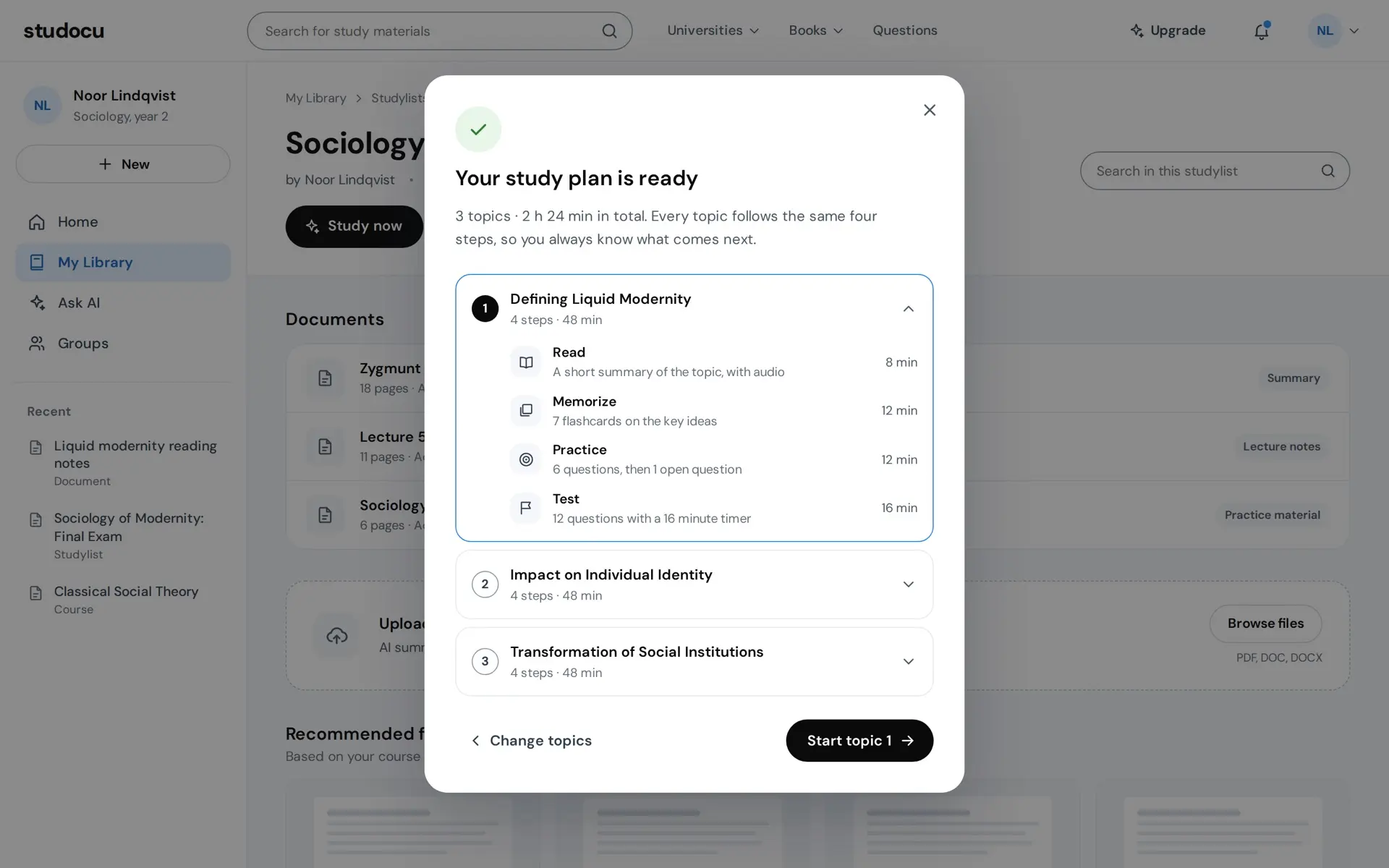
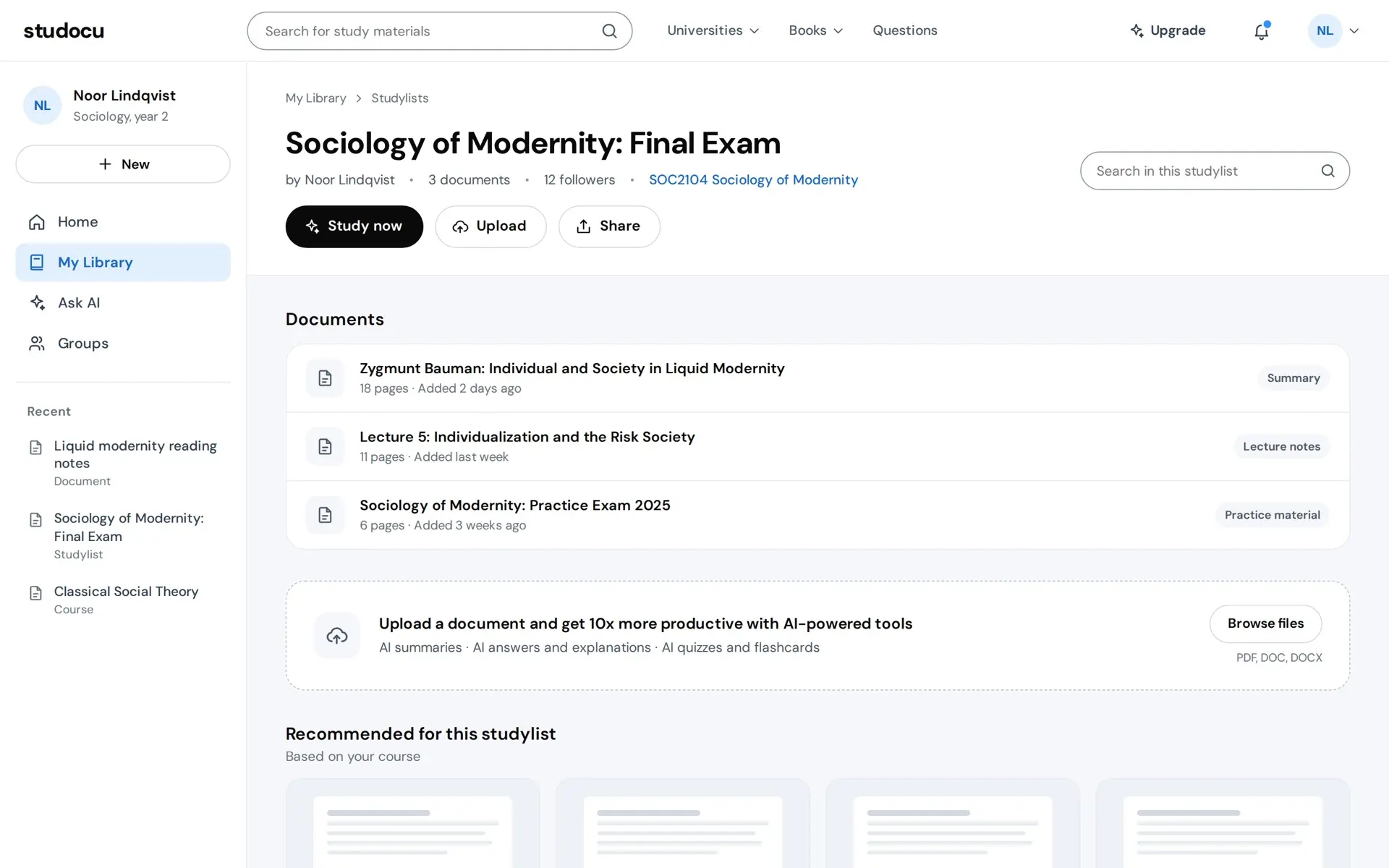
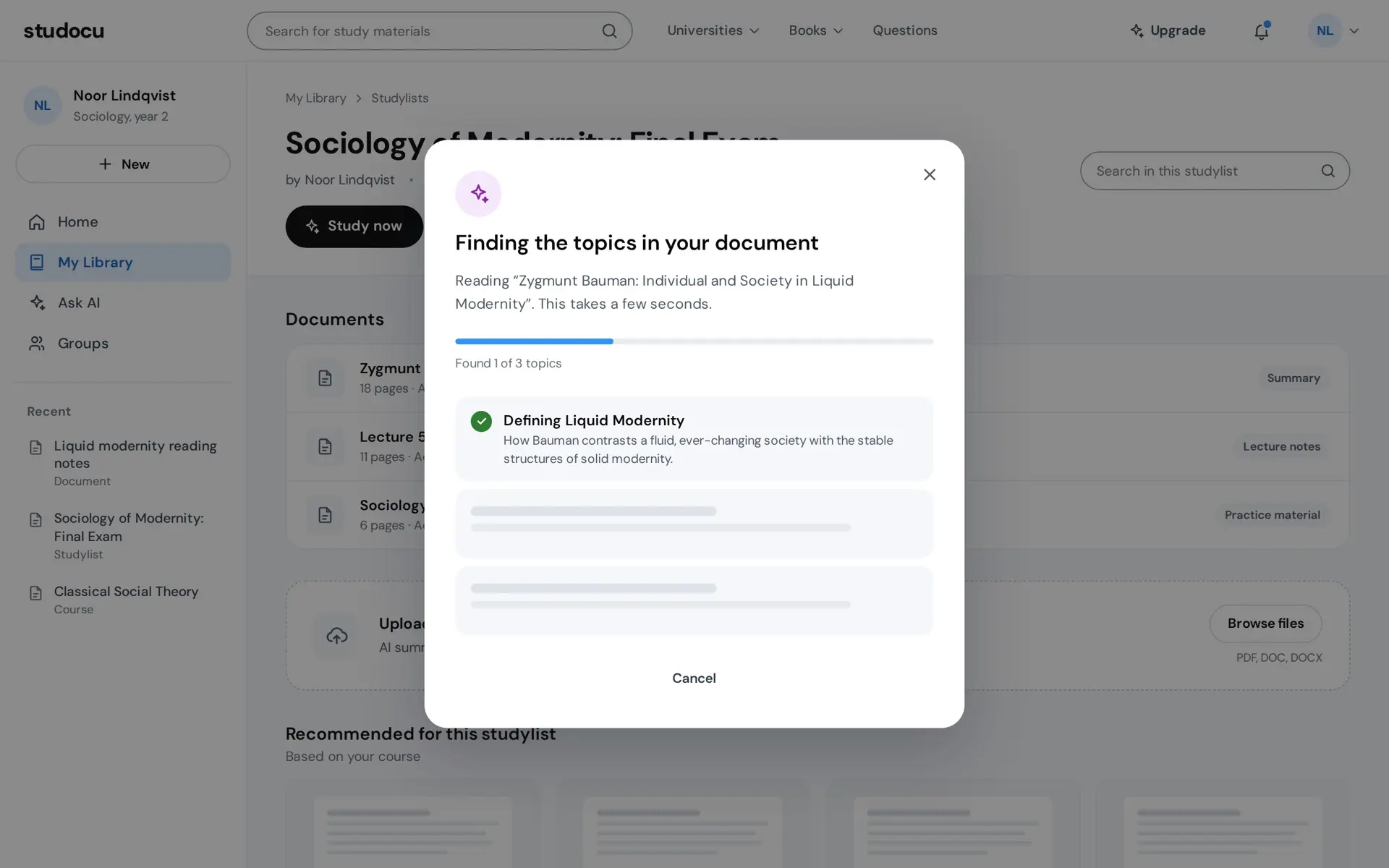
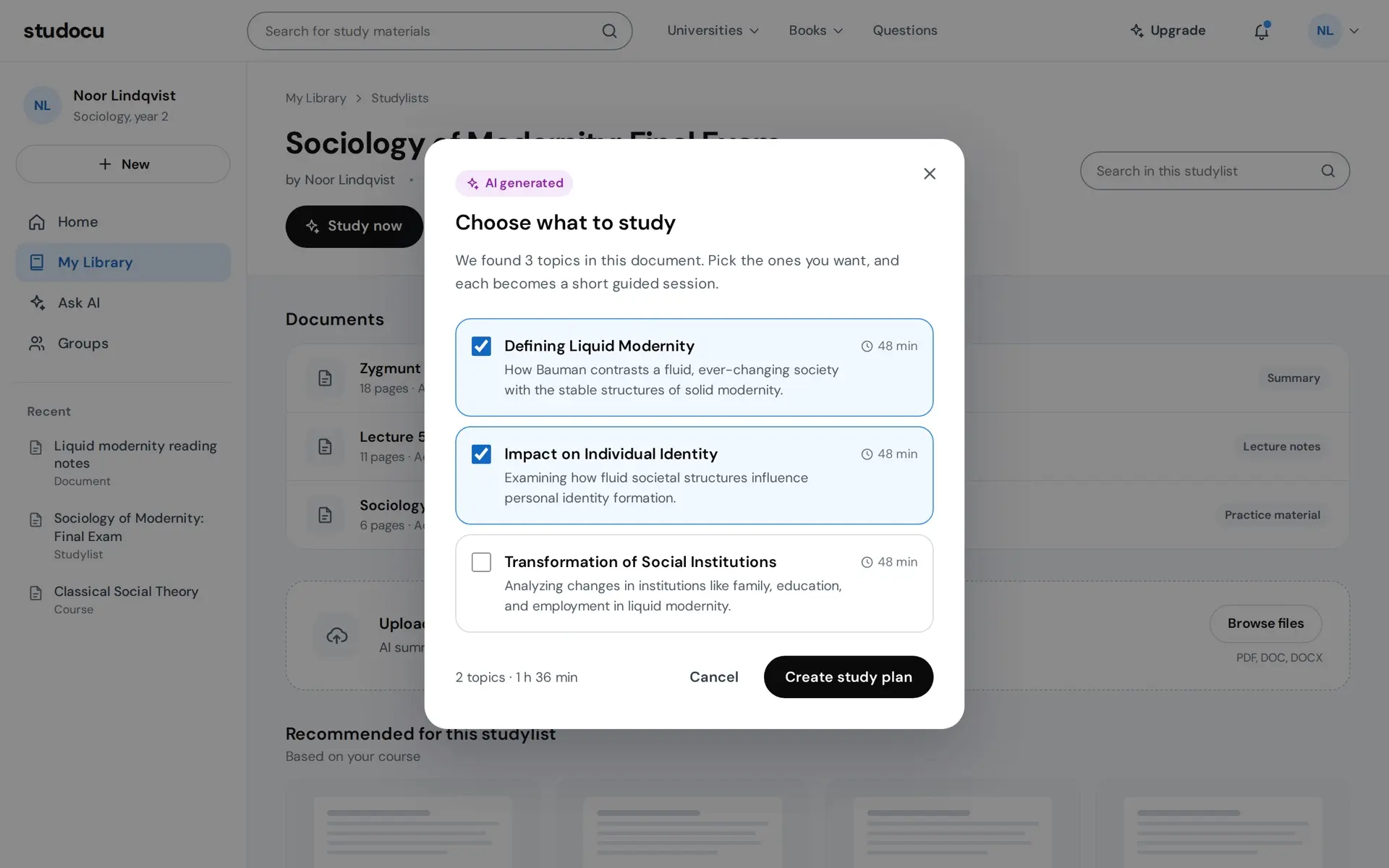
It starts on the studylist, Studocu's own page for a course. The page around the session is Studocu's product, and the session is the part I designed. Study now reads the document, and the topics arrive one at a time with what each covers, so you watch what the AI found rather than a spinner. You pick the topics you want, each marked with the time it takes, and the plan lays out the four steps for the first one. The sample document gives three topics, and only the first is built.
From a document to a plan
Prototype. The course, the student and every number on screen are sample data.
Read
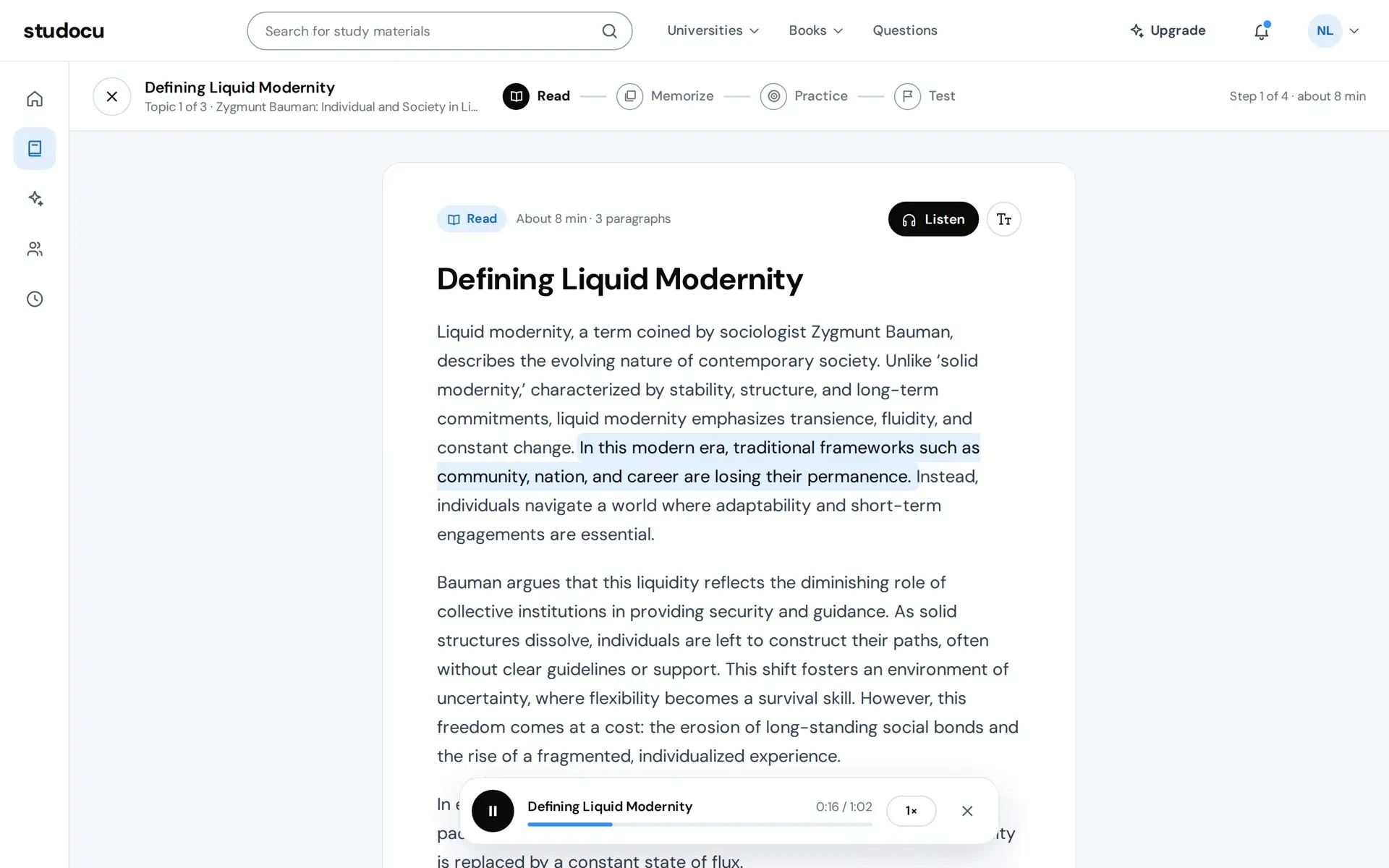
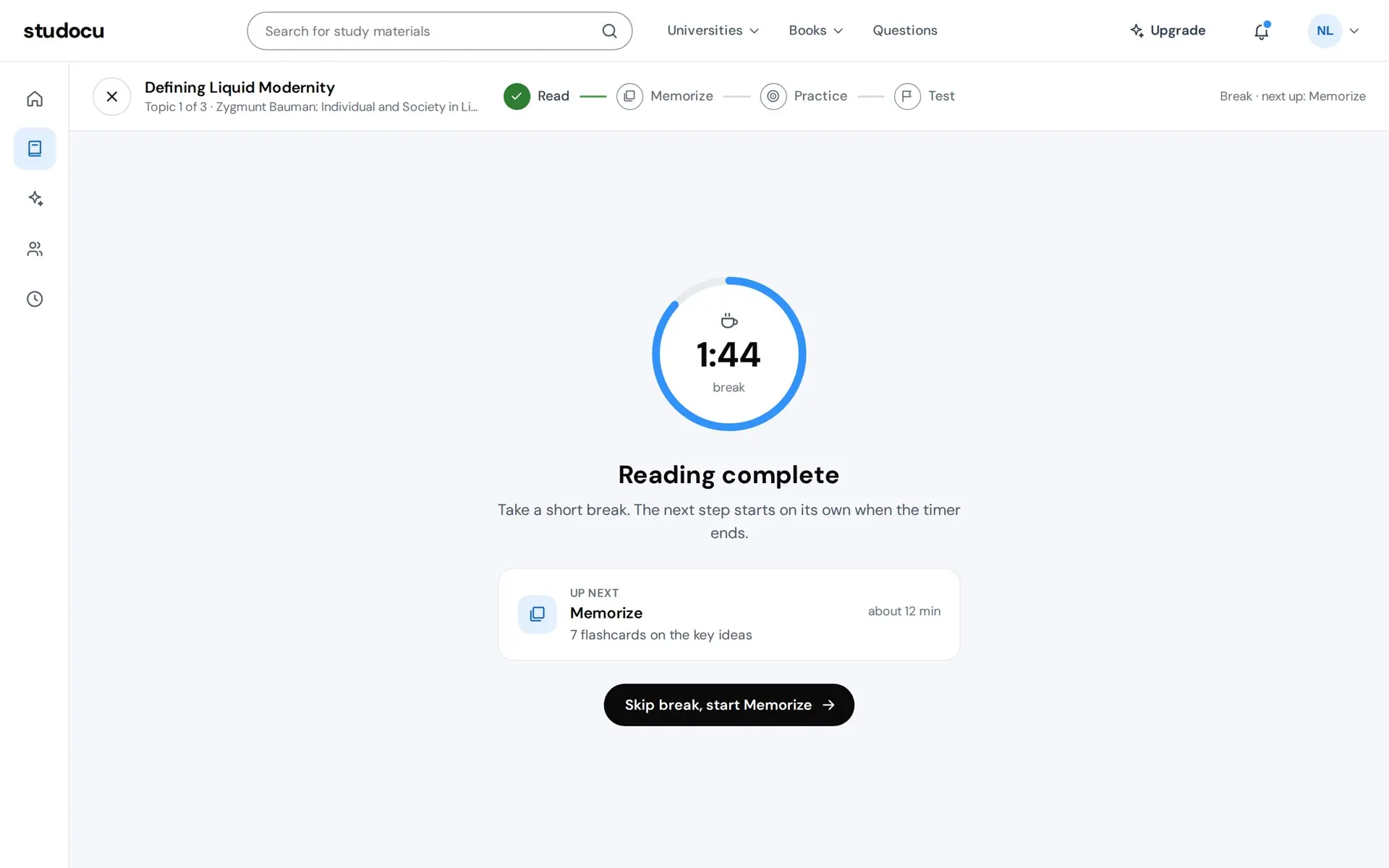
The topic as a short summary, set for reading. Listen turns on a player and highlights the sentence being read, the speed can be changed, and a larger text size is one press away. The end of the text says what finishing means: the next step and about how long it takes. Then the first break, two minutes on a ring, titled for the step just done, with the next step named. It starts on its own when the ring runs out, or you skip it.
Read
Prototype. The course, the student and every number on screen are sample data.
Memorize
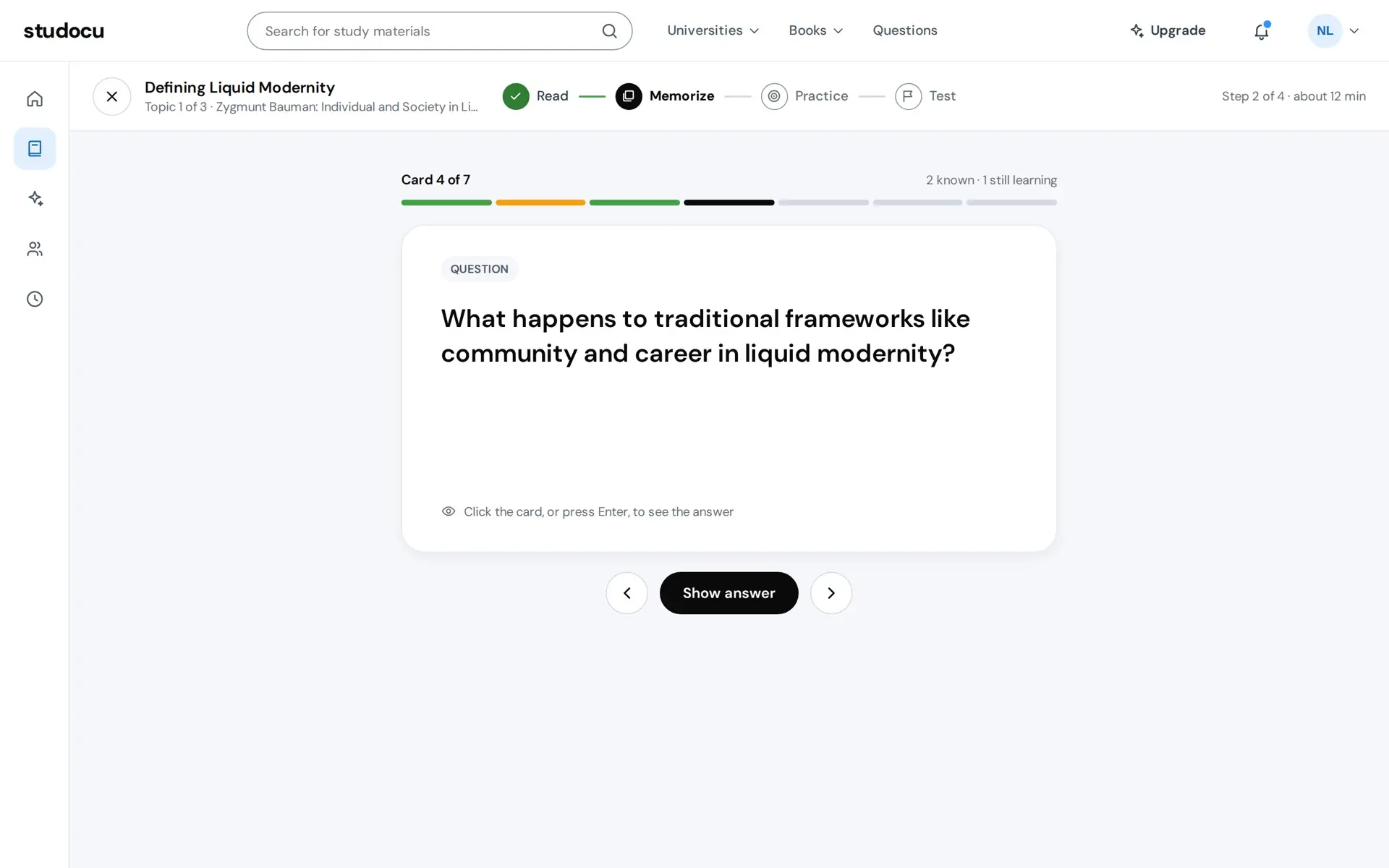
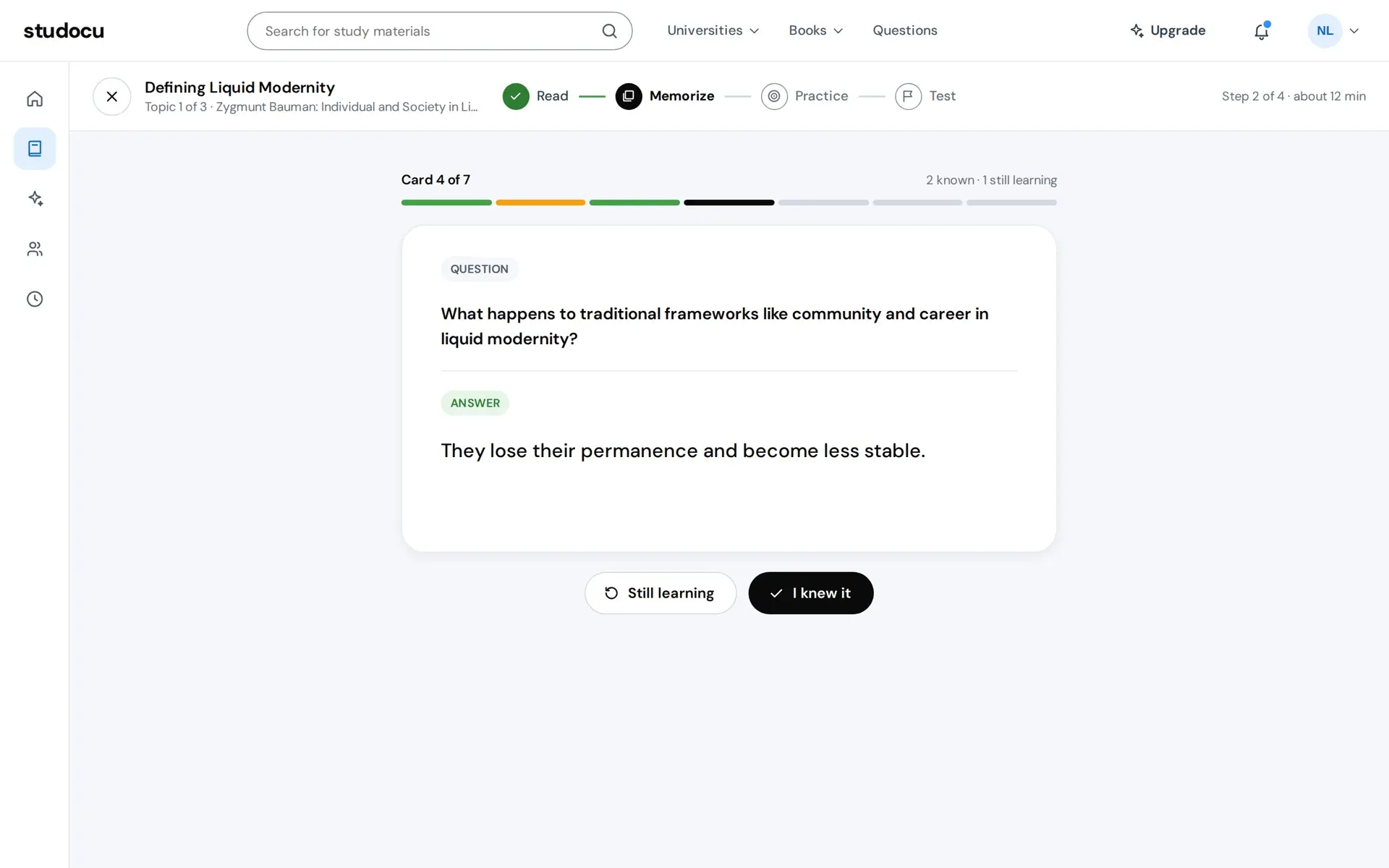
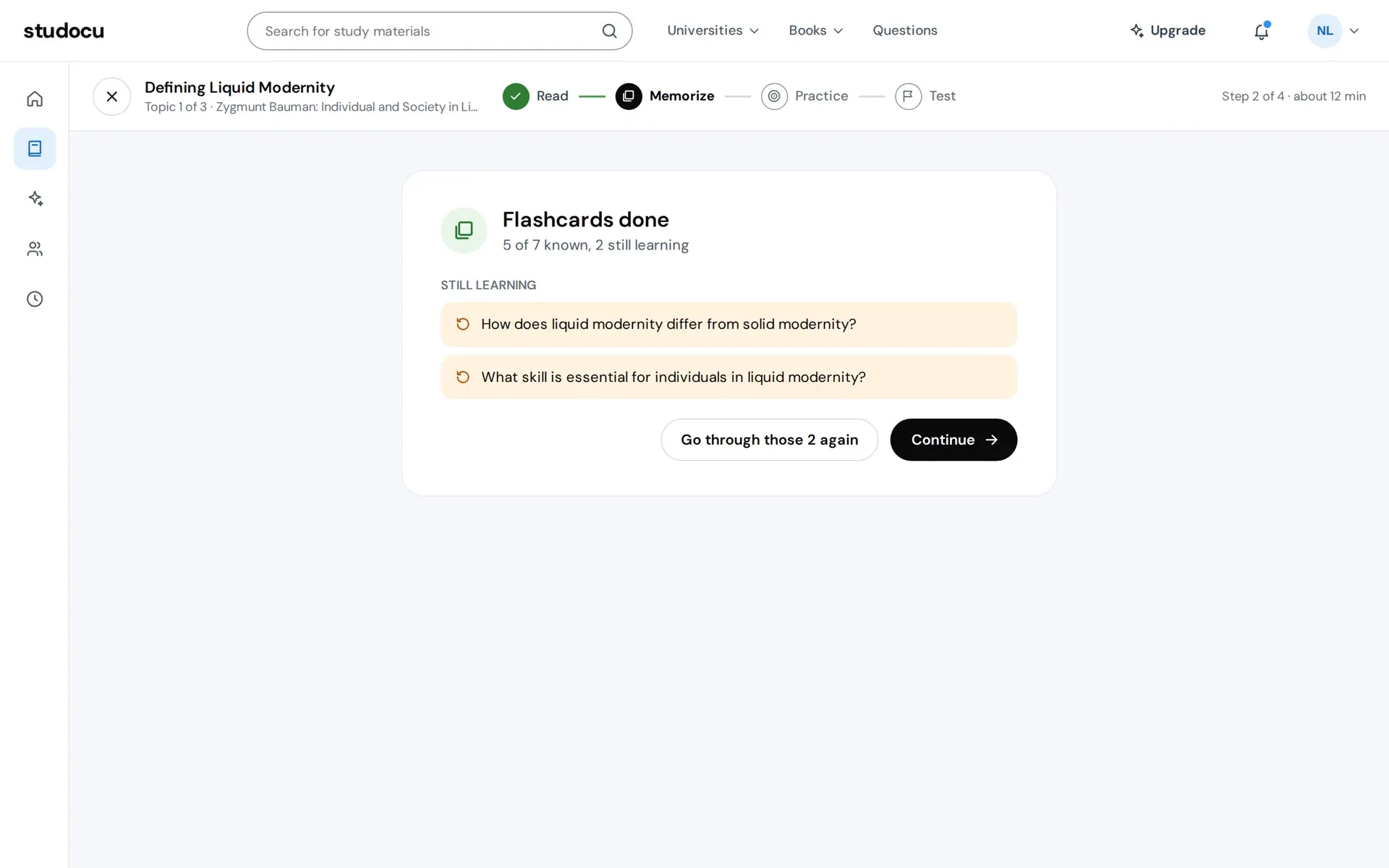
One card at a time. The question is all you see until you show the answer, and the answer opens under the question so both stay in view. Then you rate it, Still learning or I knew it, and that rating is the step's output: the cards you knew count toward the result. At the end the cards still being learnt are listed, and you can go through just those again before moving on.
Memorize
Prototype. The course, the student and every number on screen are sample data.
Practice
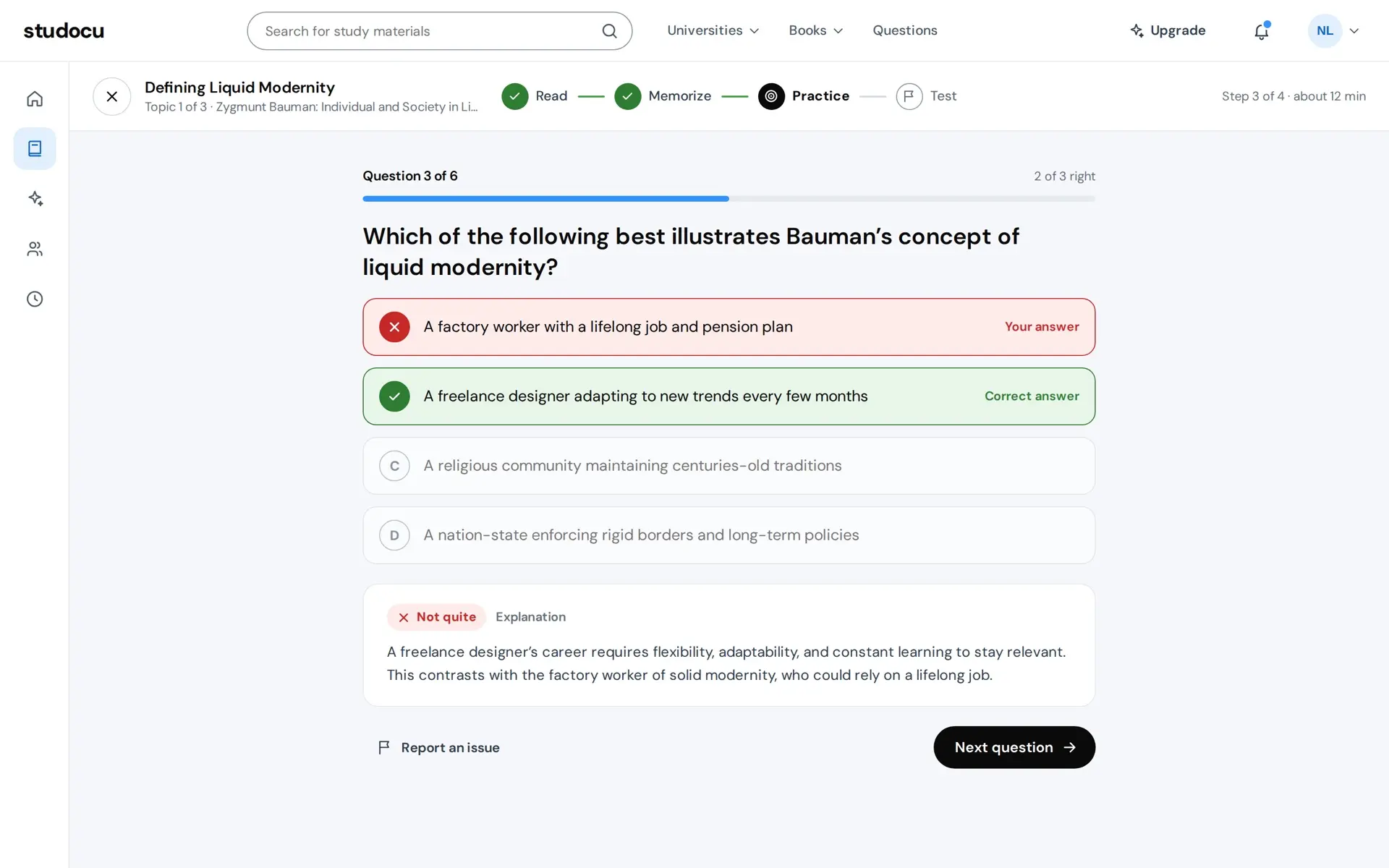
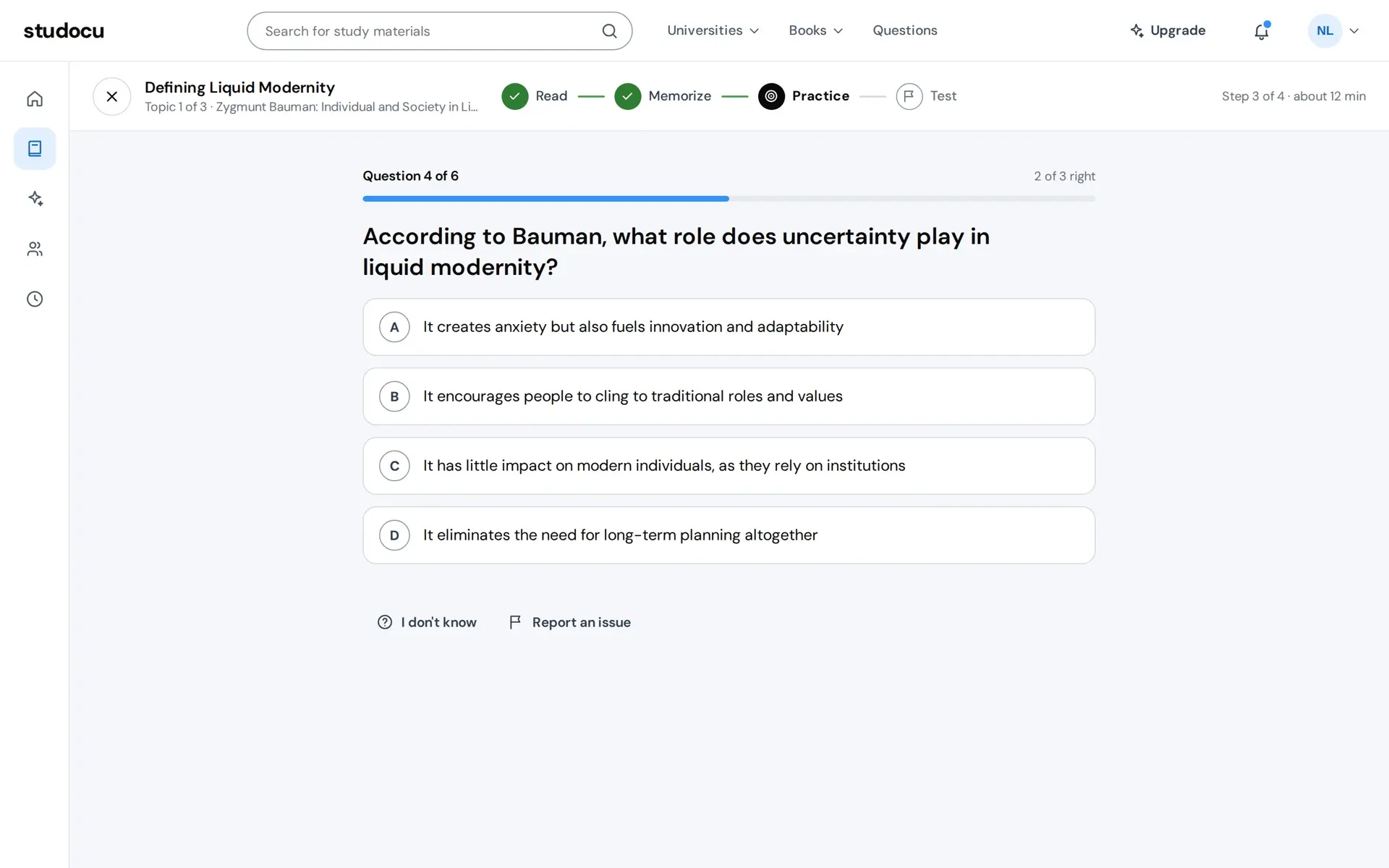
Six questions, one answer each. Choosing an option locks it, marks your answer and the right one with a word and an icon, and opens the explanation. I don't know shows the answer and counts as a miss. After the sixth, the summary says how many you got right first time, and the ones you missed come back for a second try. The second try never changes that number, so what reaches the result is what you knew before you read the explanation.
Practice
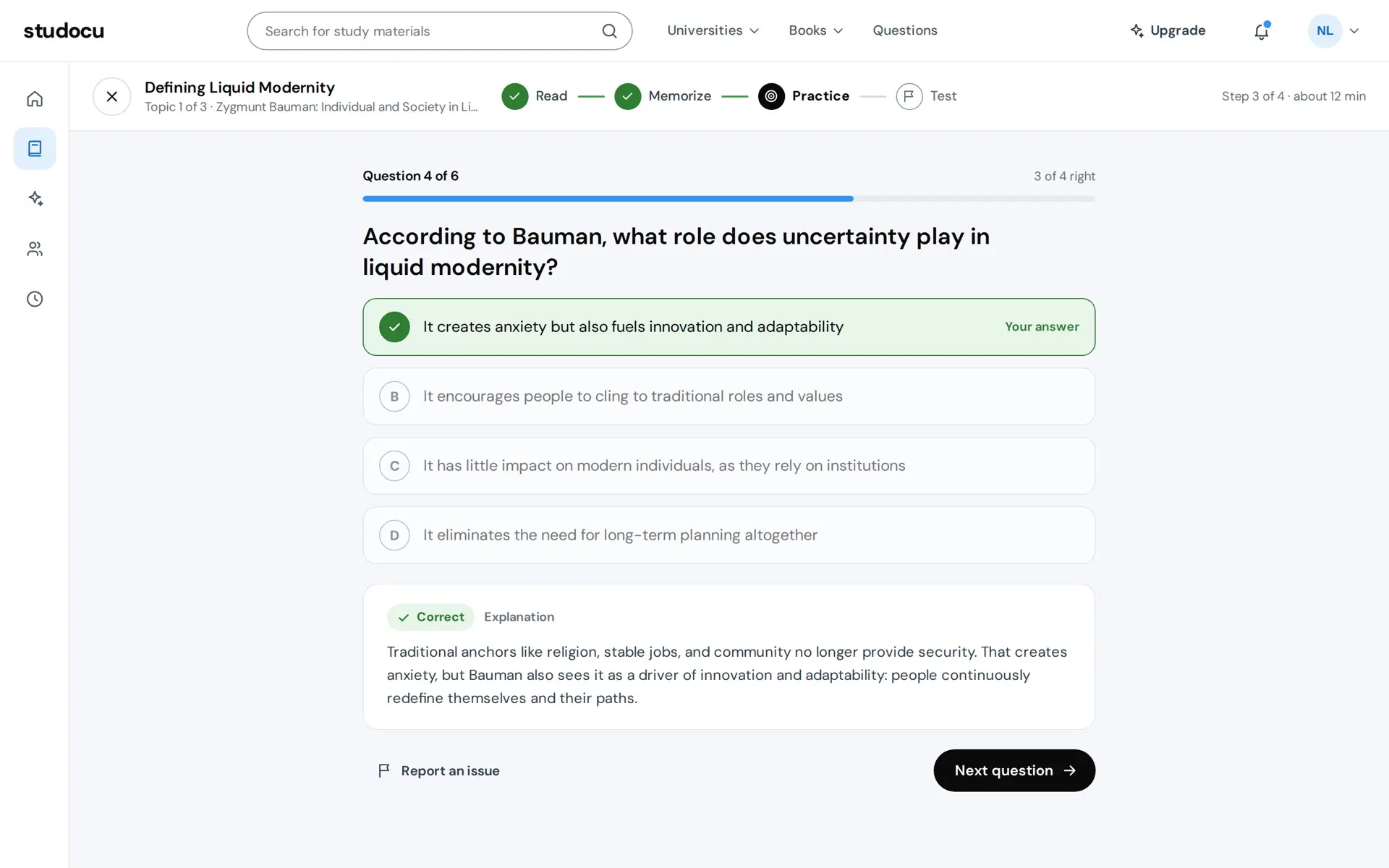
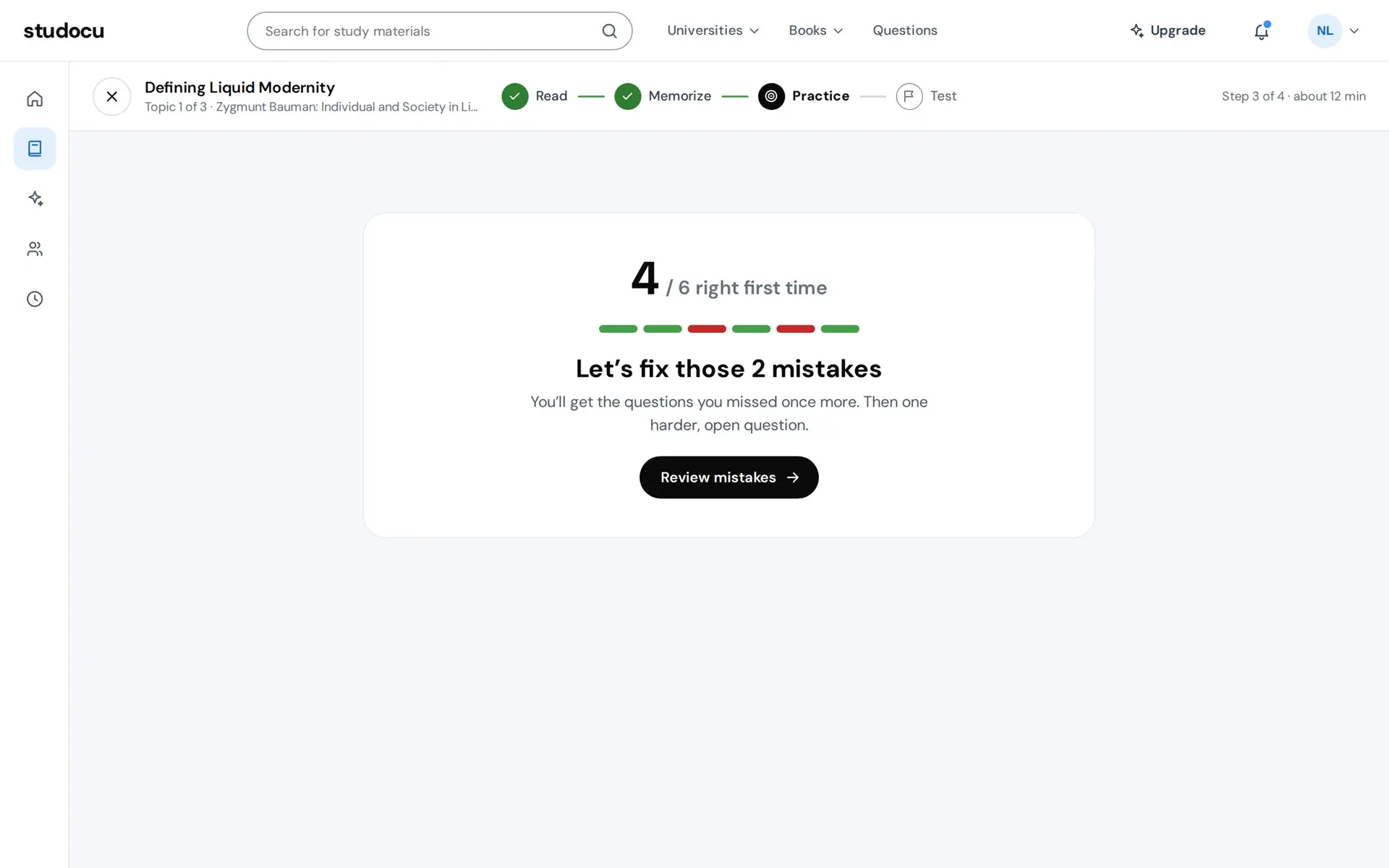
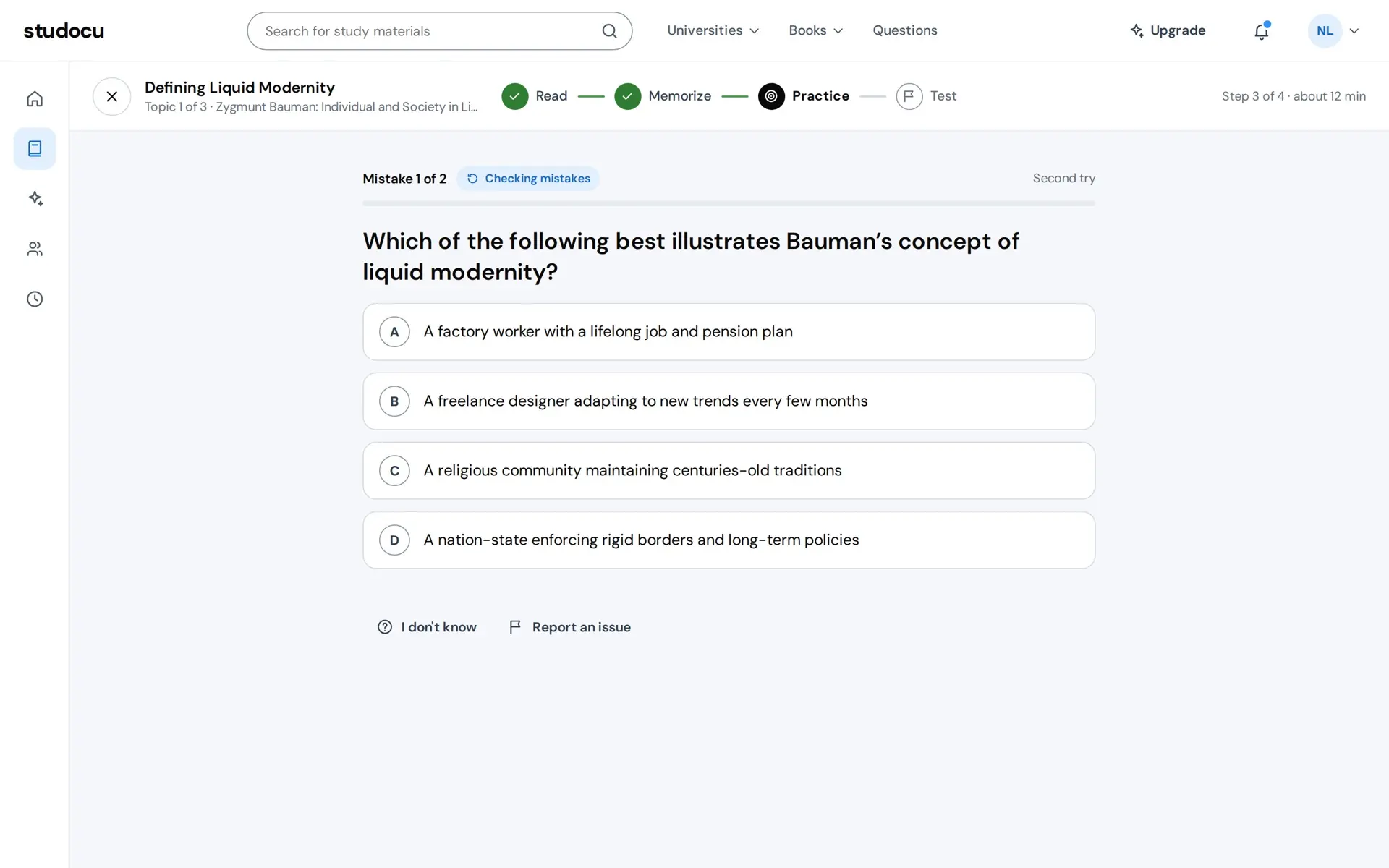
Prototype. The course, the student and every number on screen are sample data.
Practice ends on one harder, open question, which is where the applying from the pitch happens. You write an answer of at least ten words, and the feedback lists four points and says which your answer covered and which it missed, beside a strong answer. There is no score for it, because what you need to know is what was missing.
The open question
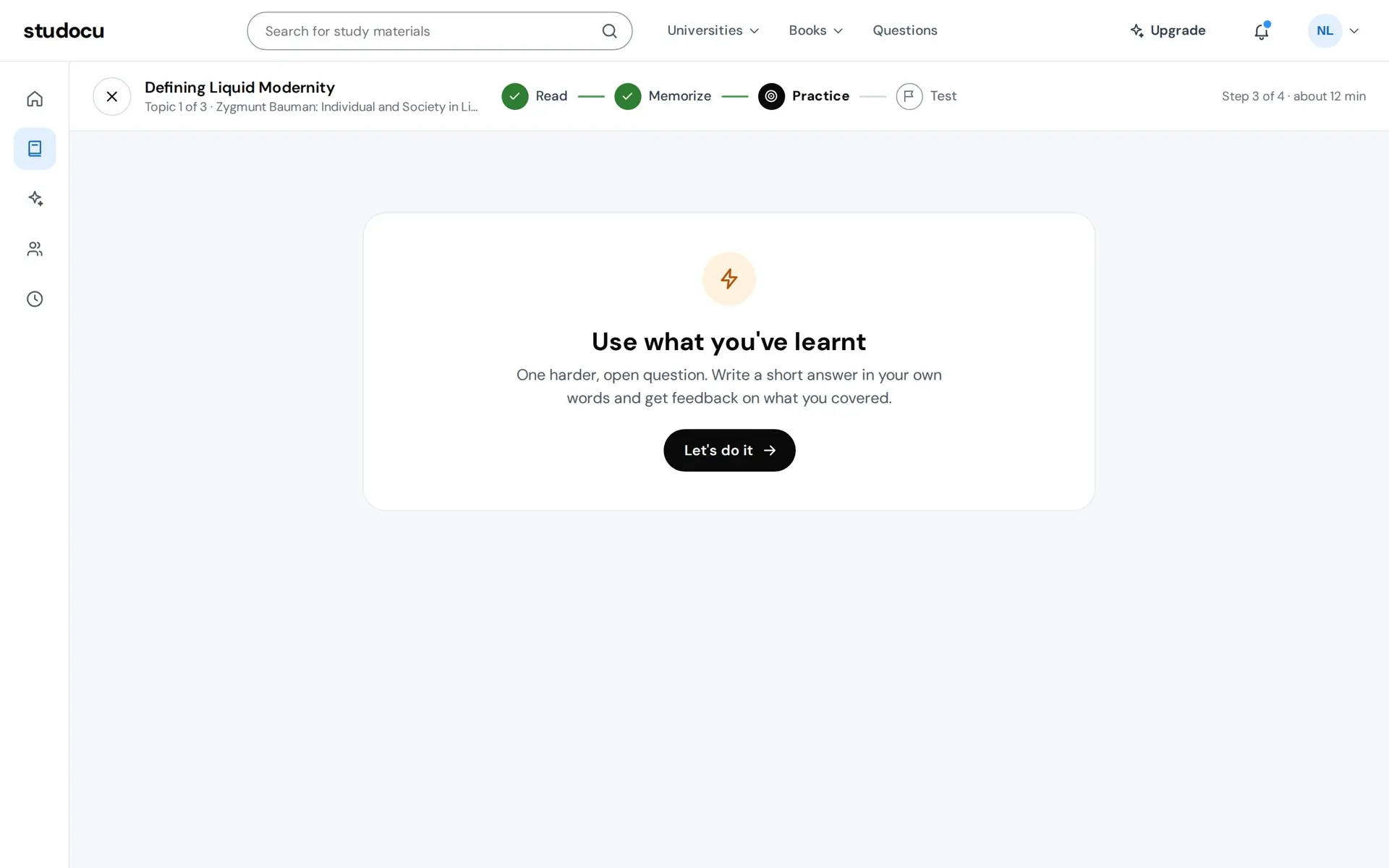
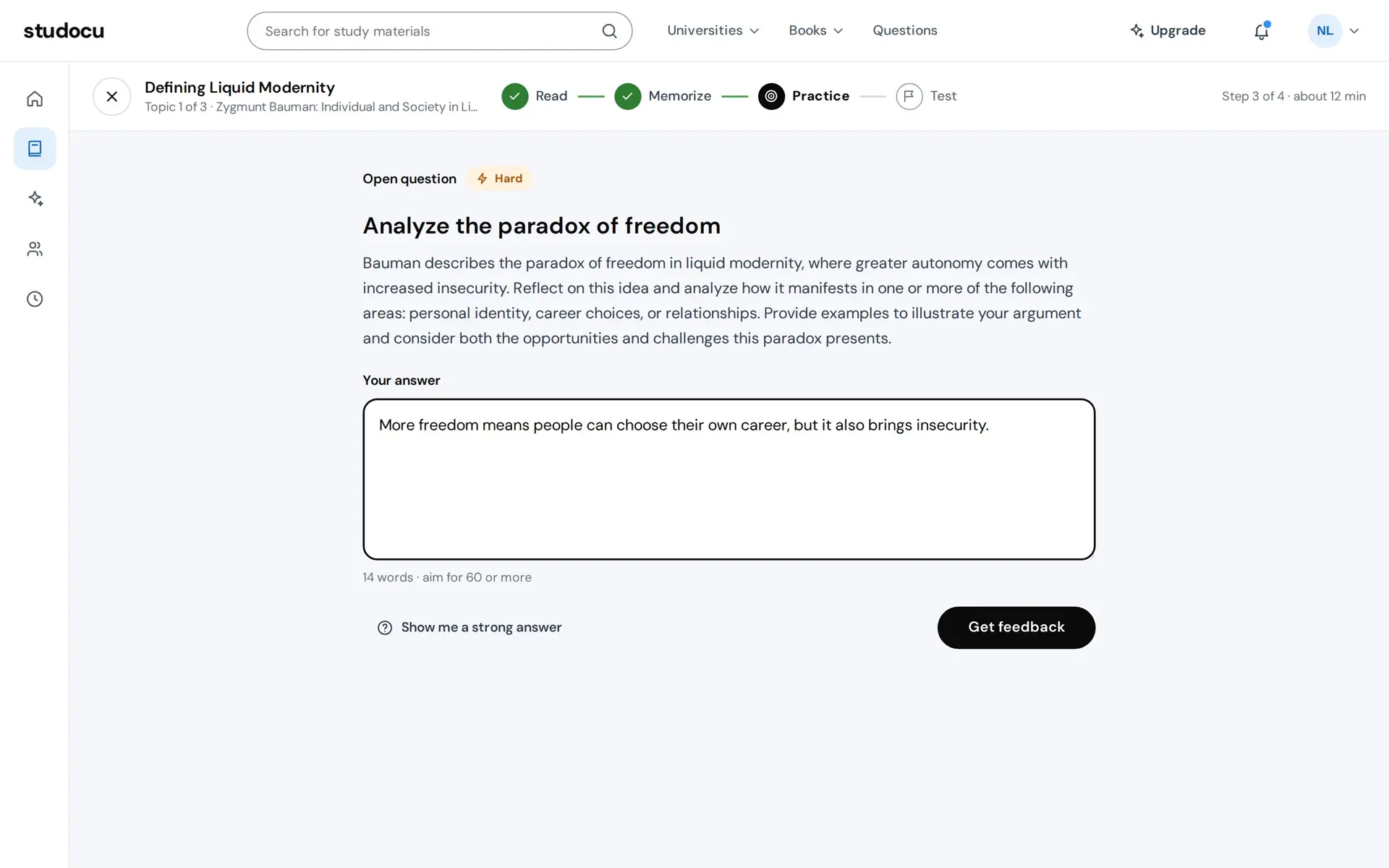
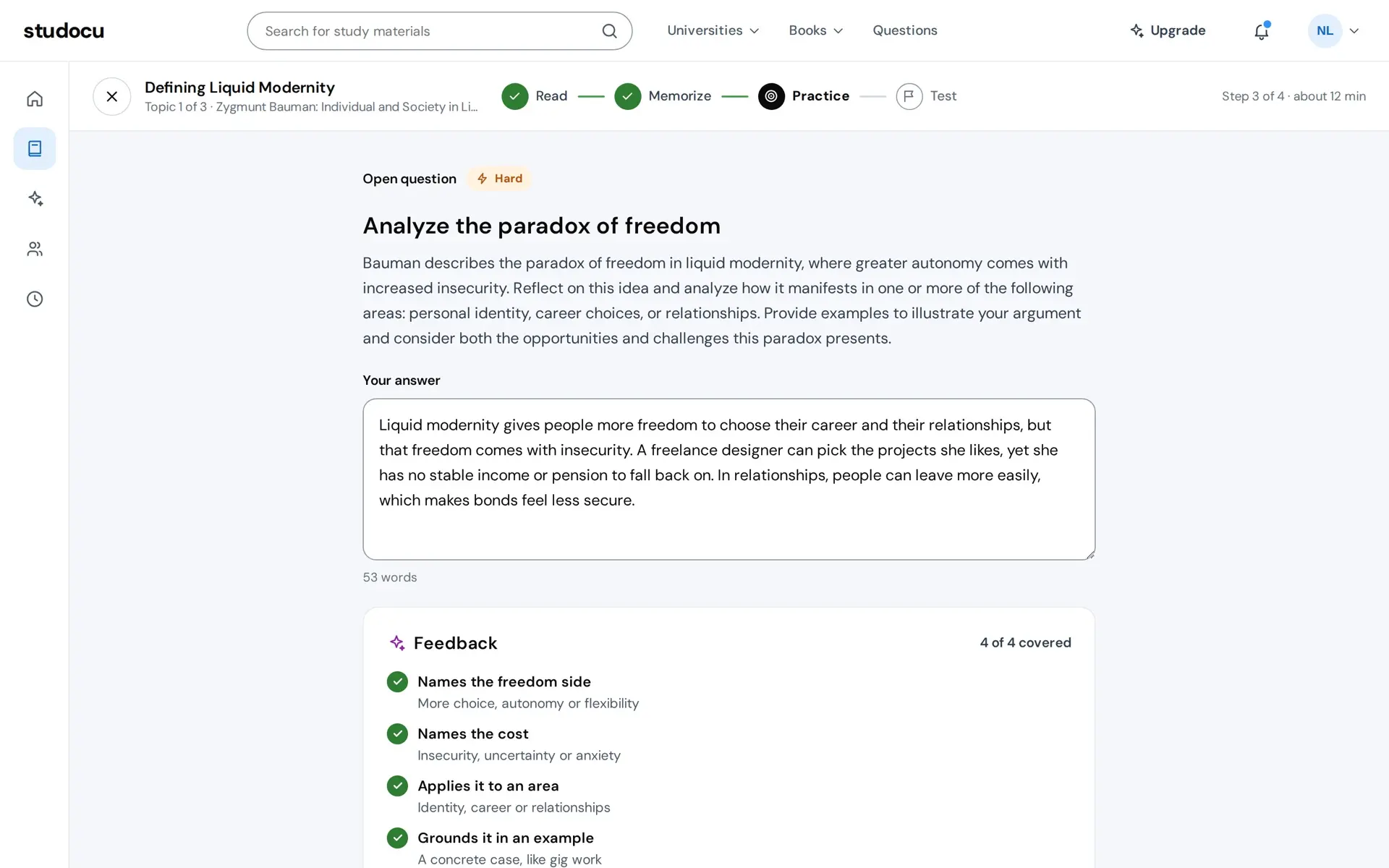
Prototype. The course, the student and every number on screen are sample data.
Test
Twelve questions in four sections, and no feedback until you submit. A test that explains each answer as you go is practice. A map on the left shows which questions are answered and which are open and jumps to any of them. The timer starts at sixteen minutes and submits for you when it reaches zero, and submitting with questions open asks first.
Test
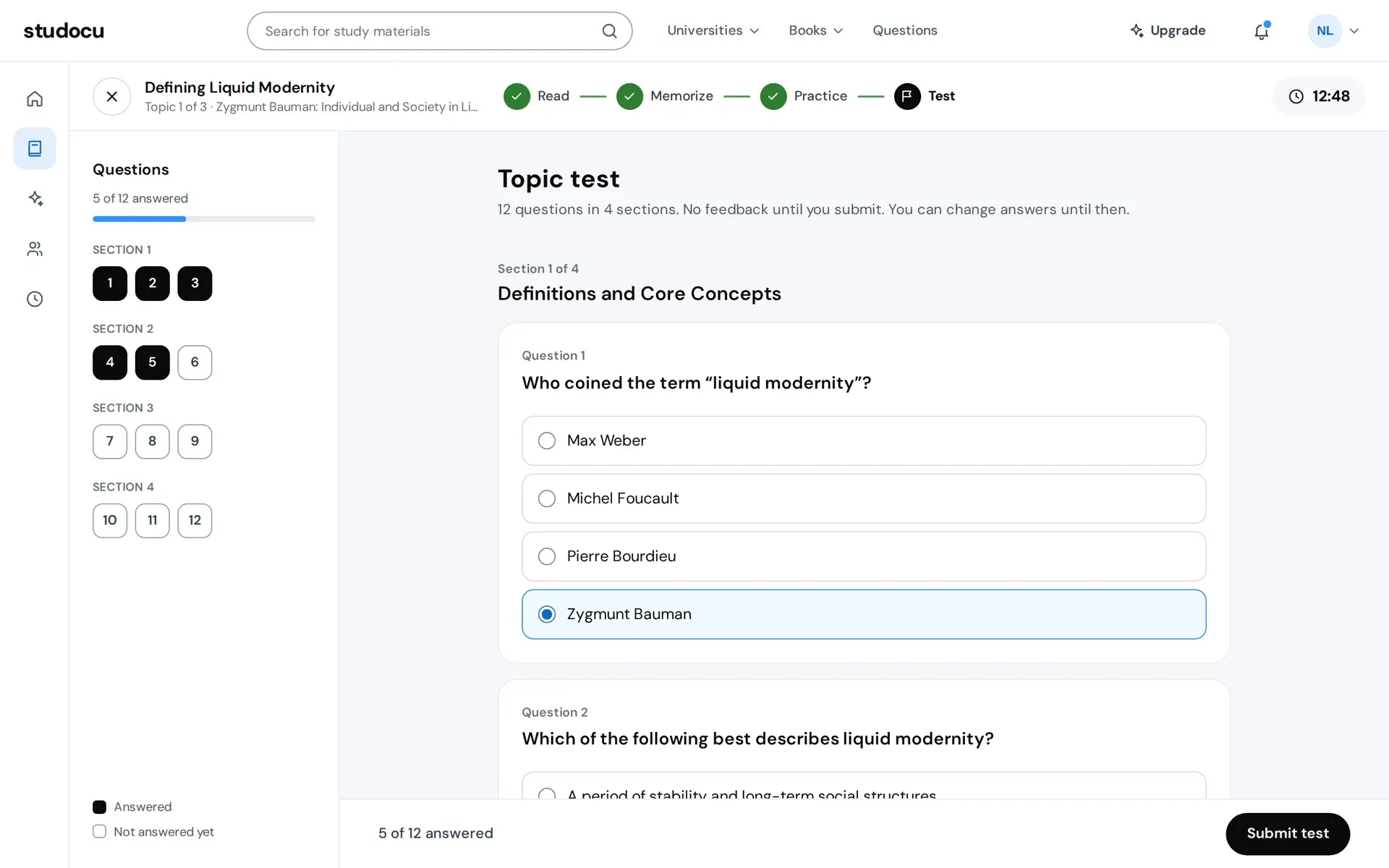
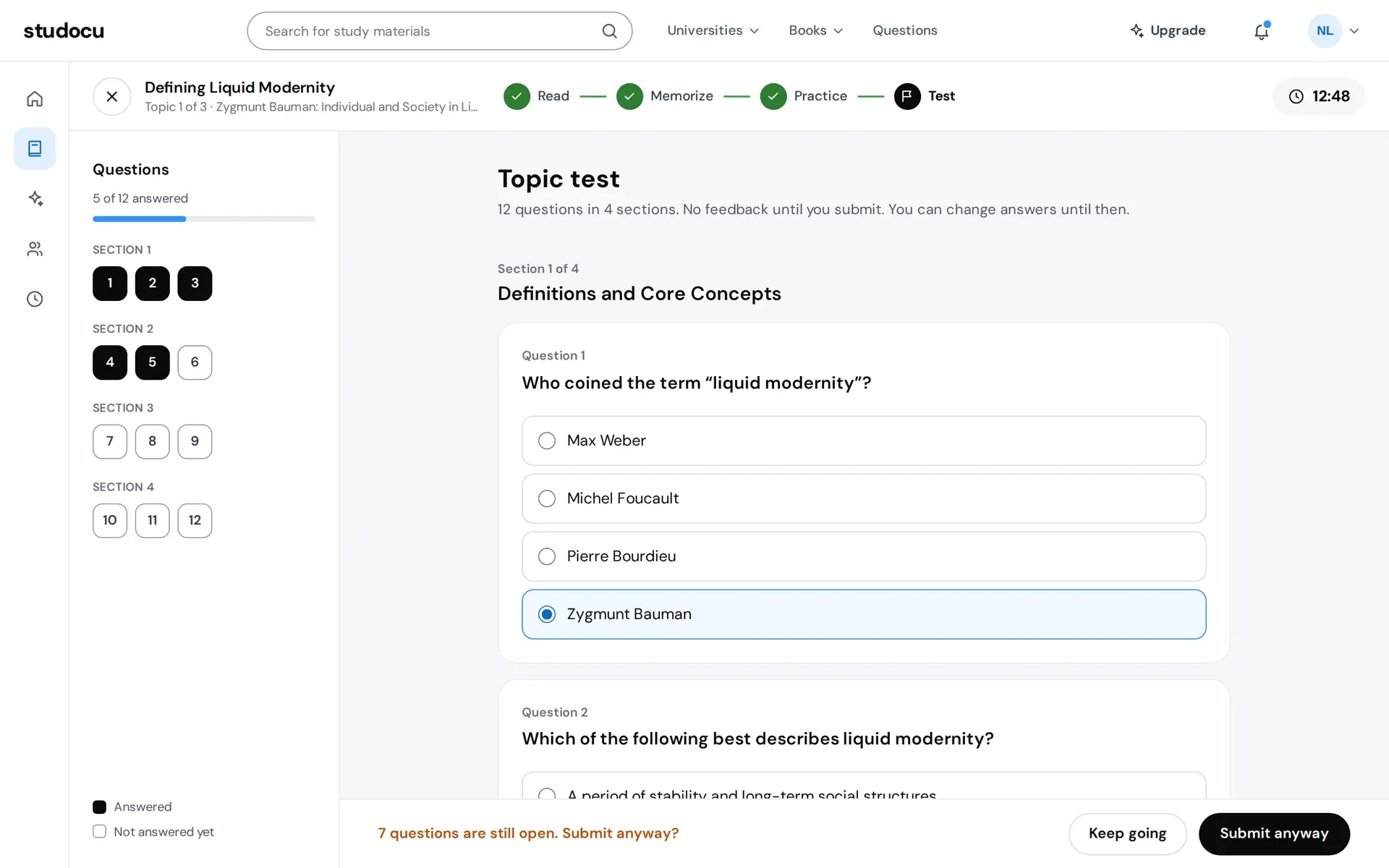
Prototype. The course, the student and every number on screen are sample data.
The result
The score is the test's, and under it three numbers from the steps before it: flashcards known, practice right first time, and the time the test took. The title changes with the score, at 80 and 60 percent, so praise is earned rather than printed. The questions you missed are listed with your answer and the right one. Next topic opens the plan again with the first topic done and the second open, the same four steps.
The result
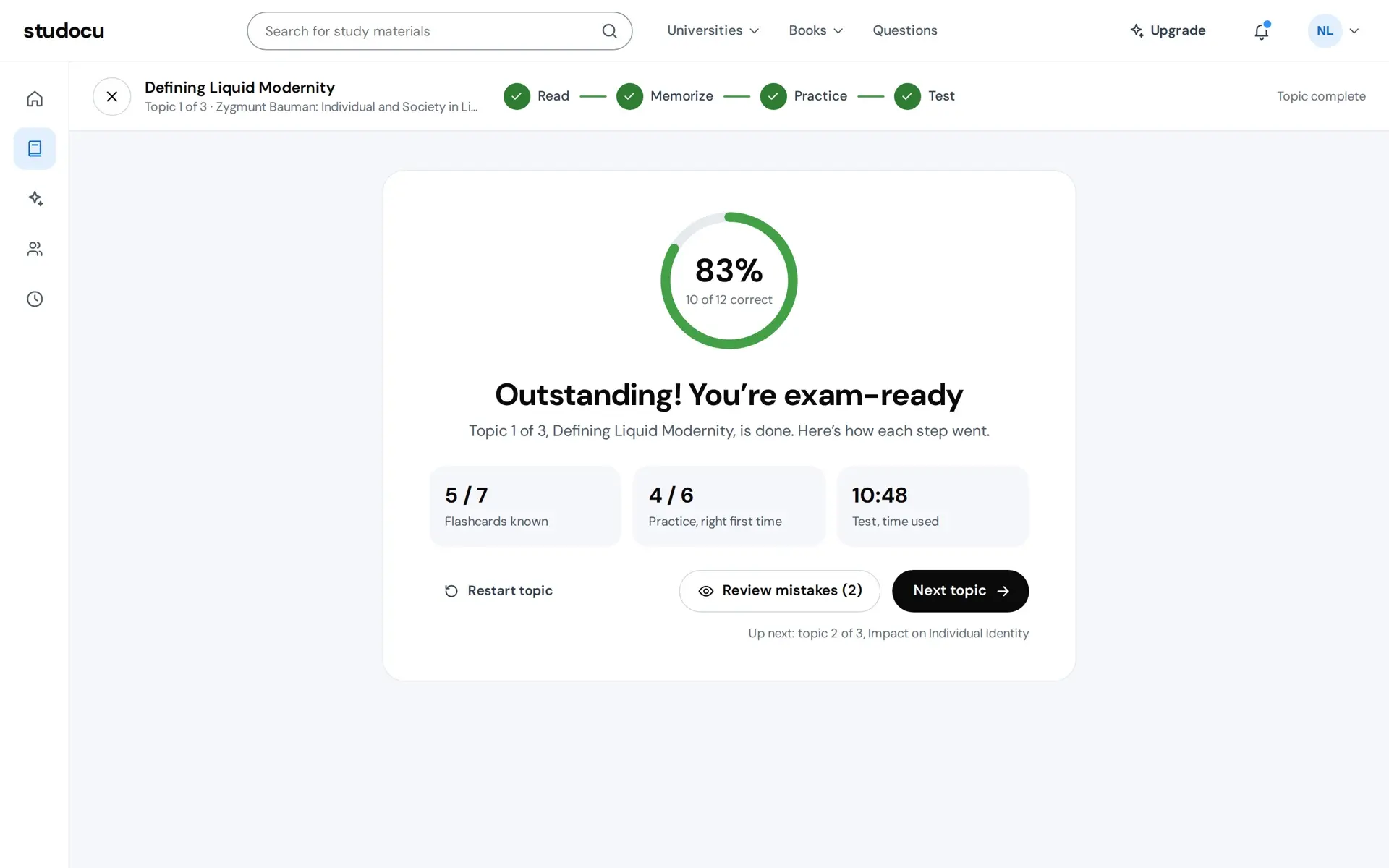
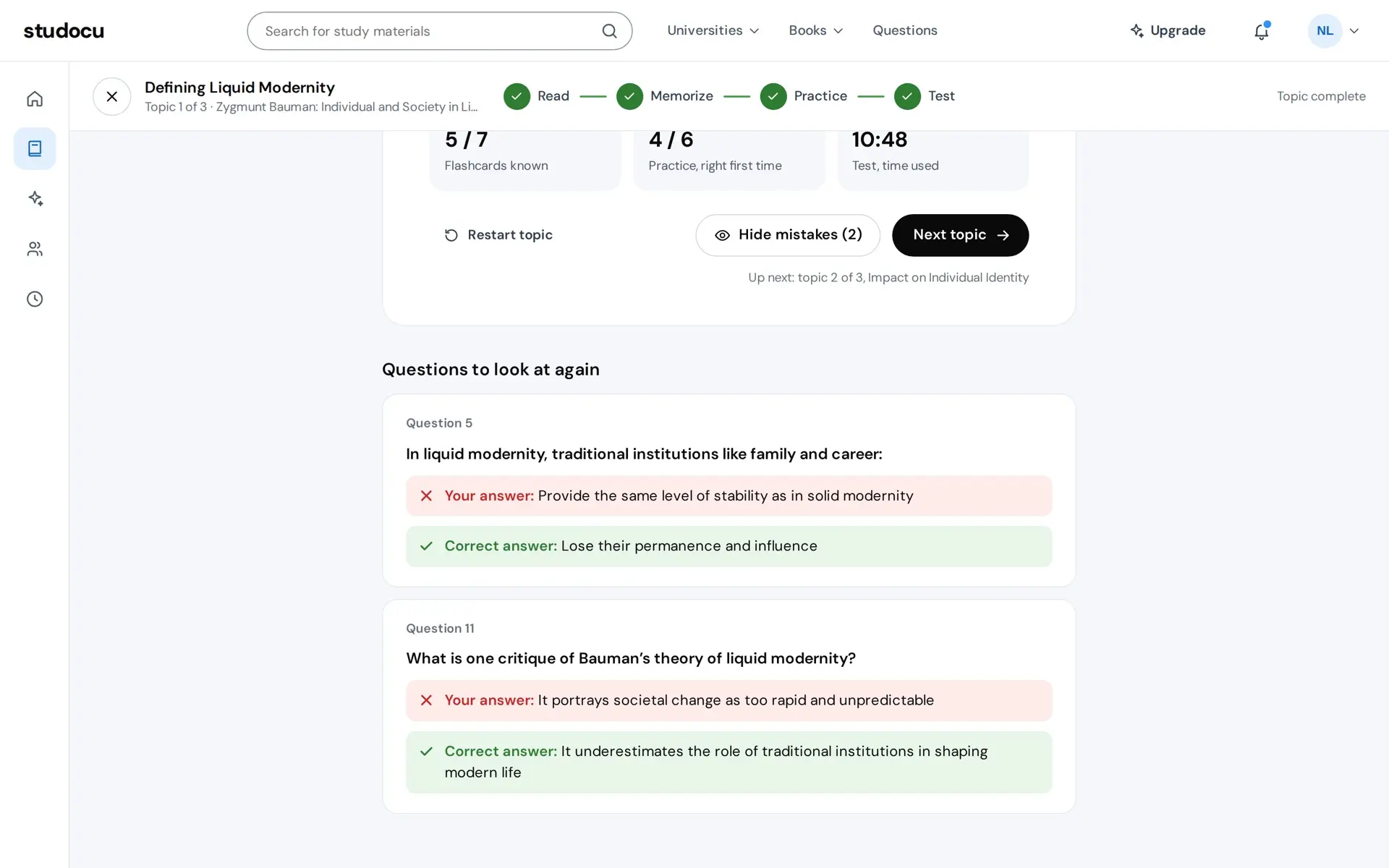
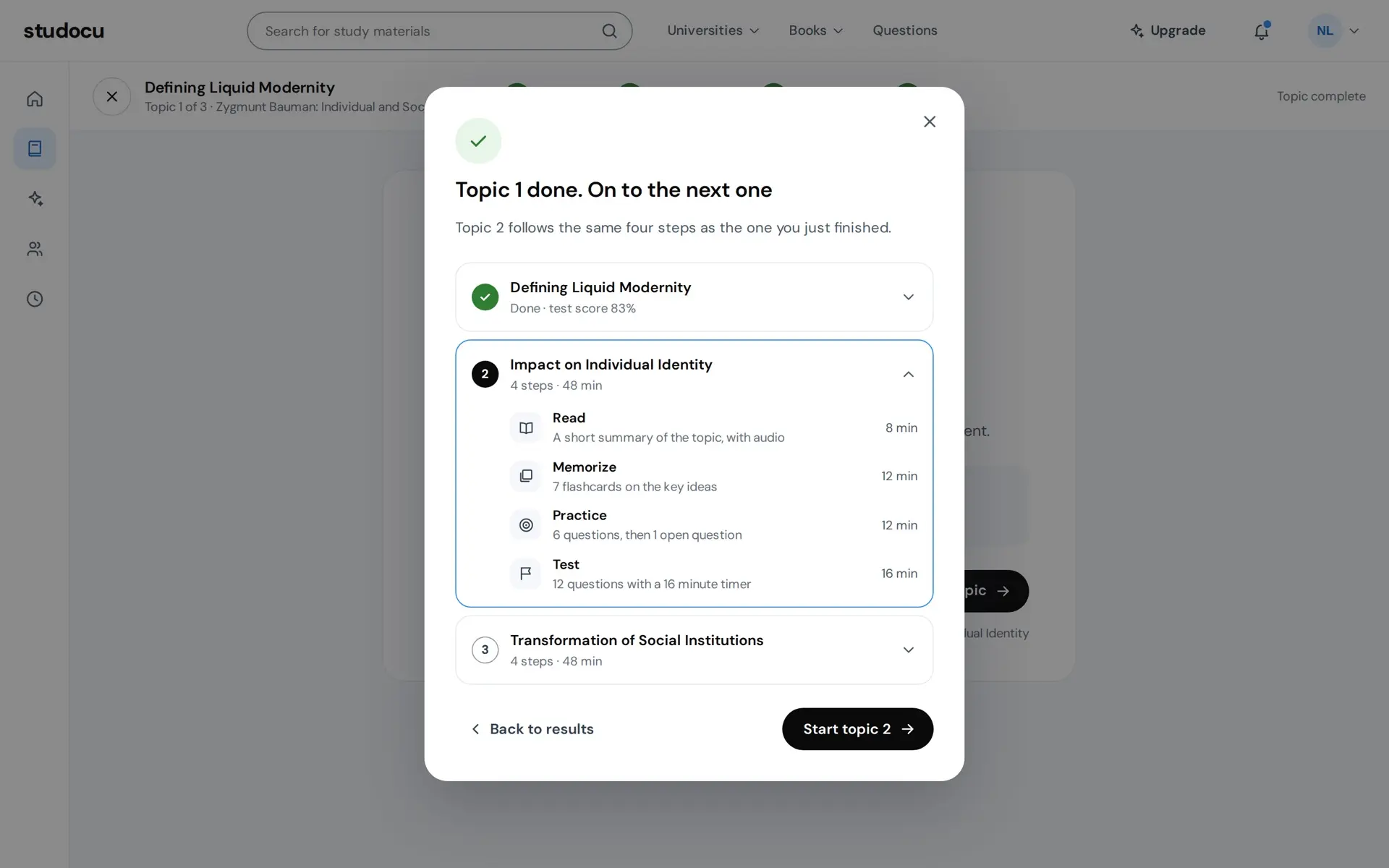
Prototype. The course, the student and every number on screen are sample data.
One run through the whole session, from Study now to the result's mistakes. I built the prototype in a Claude Design canvas. See it running opens it full size in its own tab.
Prototype. The course, the student and every number on screen are sample data.
More case studies
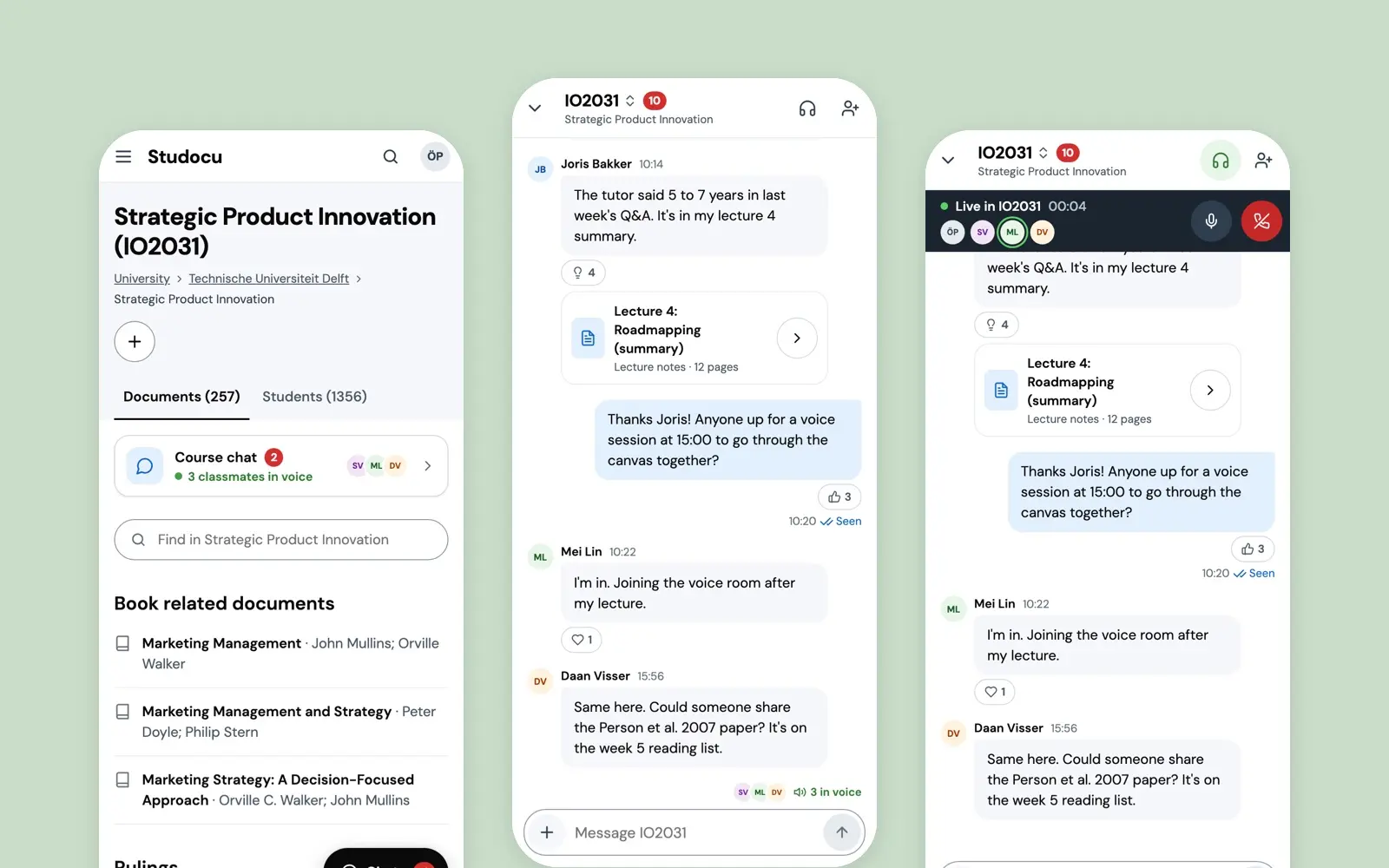
Course Chat
The take-home that got me hired at Studocu in 2022: a live chat with voice rooms on the course page, chosen after asking students what they already do.
case study · 2022 · read it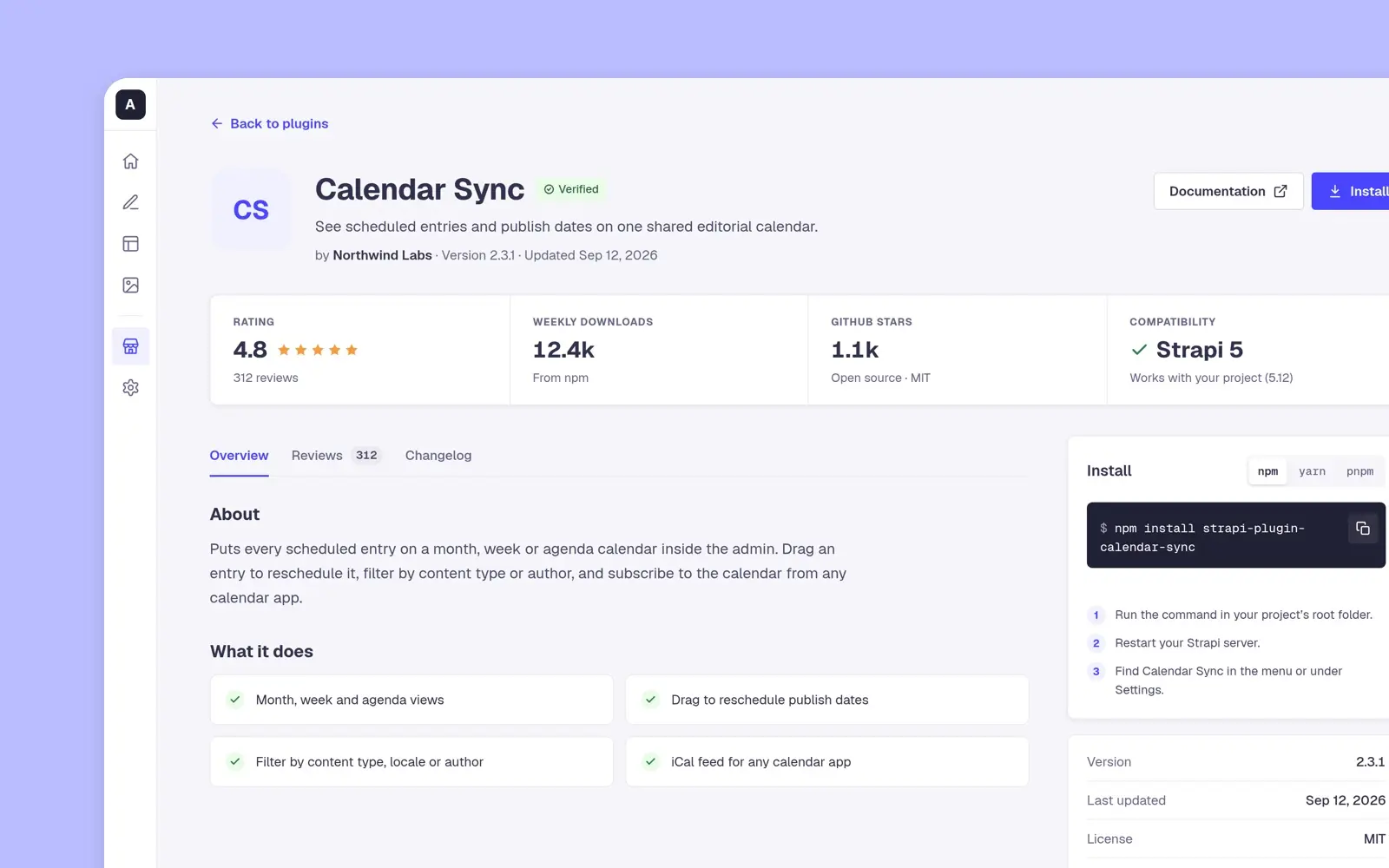
Strapi Marketplace
Strapi's design assessment, April 2022: a plugin marketplace for its admin where a developer sees who made a plugin and what others think before installing it.
case study · 2022 · read it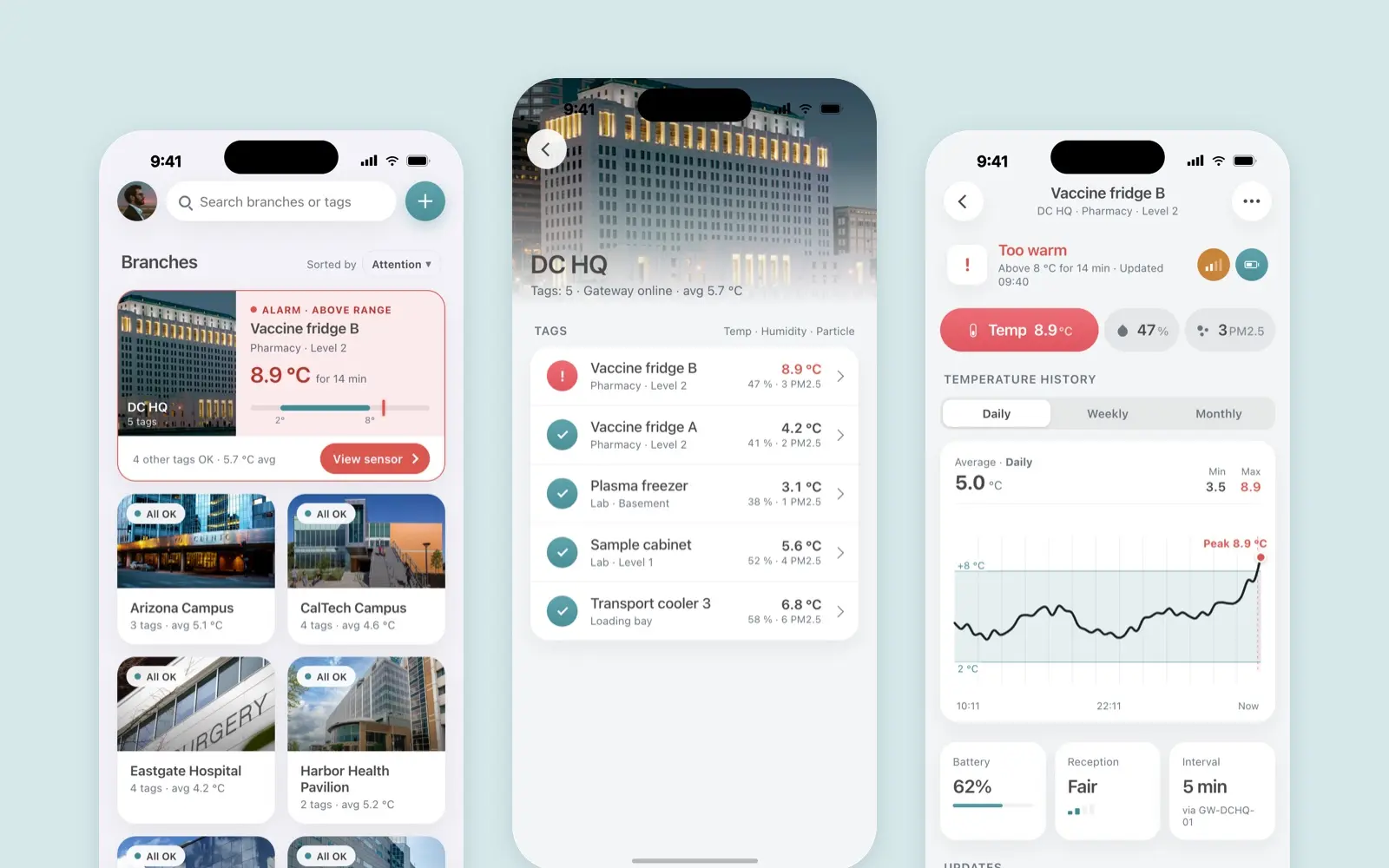
Borda Sensei
A mobile app for Borda’s temperature, humidity and particle sensors
case study · 2022 · read it