← Work

KetoGen

Built to keep keto interesting, not just compliant. Meals from a curated library or generated on-device, with macros the language model never touches.

Track
built
Category
tool

Tools

  • Swift
  • SwiftUI
  • SwiftData
  • FoundationModels

Why

Keto rarely fails because the diet is hard. It fails because a few weeks in, you run out of ideas, meals repeat, and "healthy" starts losing to "easy." I built KetoGen because I wanted to stay on keto myself, and staying on it meant not getting bored of it.

I built this alone. No team, no cofounder, design and engineering both mine.

Personalization, from behavior, not ratings

The taste engine is built on a specific bet: people rate rarely but cook often, so implicit signals beat explicit ones. Tapping "give me another" is the strongest signal in the system, an unambiguous rejection that costs the user nothing and happens naturally. Cooking something again unprompted is the strongest positive signal. A day you planned but never logged barely moves the needle at all, because that's usually a change of plan, not a dislike, and punishing it would hollow out the profile over one busy week.

The profile itself, cuisine, ingredient, and technique affinity, is deliberately readable and editable on a "Your Taste" screen rather than an opaque embedding, and it decays over roughly two months so a dislike from a year ago stops dictating dinner.

Guarding against going stale

Left alone, a system like this collapses: the highest-scoring foods keep winning, the user keeps seeing them, and within weeks the app is proposing the same five dishes forever. KetoGen reserves a share of every day for food you have no history with at all, not just lower-scoring food, genuinely unfamiliar. That share grows or shrinks with how adventurous your profile says you are.

The week planner adds its own constraints on top: no protein appears more than twice in a week, no exact recipe repeats within 14 days, and at least three cuisines show up across the week. These are stated product decisions, not clinical thresholds, kept deliberately separate from the underlying math so they can be retuned without touching it.

Library and generation, both real

Every meal slot can be filled from a curated recipe library or generated fresh on-device with Apple's model. Generation is grounded against the same food catalog the library draws from, so the model is structurally unable to name an ingredient that isn't real. If on-device generation isn't available, the app falls back to the library instead of failing.

Macros the model never touches

The language model writes a recipe. It does not do the math. A separate nutrition engine computes macros from real food composition data, an energy engine derives calorie and macro targets from metabolic equations, and a carb engine handles net carbs and sugar alcohols correctly rather than the common "carbs minus fiber" shortcut. Every number shown to a user traces back to a citation, read live from the code that computed it.

A validation layer between the model and the screen

Every generated recipe is checked before it reaches the user: allergens twice, once against catalog data and once against free text, kept deliberately independent so a bug in one gets caught by the other. Cook temperatures are cited from FDA Food Code tables, computed at runtime rather than hardcoded into a view. That said, I'll be straight about it: the classification isn't perfect everywhere yet, whole roasts and stuffed dishes can land on the wrong table entry today, and that's tracked, not hidden.

A confession

Reading this list back, this is a lot more than a recipe app needed to be for a first version. I got interested in the problem underneath the problem and kept pulling the thread. I don't regret it, though I'll admit "MVP" was never really on the table for me.

Privacy, checked, not just stated

There are no network calls anywhere in the app. No URLSession, no third-party SDK, no dependency that could phone home even if it wanted to. I checked this directly rather than just writing it in a privacy label. Nothing about a person's body, food, or health leaves their device, because there's no path for it to.

Design

Color means something, not decoration. Fat is always yellow, protein always red, carbs always blue, everywhere, no exceptions for what looks nice in a given layout. Illustrations are flat color fields with ink contours, a quiet Bauhaus influence, and never boxed into cards, so a hero figure feels like part of the page instead of sitting on top of it.

Stack

Swift, SwiftUI, SwiftData, Apple FoundationModels for on-device generation. Solo build. Pre-launch, first TestFlight round with a small group underway.

Screens

  1. Onboarding

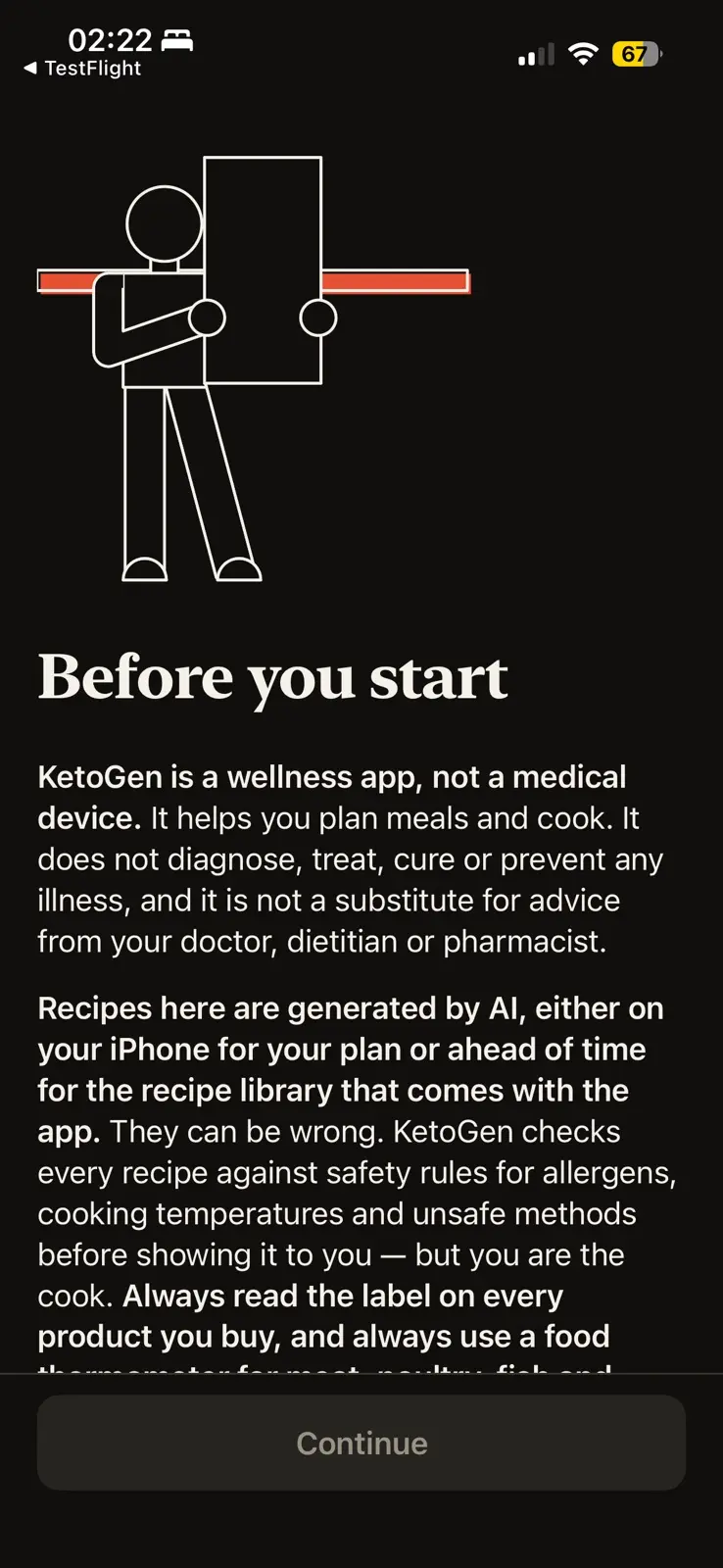
    The first onboarding screen, in dark mode, under a line drawing of a person holding up a tall blank card in front of a red bar. Headed Before you start, it says KetoGen is a wellness app and not a medical device: it helps you plan meals and cook, does not diagnose, treat, cure or prevent any illness, and is no substitute for a doctor, dietitian or pharmacist. It goes on to say the recipes are generated by AI, on the phone or ahead of time for the library that comes with the app, that they can be wrong, and that every recipe is checked against safety rules for allergens, cooking temperatures and unsafe methods before it is shown, but you are the cook. One Continue button at the foot.
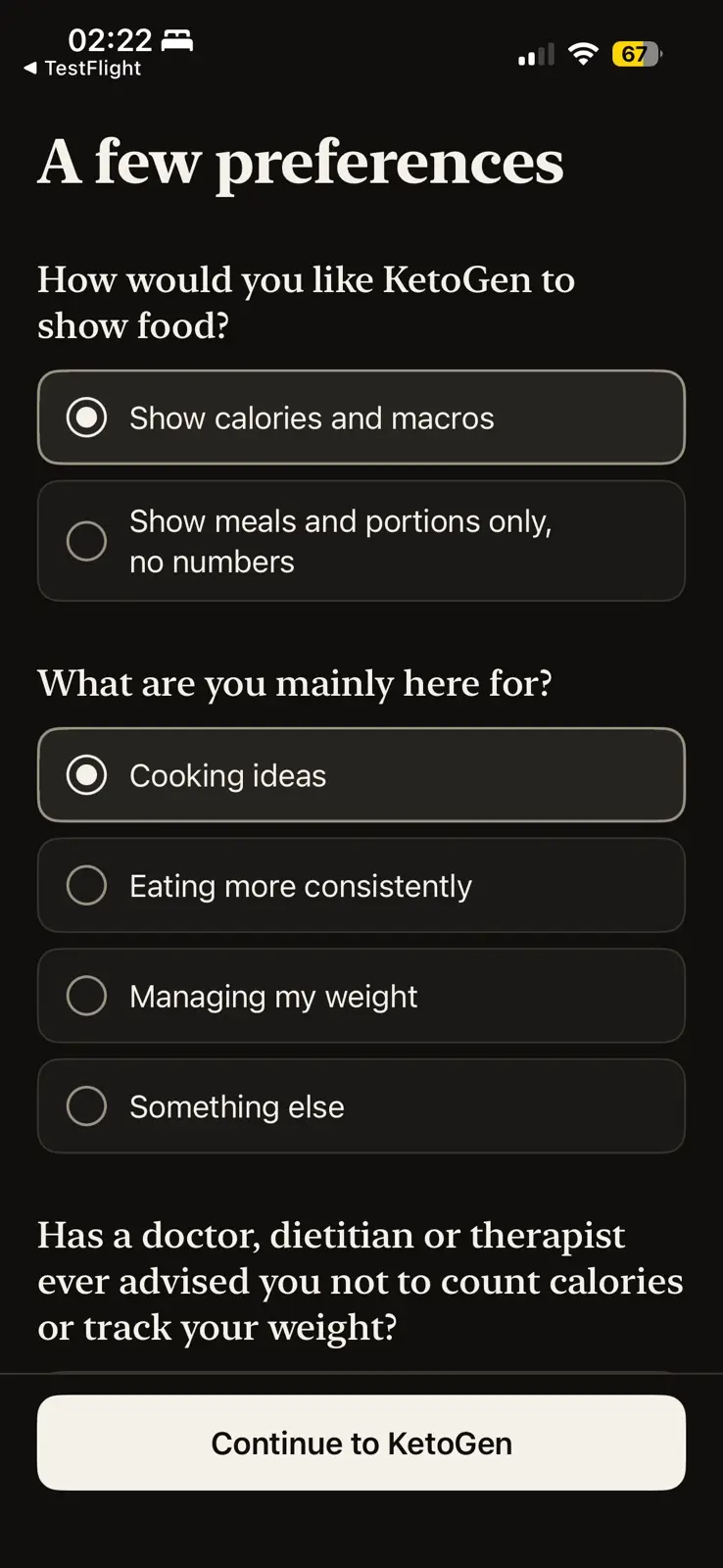
    A few preferences, in dark mode. The first question asks how KetoGen should show food, with show calories and macros chosen over show meals and portions only, no numbers. The second asks what you are mainly here for, with cooking ideas chosen over eating more consistently, managing my weight and something else. A third question begins below it, asking whether a doctor, dietitian or therapist has ever advised you not to count calories or track your weight. The button reads Continue to KetoGen.
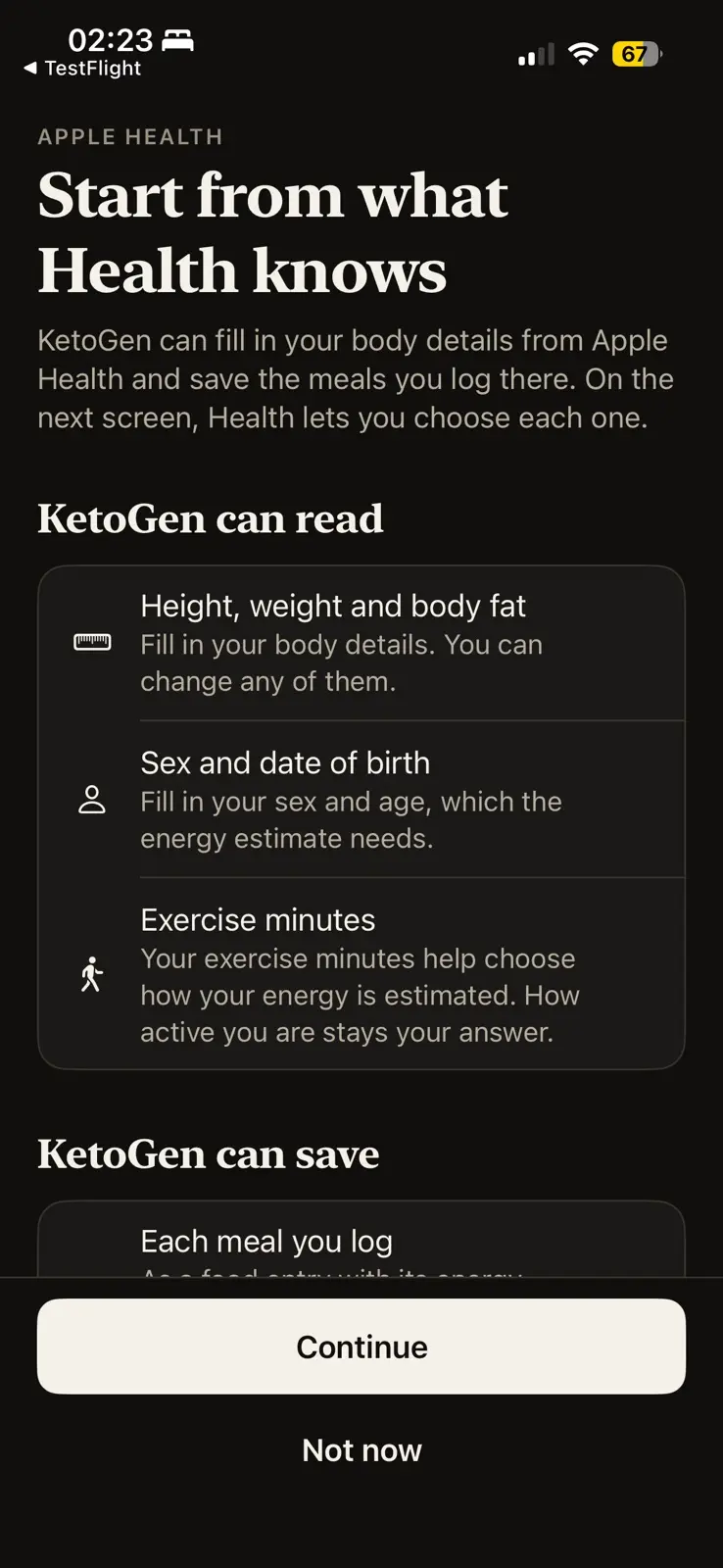
    Start from what Health knows, in dark mode, under an Apple Health label. A line says KetoGen can fill in your body details from Apple Health and save the meals you log there, and that Health lets you choose each one on the next screen. Under KetoGen can read, three rows: height, weight and body fat, to fill in your body details, which you can change; sex and date of birth, which the energy estimate needs; and exercise minutes, which help choose how your energy is estimated while how active you are stays your answer. A second list, KetoGen can save, begins below with each meal you log. The buttons read Continue and Not now.
    Nothing about your body, food or health leaves the device: the app makes no network calls at all.
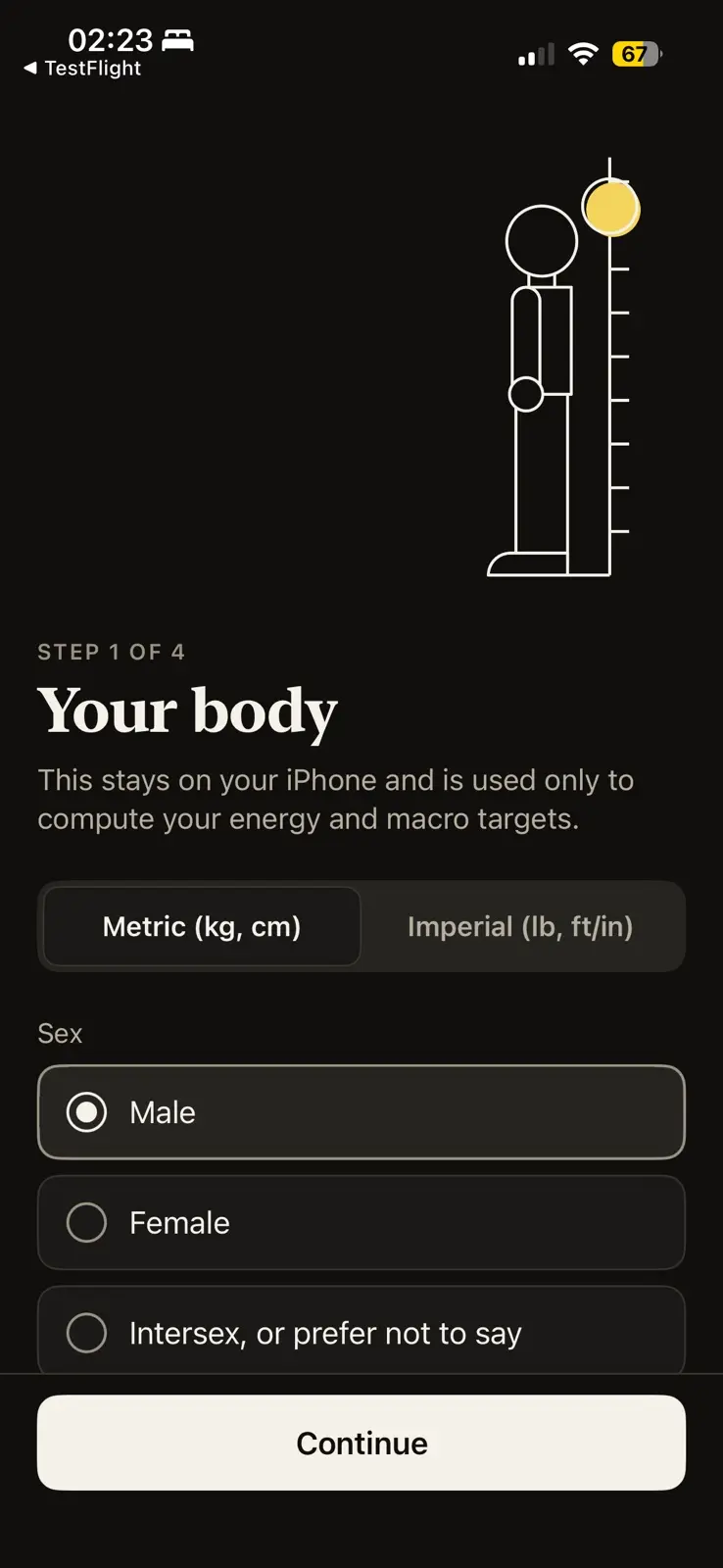
    Step 1 of 4, your body, in dark mode, under a line drawing of a figure standing against a measuring scale with a yellow disc at its top. A line says this stays on your iPhone and is used only to compute your energy and macro targets. A switch between metric and imperial units, set to metric, then a choice of sex, with male chosen over female and intersex or prefer not to say. A Continue button at the foot.
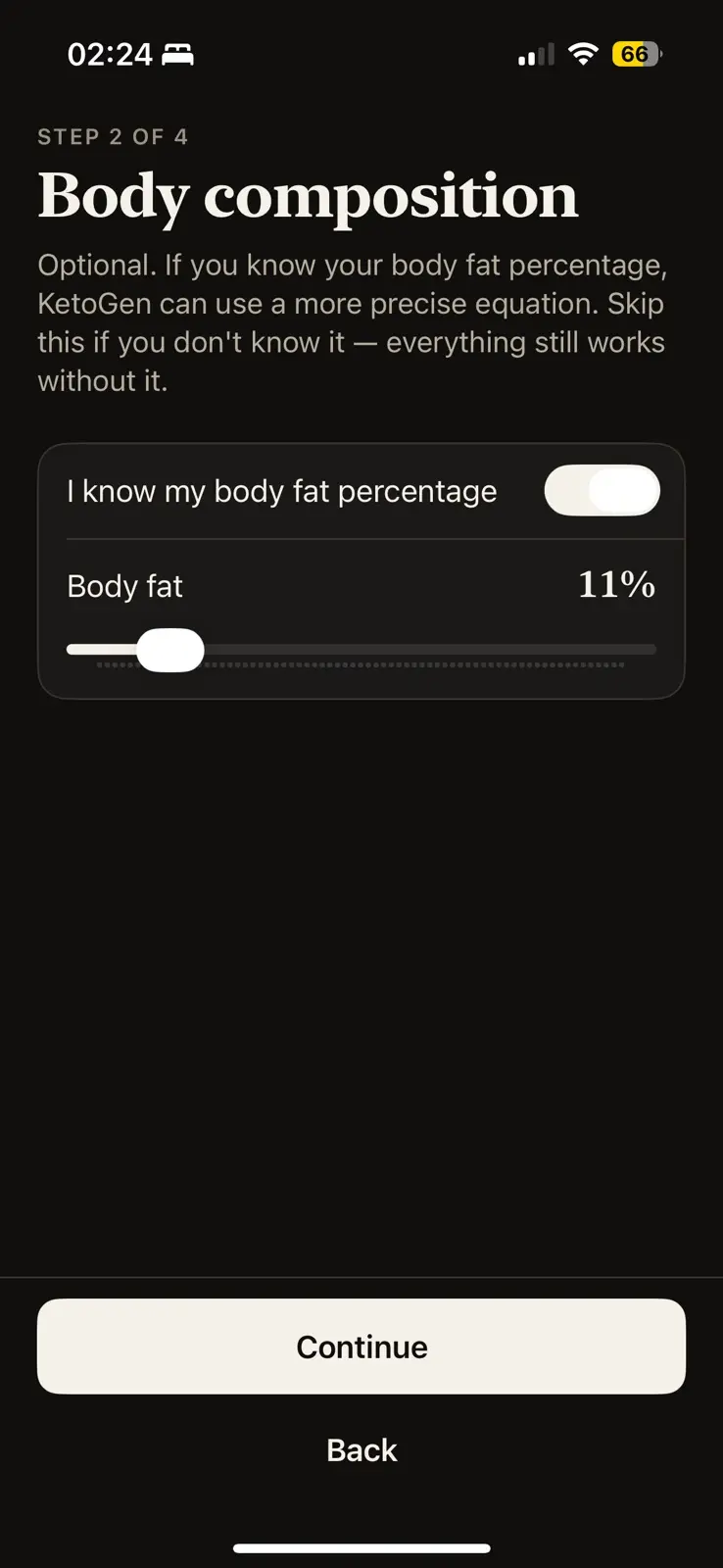
    Step 2 of 4, body composition, in dark mode. A line says this is optional, that knowing your body fat percentage lets KetoGen use a more precise equation, and that everything still works without it. A switch reading I know my body fat percentage is on, over a slider set to 11 percent. Continue and Back buttons at the foot.
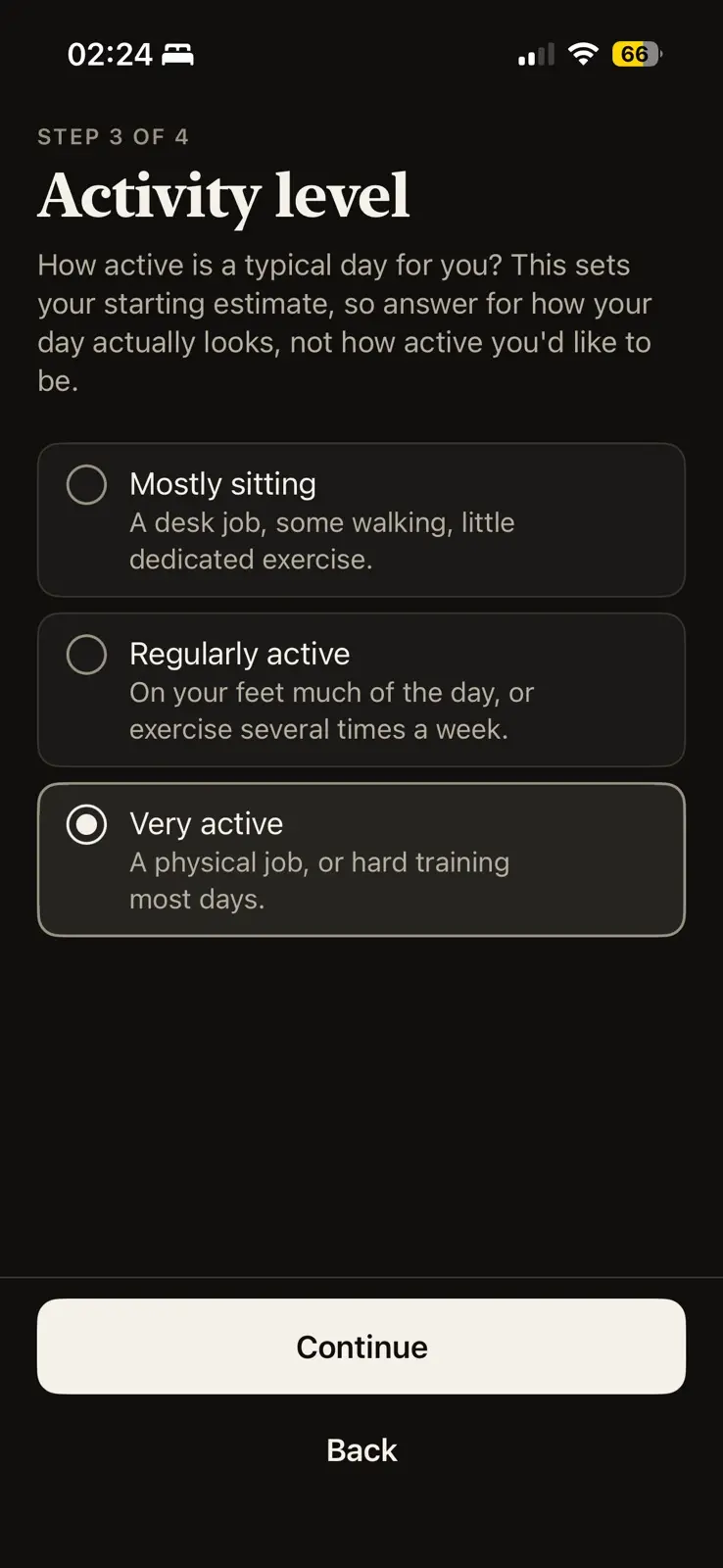
    Step 3 of 4, activity level, in dark mode. A line asks how active a typical day is, and says to answer for how your day actually looks, not how active you would like to be. Three options, mostly sitting, regularly active and very active, each with a line of description, and very active chosen. Continue and Back buttons at the foot.
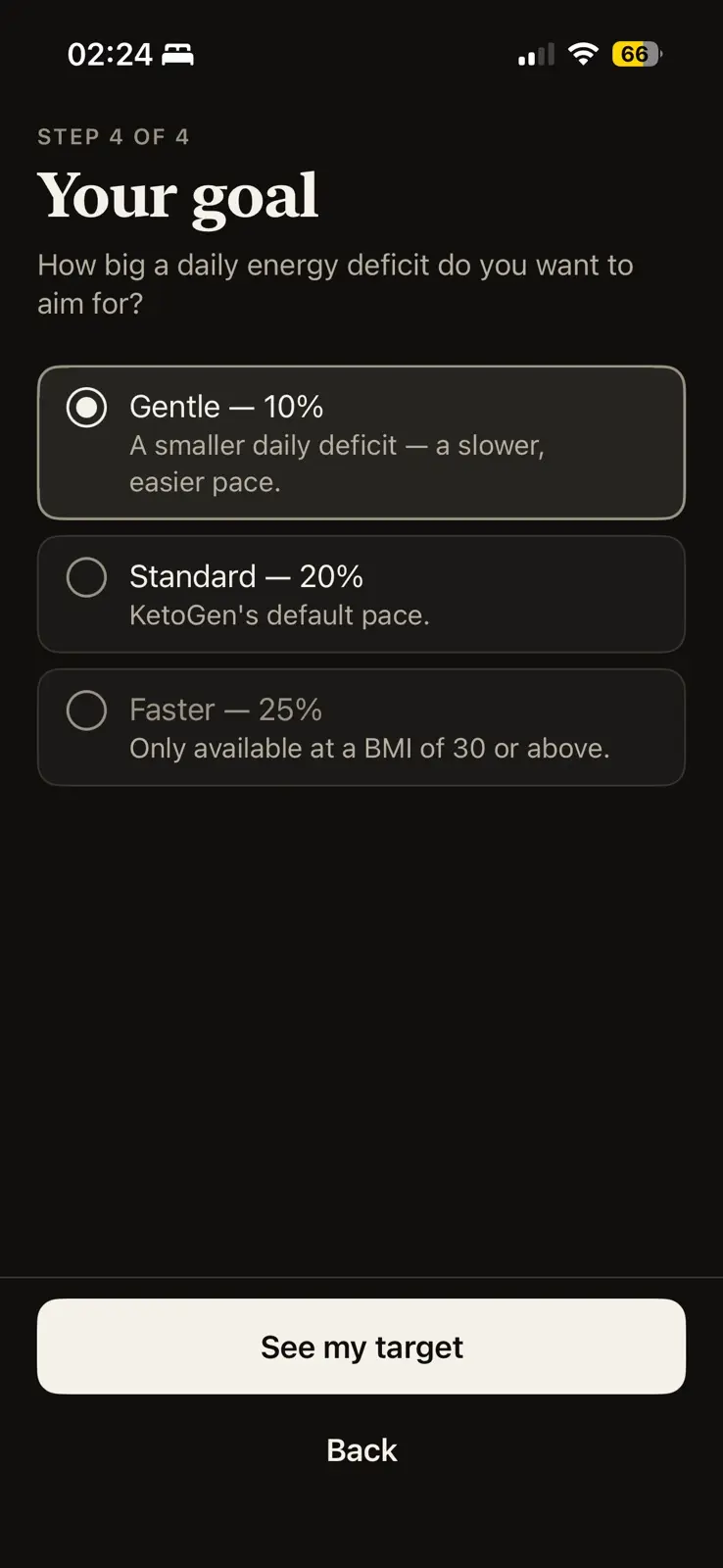
    Step 4 of 4, your goal, in dark mode, asking how big a daily energy deficit to aim for. Three options: gentle at 10 percent, a slower and easier pace, which is chosen; standard at 20 percent, KetoGen's default pace; and faster at 25 percent, dimmed, with a note that it is only available at a BMI of 30 or above. See my target and Back buttons at the foot.
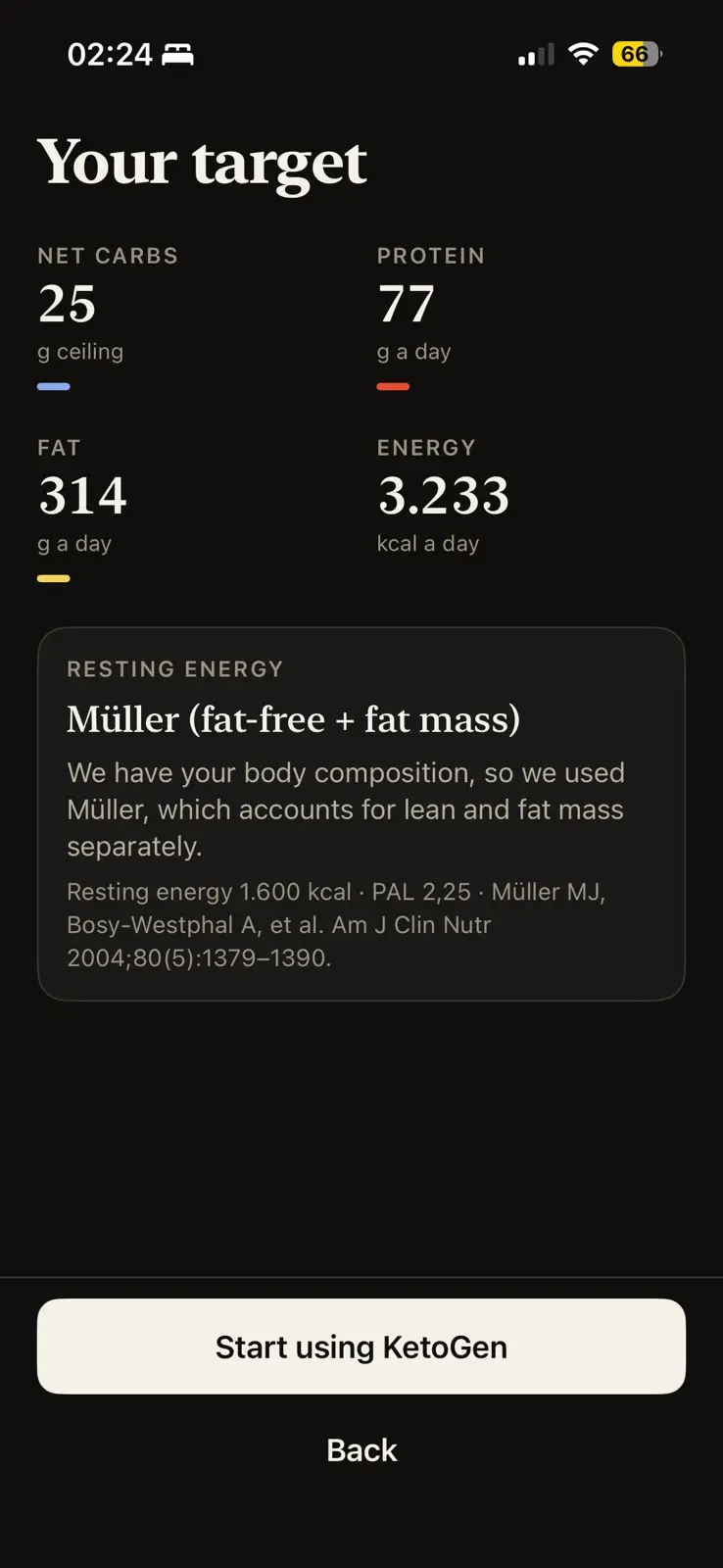
    Your target, in dark mode. Four figures, each over a short bar in its colour: a 25 gram ceiling of net carbs, 77 grams of protein a day, 314 grams of fat a day and 3,233 kilocalories a day. Below them a card headed resting energy names the equation it used, Müller, for fat-free and fat mass, says it was chosen because body composition was given, and cites the paper, Müller MJ, Bosy-Westphal A, et al., Am J Clin Nutr 2004. The button reads Start using KetoGen.
    Targets come from metabolic equations, and every number traces back to a citation.
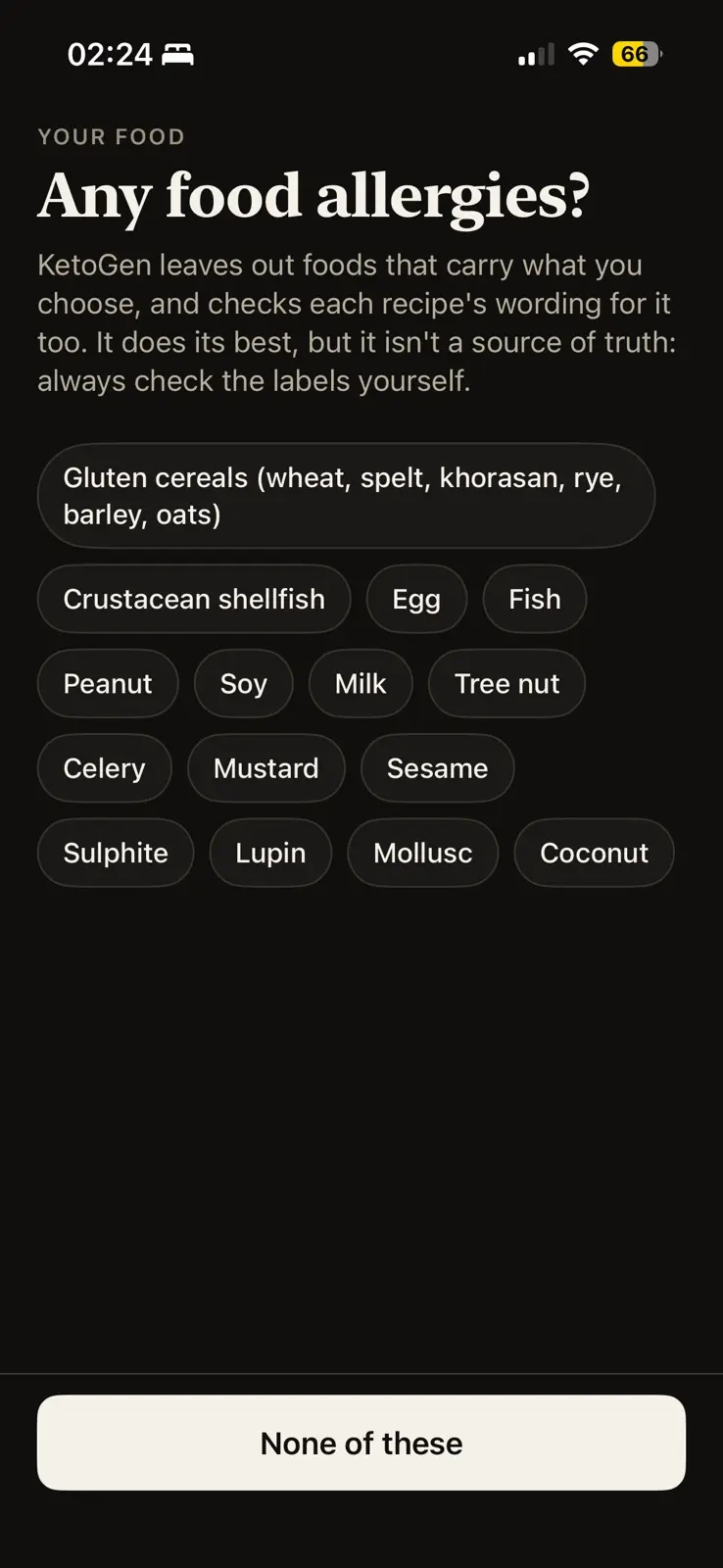
    Any food allergies, in dark mode. A line says KetoGen leaves out foods that carry what you choose and checks each recipe's wording for it too, but that it is not a source of truth, so always check the labels. Fifteen allergens follow as chips: gluten cereals, crustacean shellfish, egg, fish, peanut, soy, milk, tree nut, celery, mustard, sesame, sulphite, lupin, mollusc and coconut. The button reads None of these.
    Two independent checks, catalog data and the recipe's own wording, so a bug in one gets caught by the other.
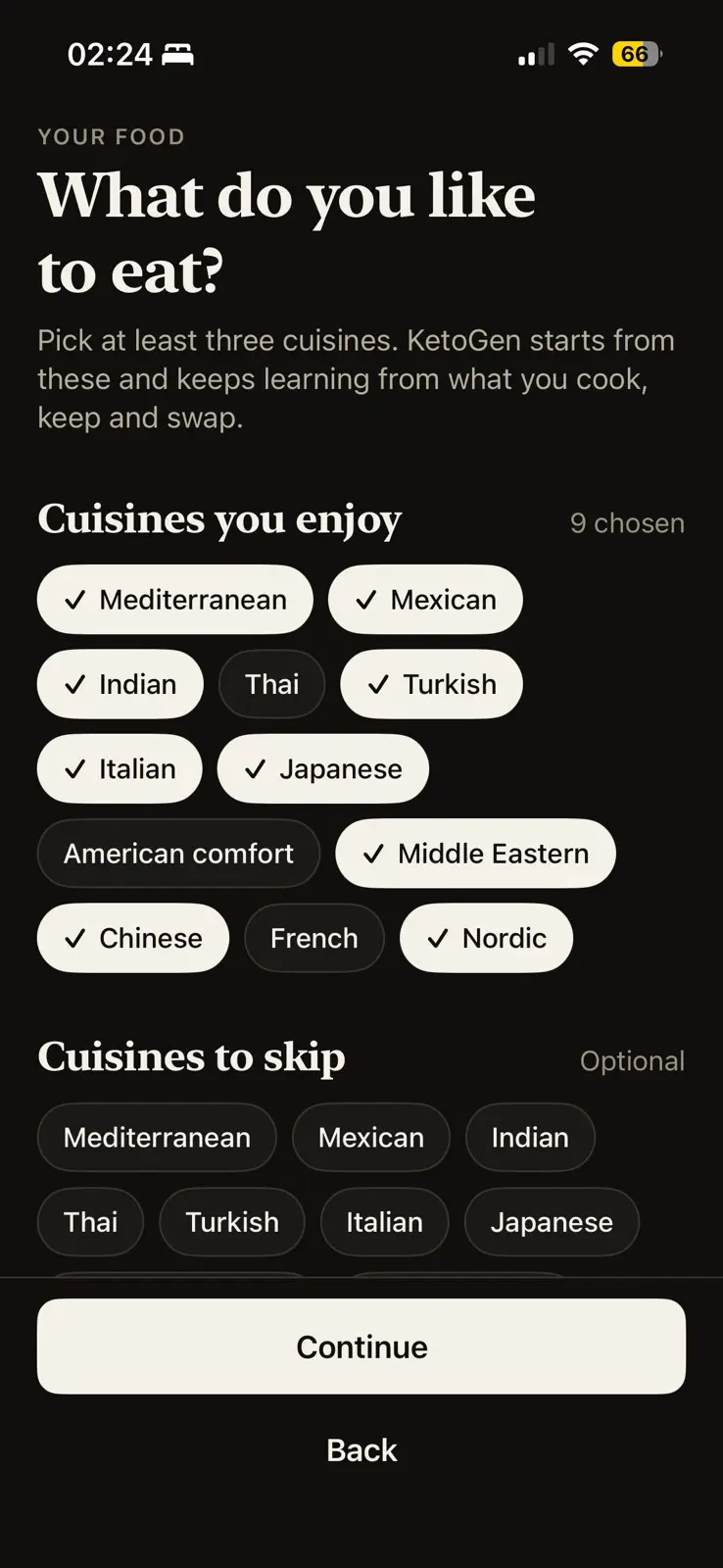
    What do you like to eat, in dark mode. A line asks for at least three cuisines and says KetoGen starts from these and keeps learning from what you cook, keep and swap. Nine of twelve cuisines are ticked, with Thai, American comfort and French left out, and an optional second list below offers cuisines to skip.
    People rate rarely but cook often, so it learns from what you cook, keep and swap.
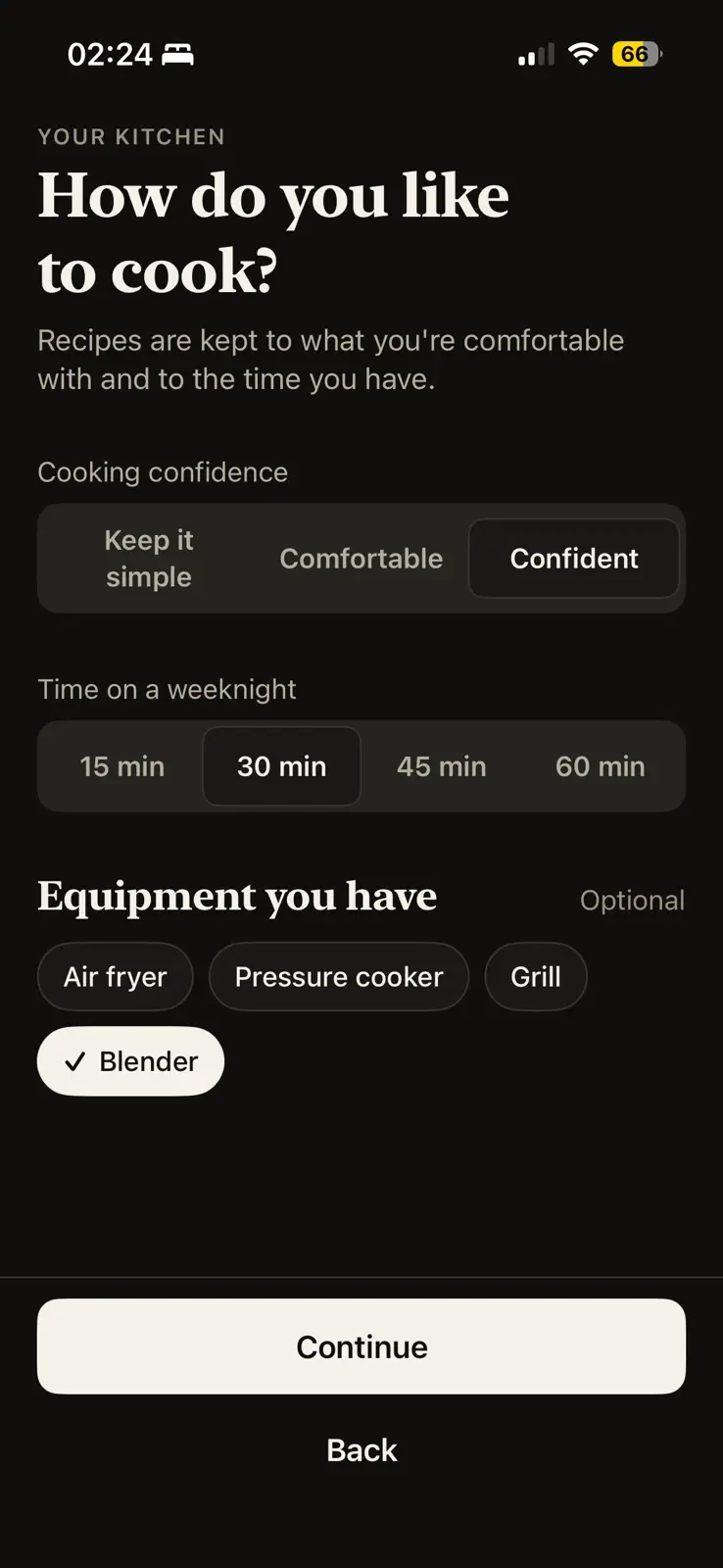
    How do you like to cook, in dark mode, under a your kitchen label. A line says recipes are kept to what you are comfortable with and to the time you have. Cooking confidence is set to confident over keep it simple and comfortable, time on a weeknight to 30 minutes out of 15, 30, 45 and 60, and in an optional equipment list, blender is ticked beside air fryer, pressure cooker and grill. Continue and Back buttons at the foot.
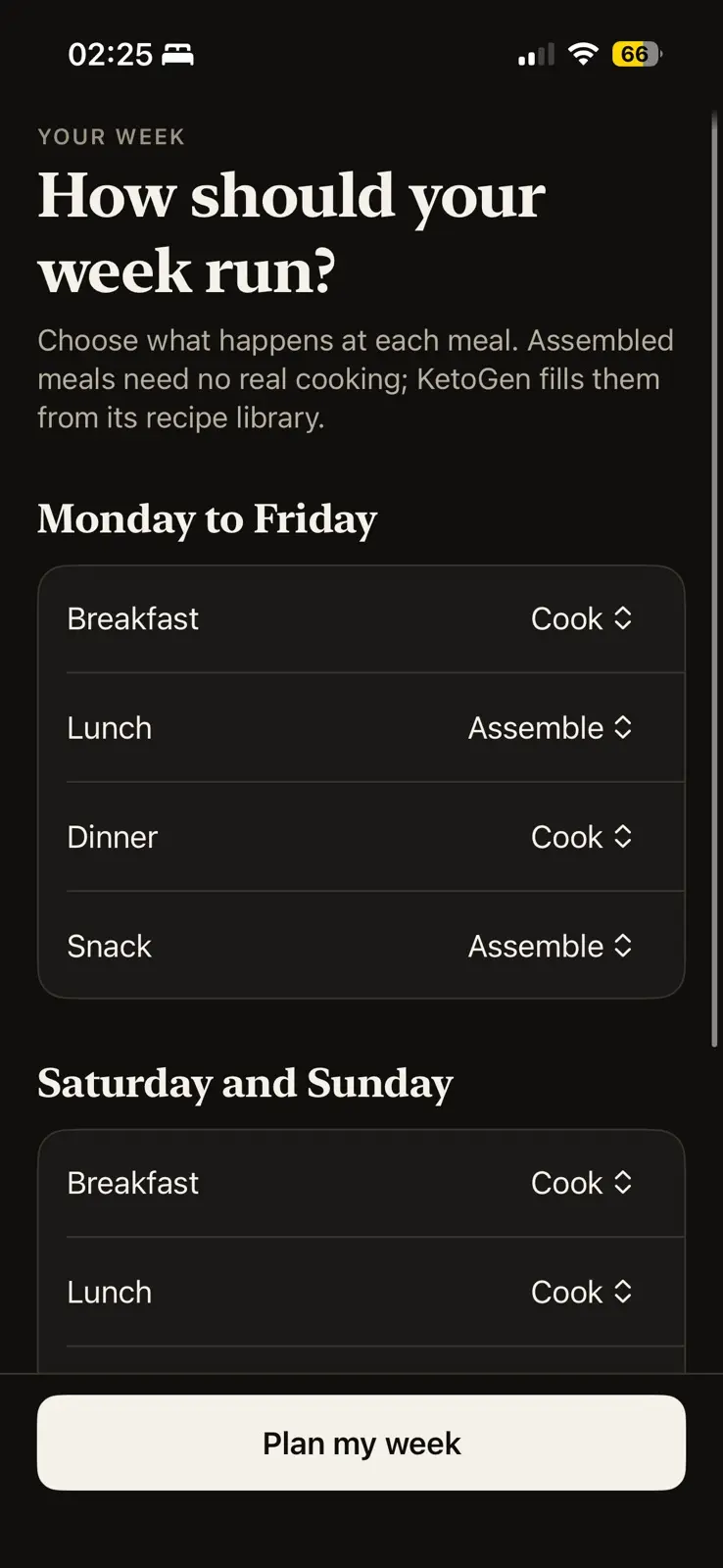
    How should your week run, in dark mode. A line says to choose what happens at each meal, and that assembled meals need no real cooking because KetoGen fills them from its recipe library. Monday to Friday sets breakfast and dinner to cook and lunch and snack to assemble. Saturday and Sunday begin below, with breakfast and lunch both set to cook. The button reads Plan my week.
    Every meal slot can be filled from the curated library or generated fresh on-device.
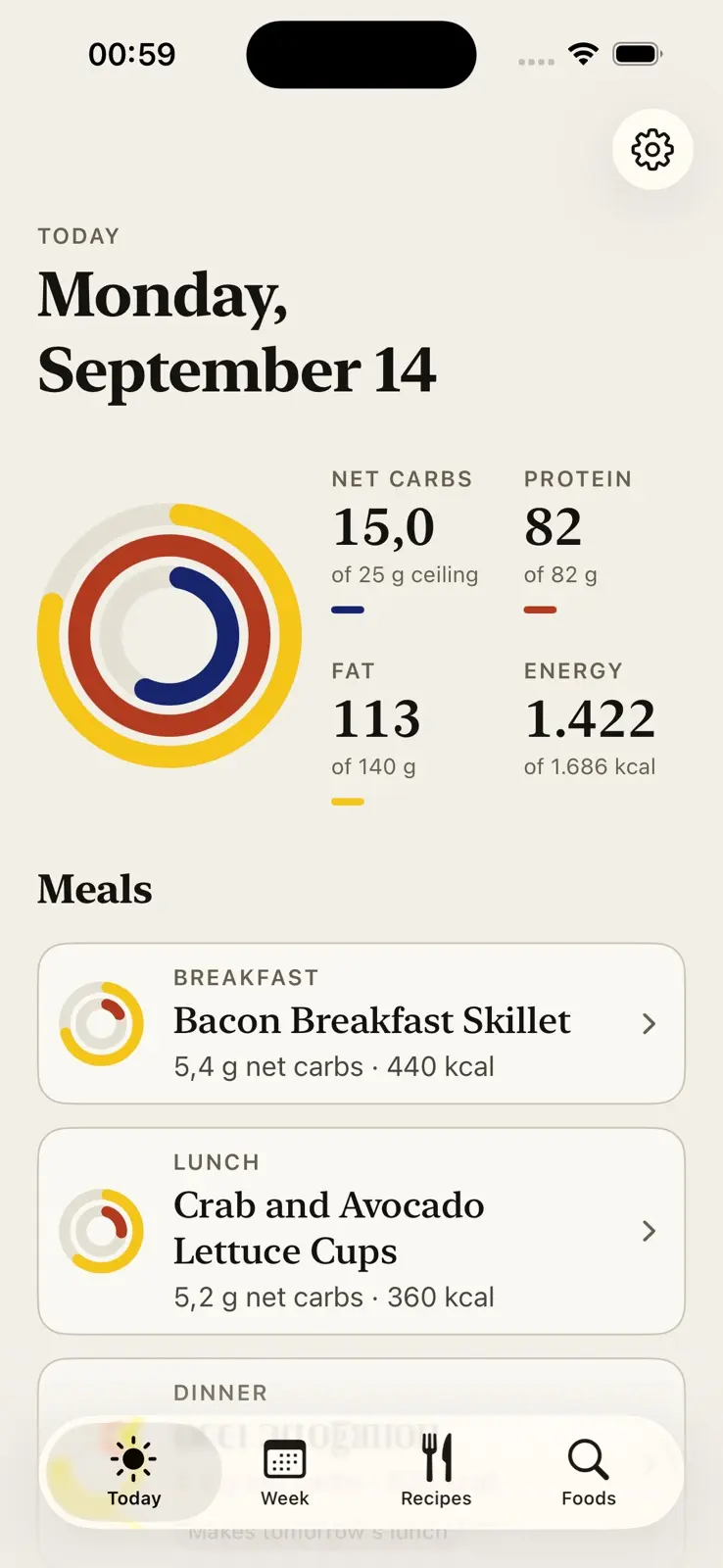
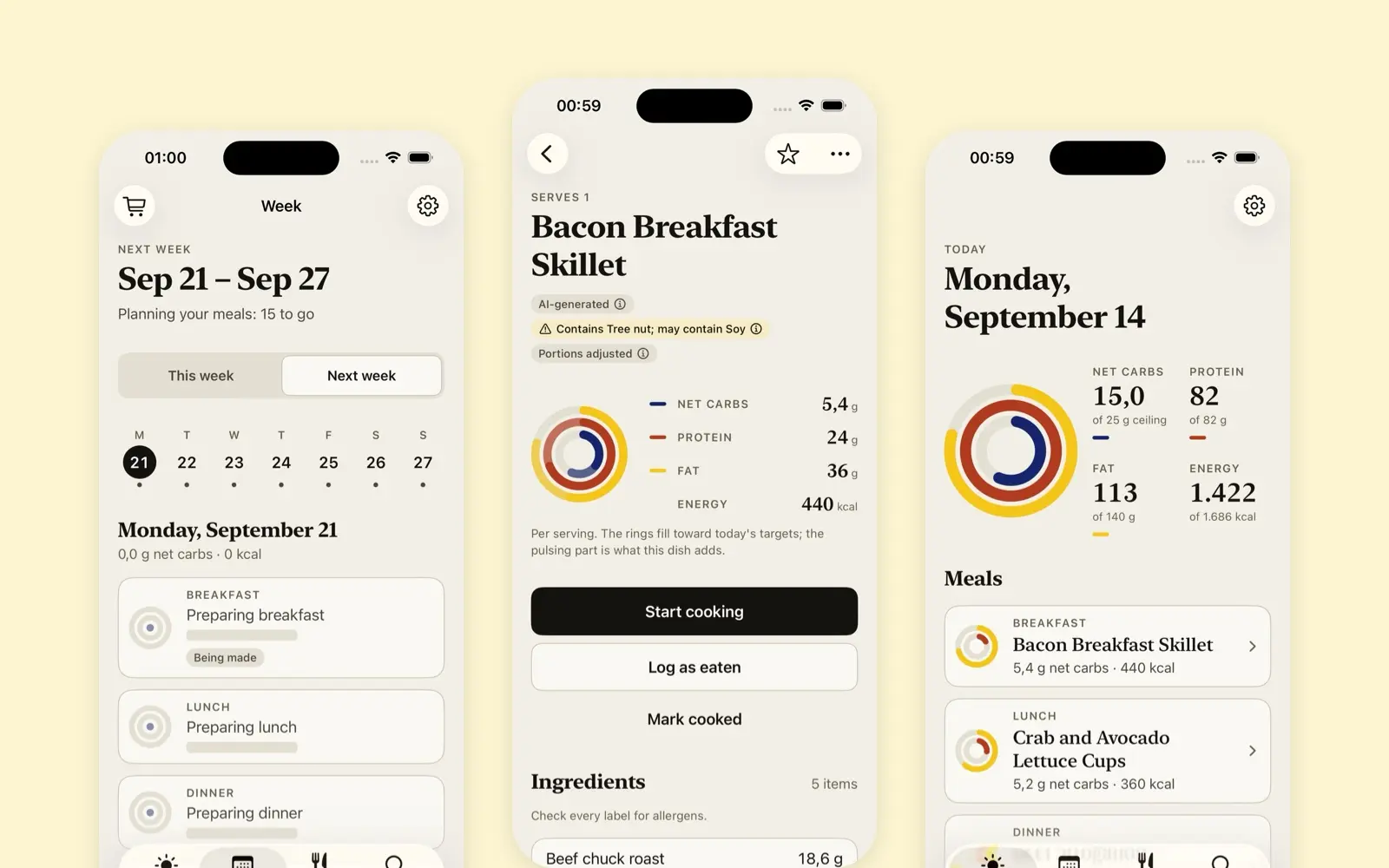
  2. Today's screen, dated Monday, September 14. Three concentric rings, yellow outside, red in the middle and blue inside, each partly filled, beside four figures: 15 grams of net carbs against a 25 gram ceiling, 82 of 82 grams of protein, 113 of 140 grams of fat, and 1,422 of 1,686 kilocalories. Below them the day's meals as cards, a bacon breakfast skillet and crab and avocado lettuce cups, each with a small ring of its own, its net carbs and its energy.
    Fat is always yellow, protein always red and carbs always blue, everywhere.
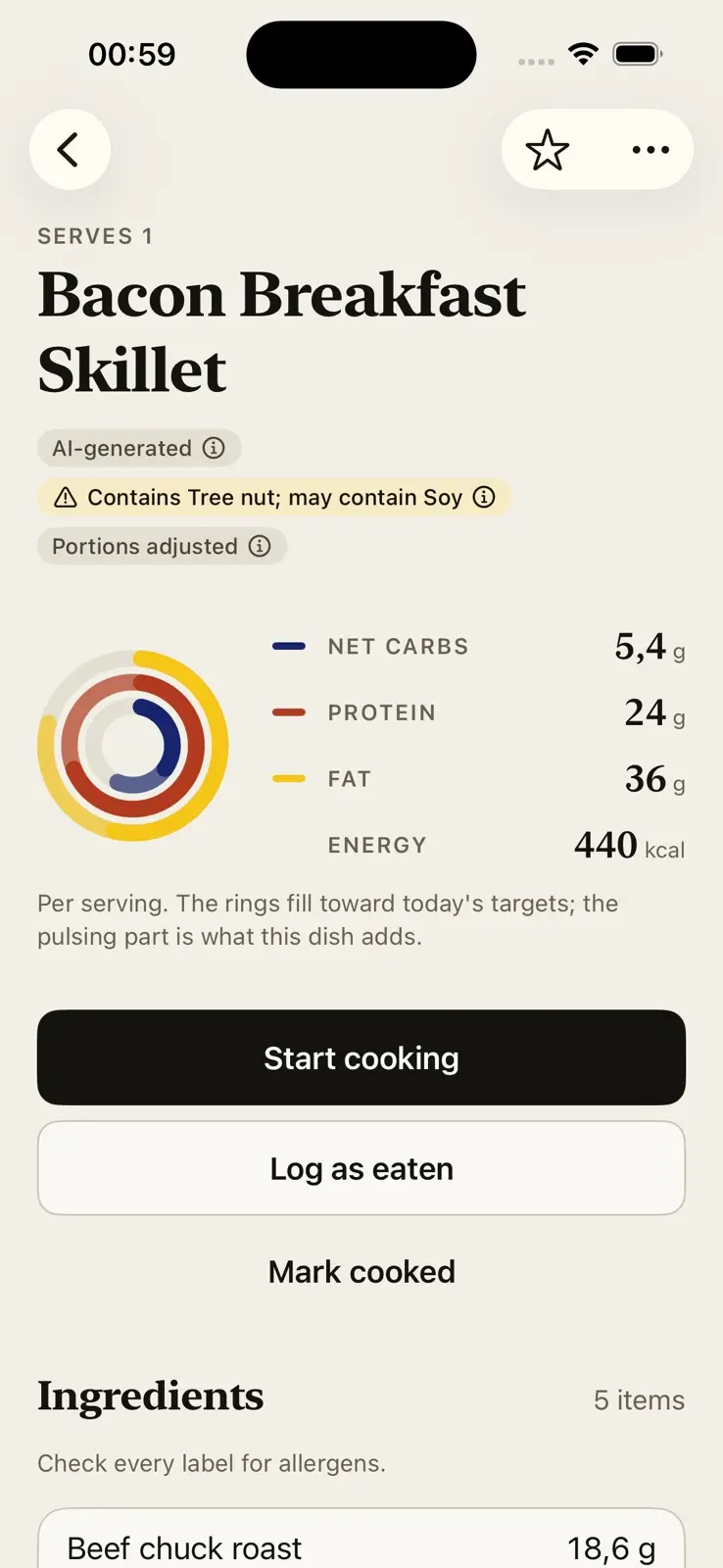
  3. A recipe, Bacon Breakfast Skillet, serving one. Three tags under the name: AI-generated, a yellow warning that it contains tree nut and may contain soy, and portions adjusted. The rings sit beside 5.4 grams of net carbs, 24 grams of protein, 36 grams of fat and 440 kilocalories, over a line saying the rings fill toward today's targets and the pulsing part is what this dish adds. Then three actions, Start cooking, Log as eaten and Mark cooked, and the head of a five item ingredient list with a reminder to check every label for allergens.
    Generated on-device, and checked for allergens before it reaches the screen.
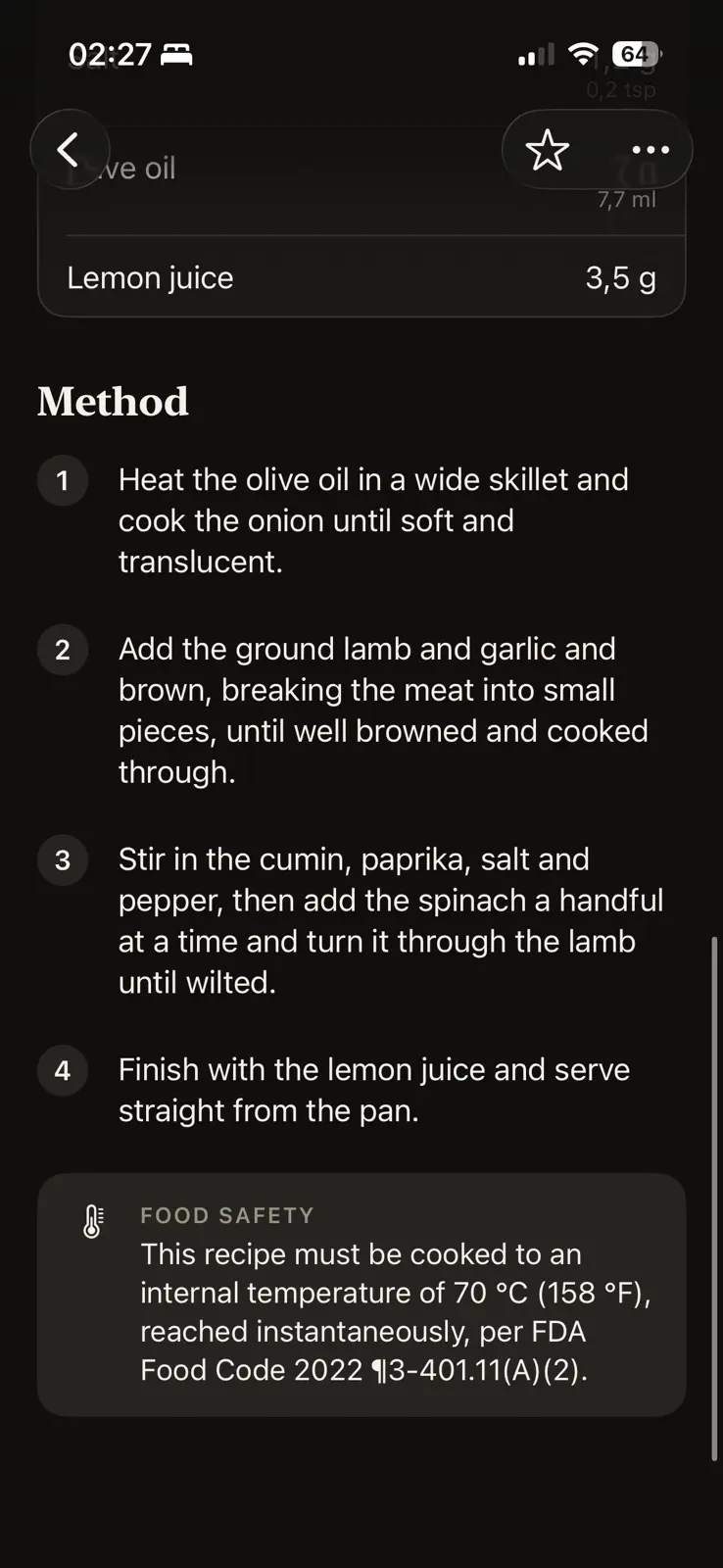
  4. The lower half of a lamb and spinach recipe, in dark mode. Four numbered method steps, from softening the onion in olive oil to finishing with lemon juice. Under them a food safety card says the recipe must be cooked to an internal temperature of 70 °C, or 158 °F, reached instantaneously, per FDA Food Code 2022, section 3-401.11(A)(2).
    Cook temperatures are cited from FDA Food Code tables, computed at runtime.
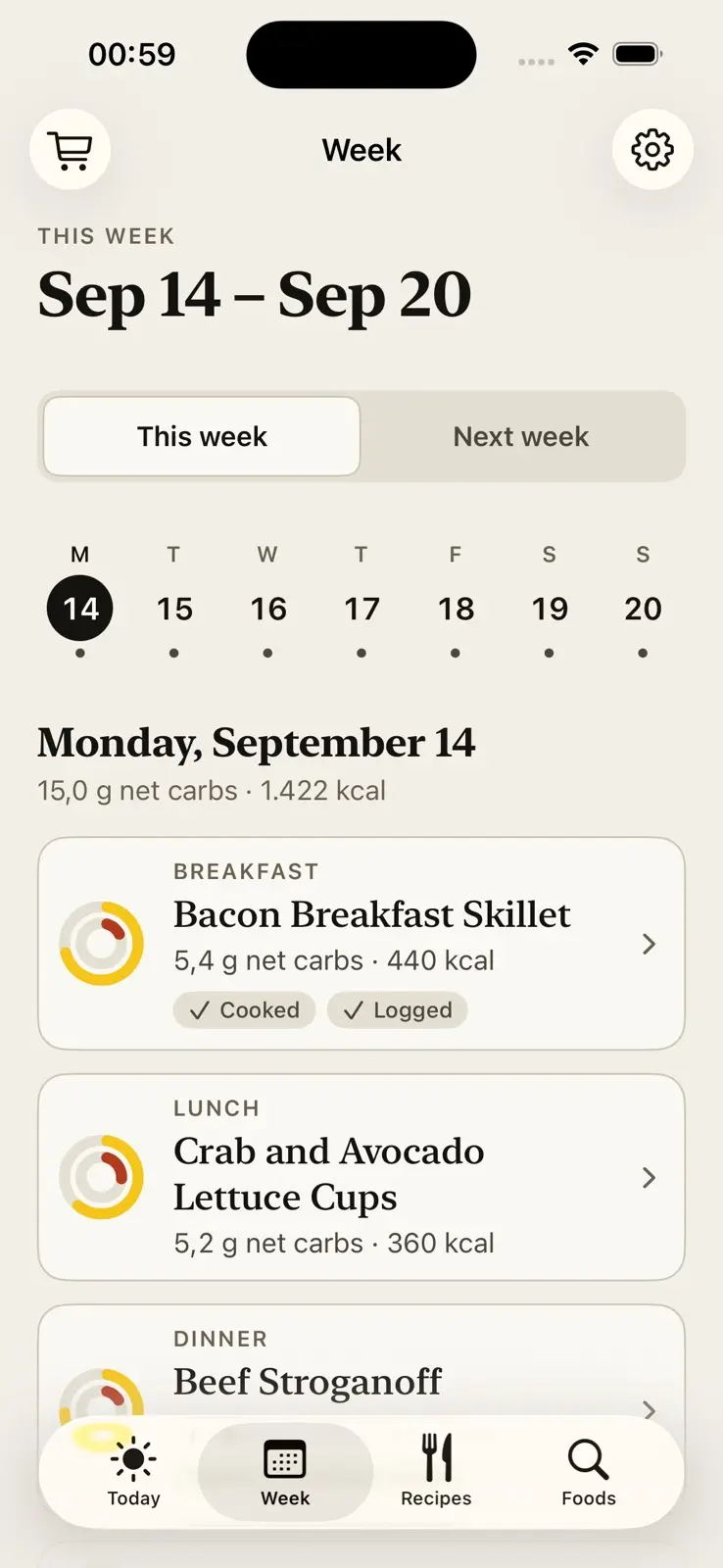
  5. The week view for September 14 to 20, with This week chosen over Next week, and a strip of seven days with Monday the 14th selected. Monday totals 15 grams of net carbs and 1,422 kilocalories, and its meals follow, the bacon breakfast skillet tagged cooked and logged.
    No protein more than twice a week, no exact recipe within 14 days, and at least three cuisines a week.
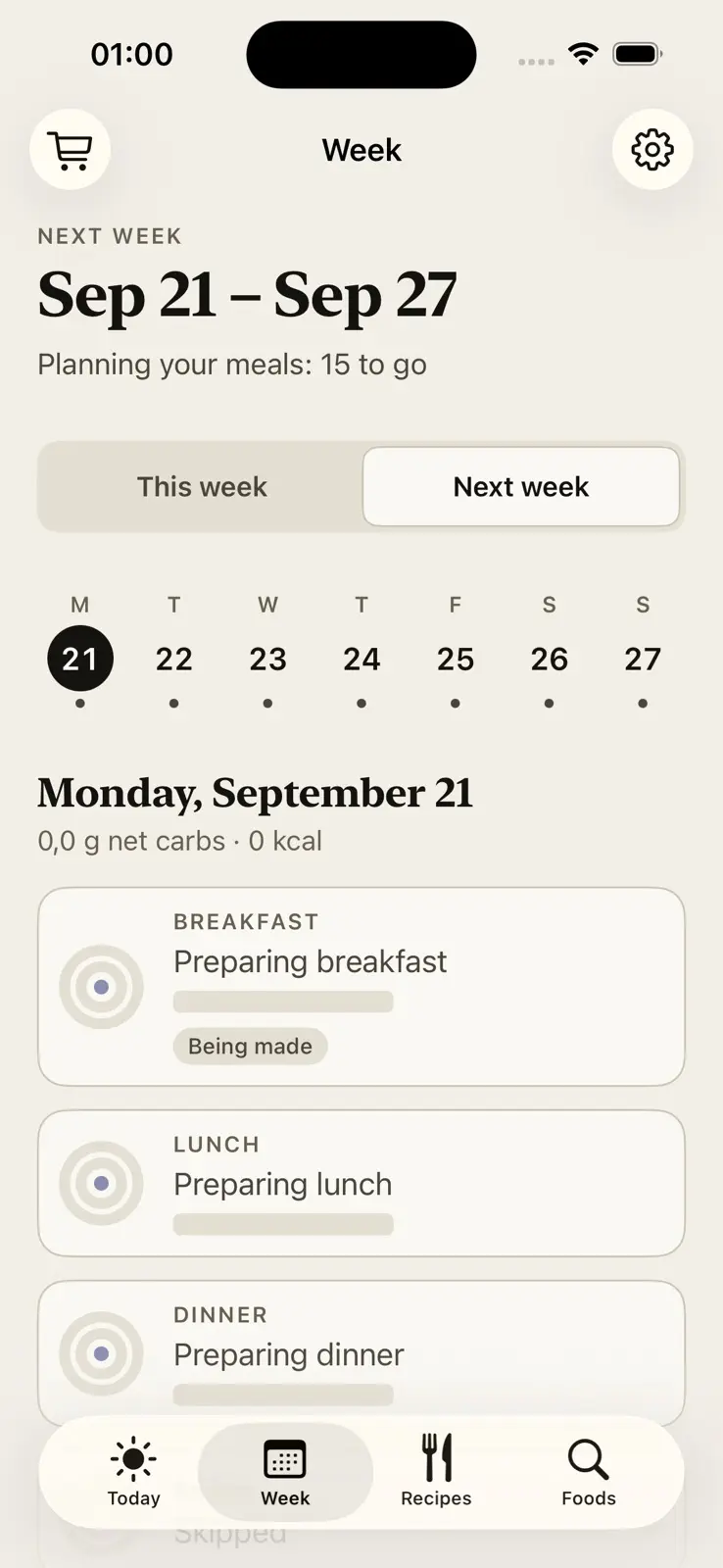
  6. Next week, September 21 to 27, part way through being planned. A line under the dates reads planning your meals, 15 to go. Monday's breakfast, lunch and dinner are placeholder cards reading preparing breakfast, preparing lunch and preparing dinner, and the first is tagged being made.
    Generation is grounded in the same food catalog the library draws from, so the model cannot name an ingredient that isn't real.
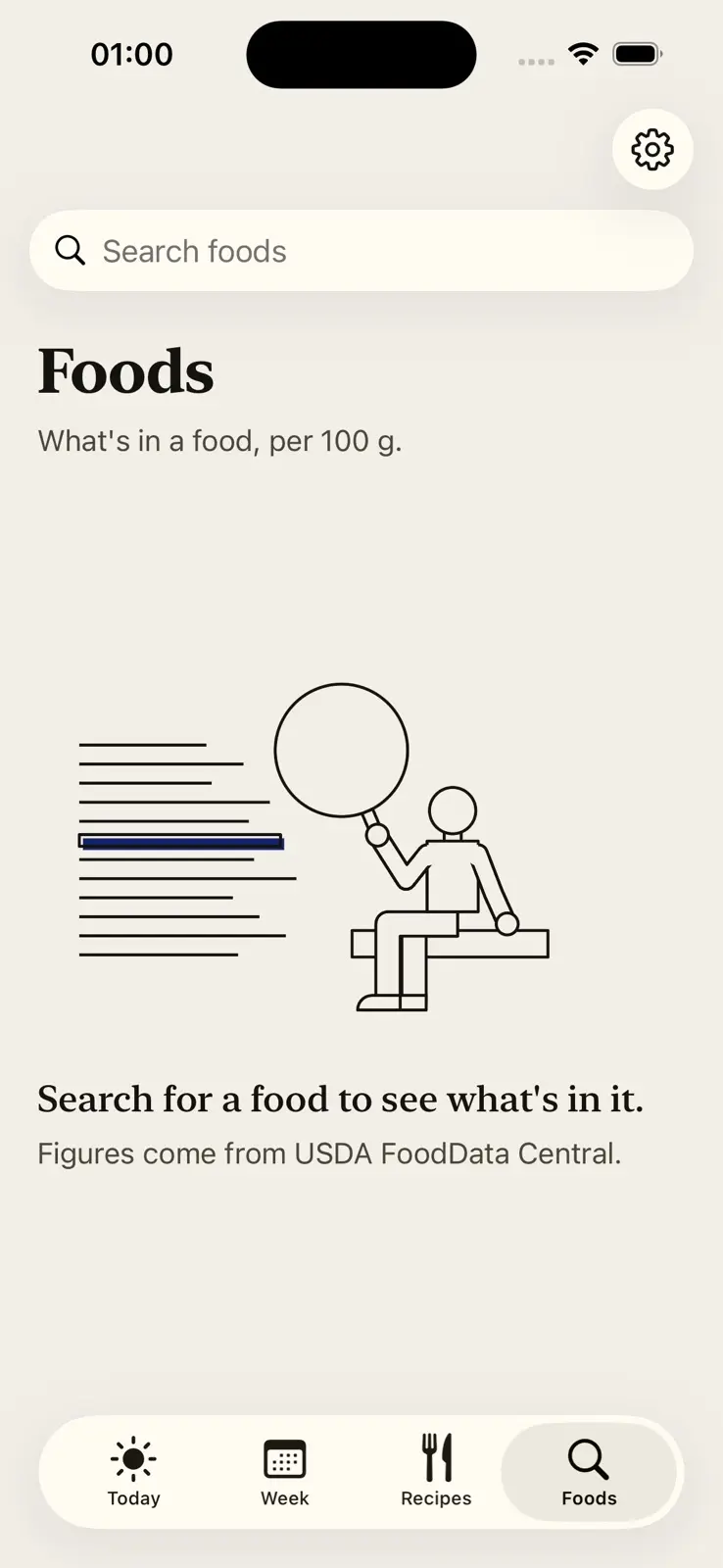
  7. Foods, with a search field at the top and a line reading what's in a food, per 100 g. Below it a line drawing of a person seated on a bench, holding a magnifying glass up to rows of text, one row highlighted in blue. Under the drawing, search for a food to see what's in it, and a note that the figures come from USDA FoodData Central.
    Illustrations are flat color fields with ink contours, and never boxed into cards.
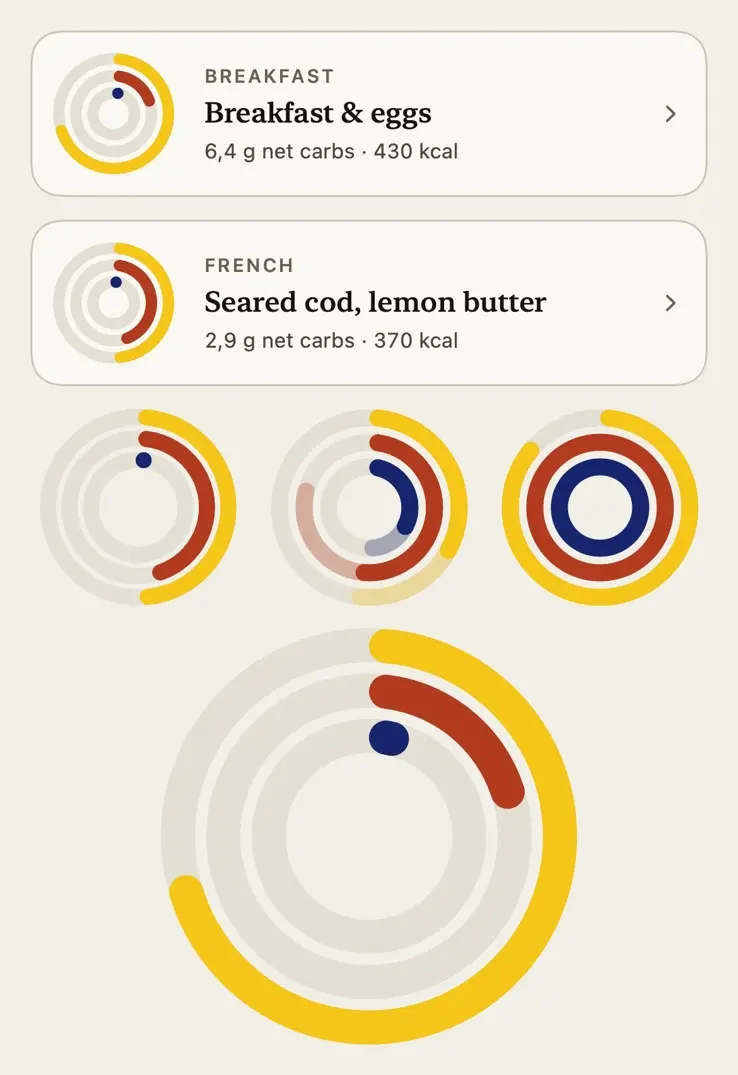
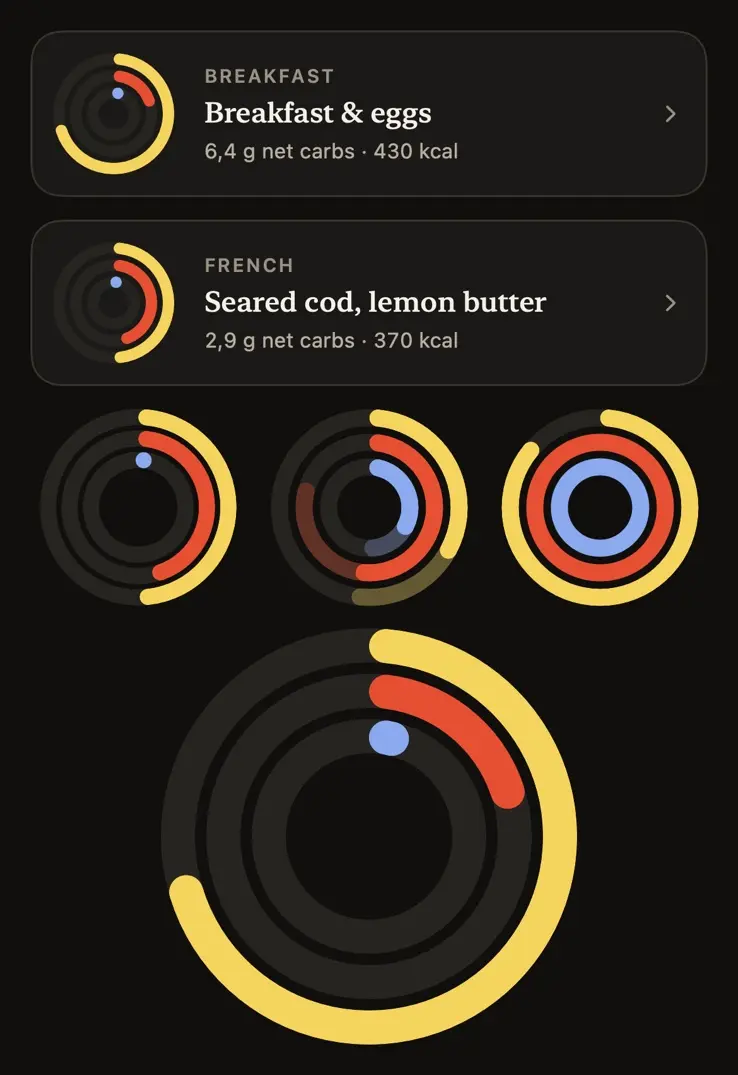
  8. The meal ring on its own, in the light theme. Two meal cards at the top, breakfast and eggs and seared cod with lemon butter, each with a small ring. Below them three rings in three states: partial arcs with a dot where the carbs have barely started, the same arcs each extended by a paler stretch, and all three rings full. At the foot one ring drawn large, yellow outside, red in the middle and a single blue dot, every arc ending in a round cap.
  9. The same specimen in the dark theme: the two meal cards, the three ring states and the large ring on a near-black ground, with empty tracks in a dark grey and the blue lifted to a lighter shade.

More apps

See all 27