← Work

Beast Protocol

A native iOS training app for intermediate and advanced lifters. No videos, no photos, no streaks, and a schedule that suggests instead of insisting.

Track
built
Category
tool

Tools

  • SwiftUI

Beast Protocol is a training app for people who already know how to lift. It is deliberately narrow. If you need to be taught the movements, this is not for you, and it does not pretend otherwise.

Load the bar

A personal project, and a native iOS app built on SwiftUI for iOS 17 and up.

The premise

Most training apps are built for beginners and then sold to everyone. So they carry a video library, form photos, a social feed, streaks, badges. For an intermediate or advanced lifter almost all of that is noise you scroll past to reach the one number you came for.

I wanted the opposite. No media at all. Just short method cues on the exercises where technique actually decides the outcome. Tempo, positioning, where to stop. The kind of thing a good coach says once and you keep forgetting anyway.

The measure of success is how little you use it. Open it, see the session, work, leave. It should not be interesting enough to come back to between sessions.

The plan suggests, it does not insist

I train across lifting, cycling and running. A weekly schedule cannot know what my body did yesterday. So today's screen opens on the session that fits, and lists every other session right underneath with the context to choose. Last done, done this week. No menu, no settings trip, no dialog. If you switch days mid session, your progress is parked and comes back when you return.

The quiet mechanics

Set counting is optional. One tap still marks an exercise done, the way it always did. If you want per set rest timing, there is a small chip for it. Nobody is forced into four taps to do one thing.

Supersets behave like supersets. No rest inside the pair, and the rest bar hands off to the partner exercise instead of vanishing.

Rest timers survive a locked screen through time sensitive notifications, so the phone can stay in your pocket.
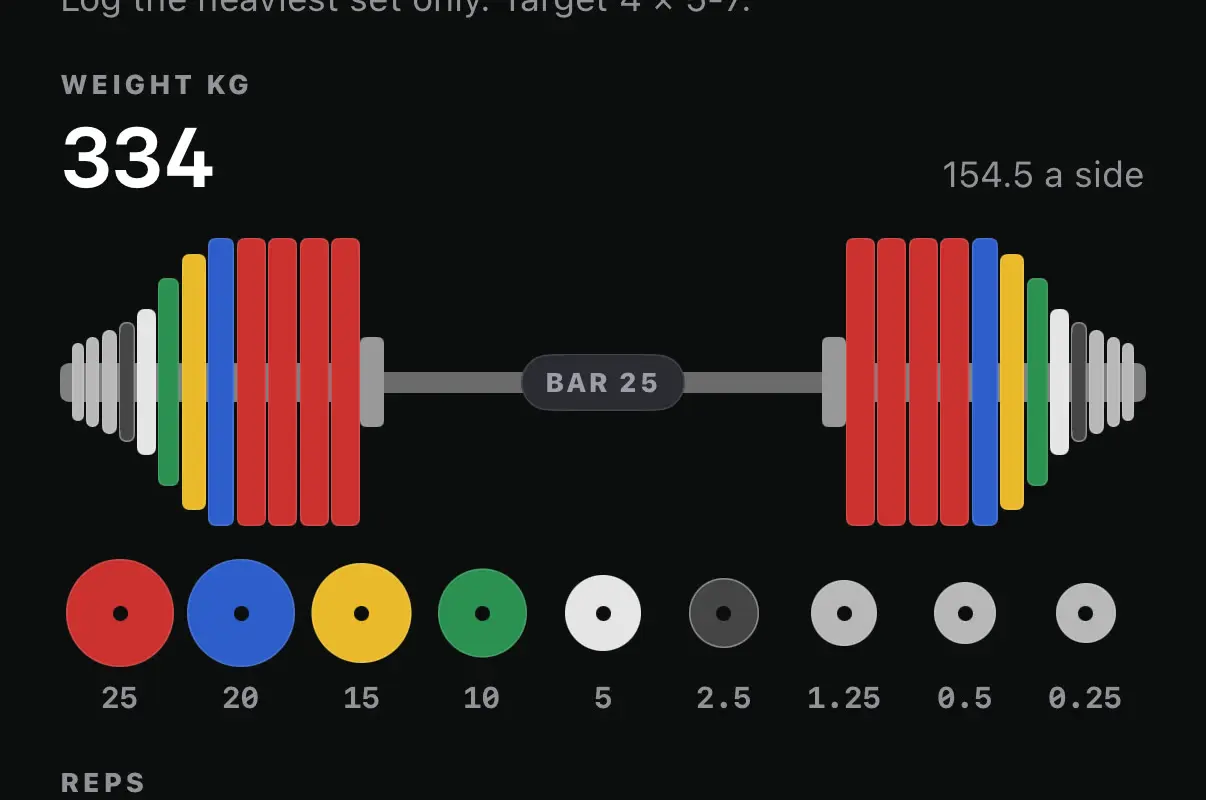
Weight: 334 kilograms, 154.5 a side

The plate system, rebuilt for the web from the app's own loader. Press a plate in the rack to slide a pair on, press one on the bar to take the pair off, and press the bar to change it.
A close-up of the weight field at 334 kilos, 154.5 a side, on a 25 kilo bar. Each side carries four red plates, then a blue, a yellow, a green and a white, then small plates tapering toward the collar. Under the bar, the nine plates on offer run from 25 kilos down to 0.25.

The stamp

A finished session gets stamped, like a loyalty card at the counter. The stamp records that it happened, in ink. It shows no count, gives no reward and never asks for more. The app has no streaks, no badges and no week counters, and this is its answer to them.

There are ten stamps. Which one you get comes from a hash of the date and the session, so it looks random from day to day, but one workout always gets the same stamp at the same lean, wherever it shows up and even if you finish it again. Nothing new is stored.
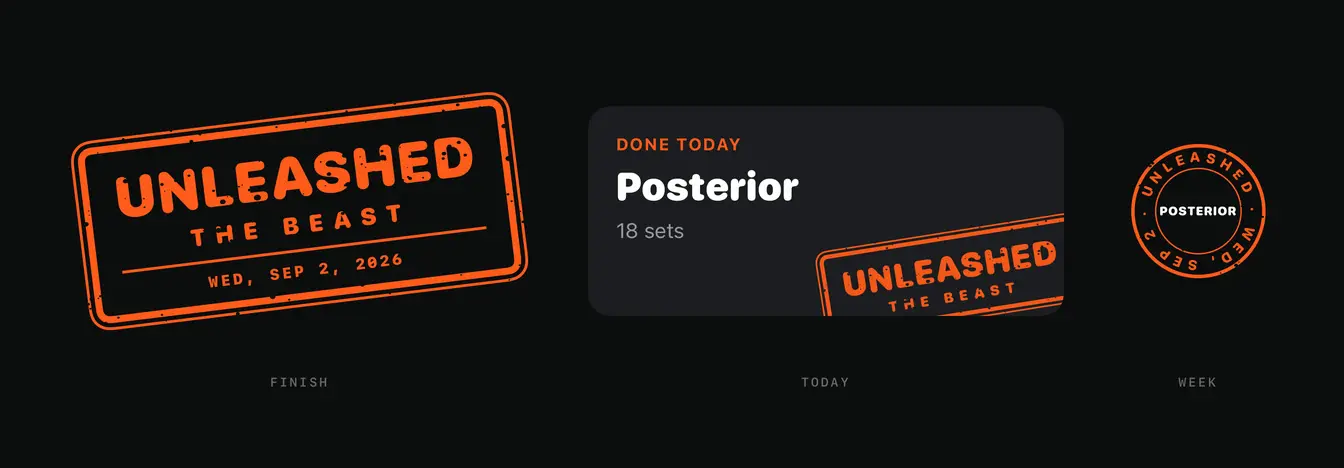
  1. One stamp reading unleashed the beast, dated Wednesday the second of September 2026, shown three ways. On the left, the full rectangular stamp, tilted. In the middle, a done today card for Posterior, eighteen sets, with the same stamp pressed off its bottom right corner and cut by the card's edge. On the right, a round seal with Posterior in the middle and the stamp word and date running round the rim. Labelled finish, today and week.
    One workout, one stamp, three places: slammed down on the finish screen, pressed off the corner of Today's done card, and turned into a seal on the week card.
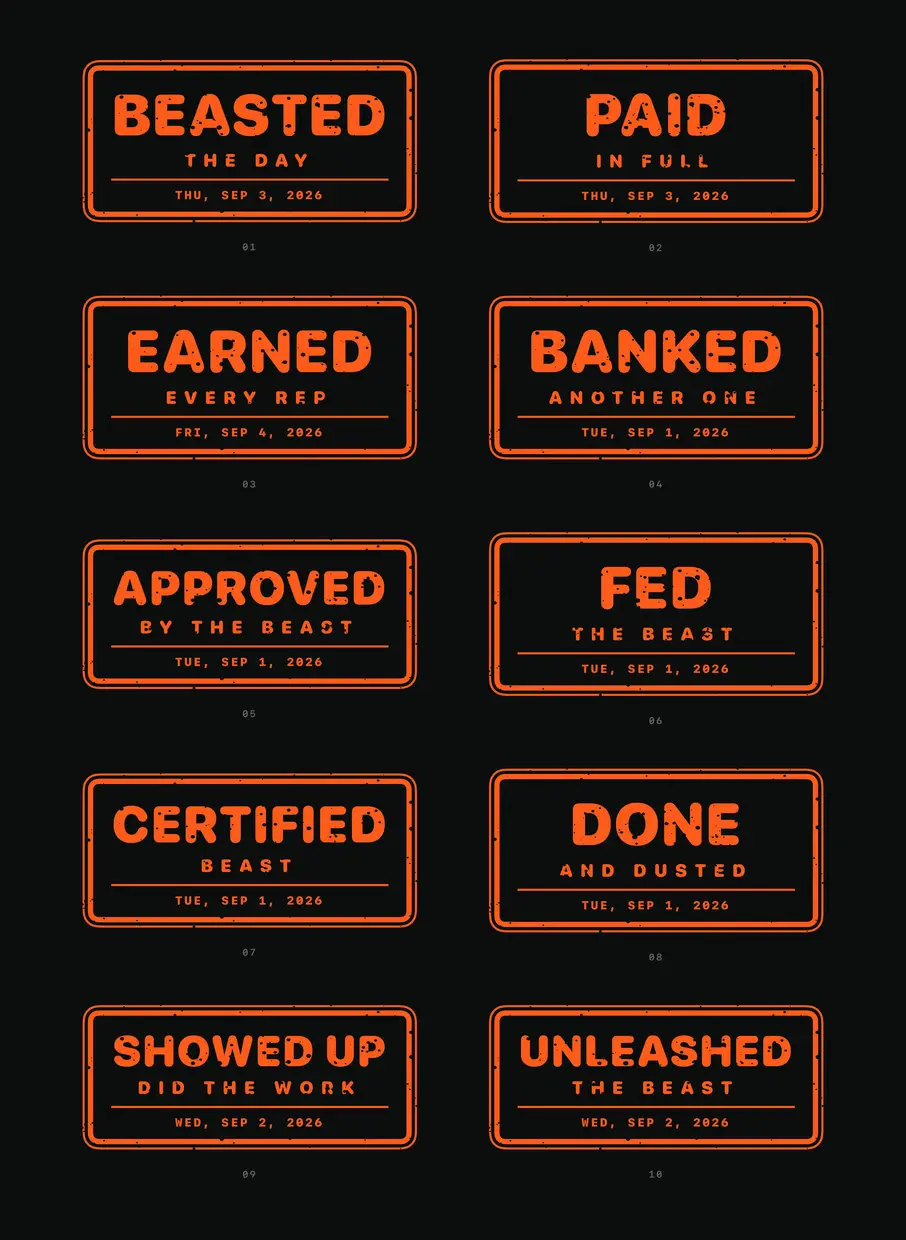
  2. All ten stamps in two columns, numbered one to ten, each a double ruled rectangle in orange with a large word, a smaller line under it and a date. Beasted the day, paid in full, earned every rep, banked another one, approved by the beast, fed the beast, certified beast, done and dusted, showed up did the work, and unleashed the beast.
    Ten stamps, each a word of three to nine letters over a subline. Every one lands at the same size, so a long word shrinks to fit.
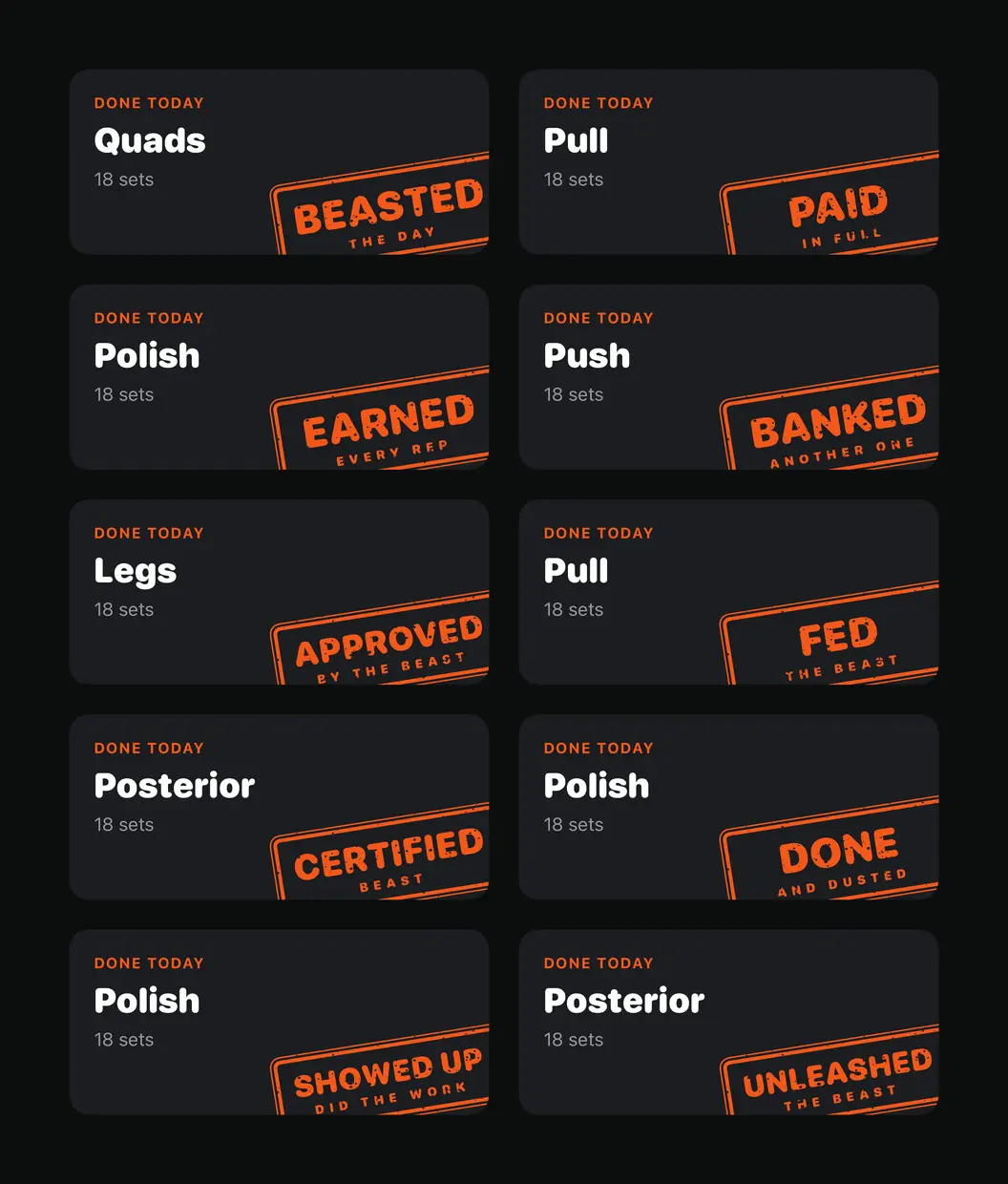
  3. Ten done today cards in two columns, each naming a session and eighteen sets, each with a different one of the ten stamps pressed off its bottom right corner and cropped by the card.
    On Today's done card the stamp sits at 60% behind the content, pressed off the corner so the card crops it.
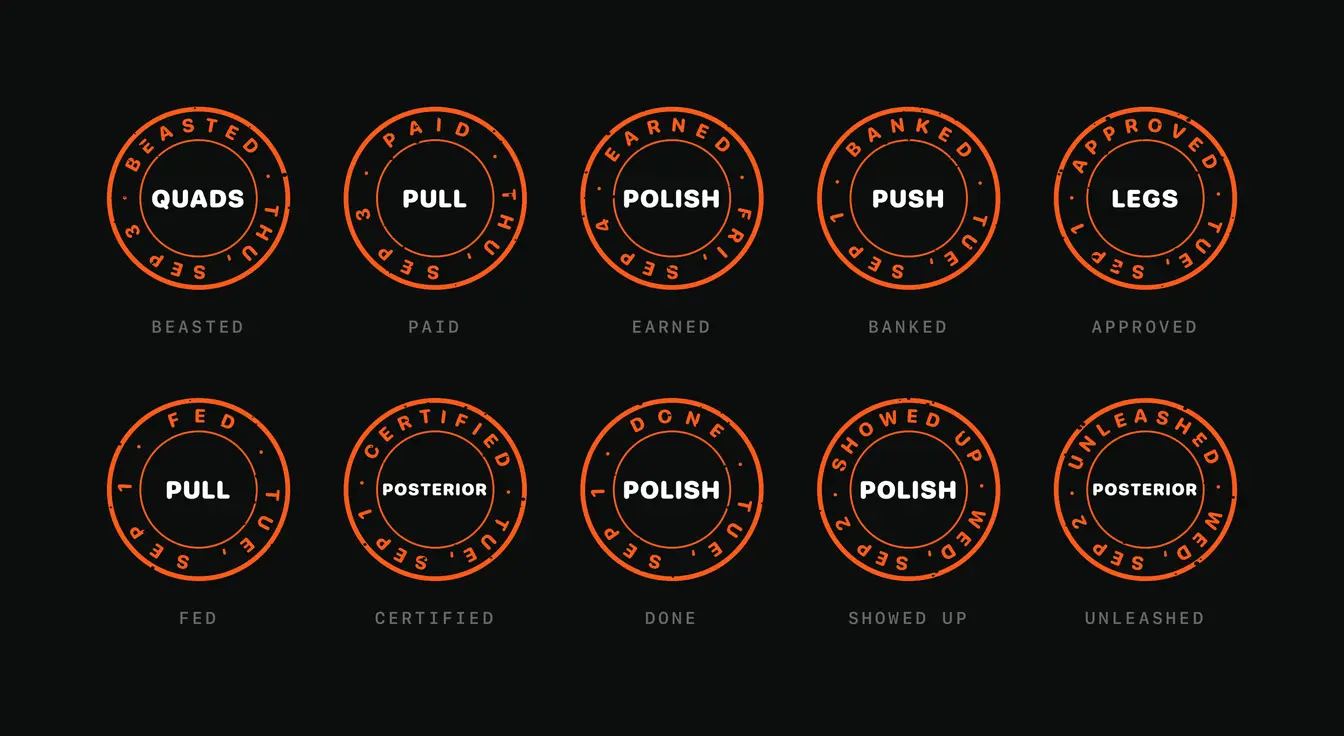
  4. The ten stamps again as round seals, five to a row. Each has a session name in white at its centre, such as Quads, Pull or Posterior, with the stamp word along the top of the rim and the date along the bottom. Each is labelled underneath with its stamp word.
    For the week card each stamp becomes a round seal. The session name prints white in the middle and the word and date run round the rim, spaced to fill the whole circle.
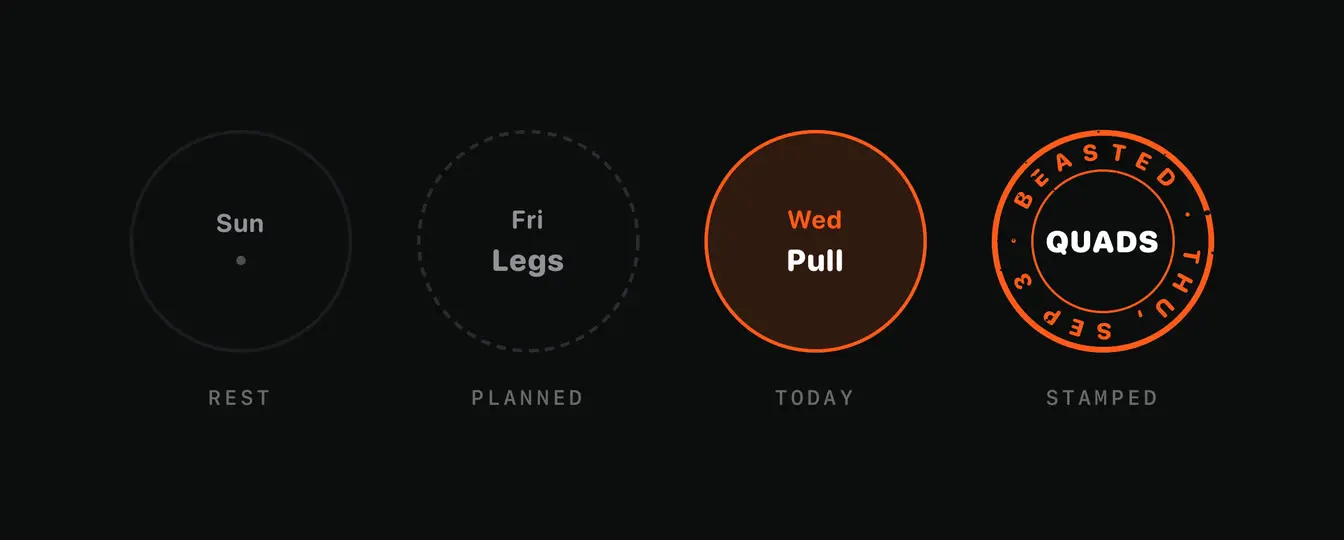
  5. Four circles in a row. Rest, a faint ring around Sun and a dot. Planned, a dashed ring around Fri and Legs. Today, a solid orange ring on a tinted fill around Wed and Pull. Stamped, a seal reading beasted with Quads in the middle.
    A day on the week card is in one of four states: rest, planned, today or stamped.
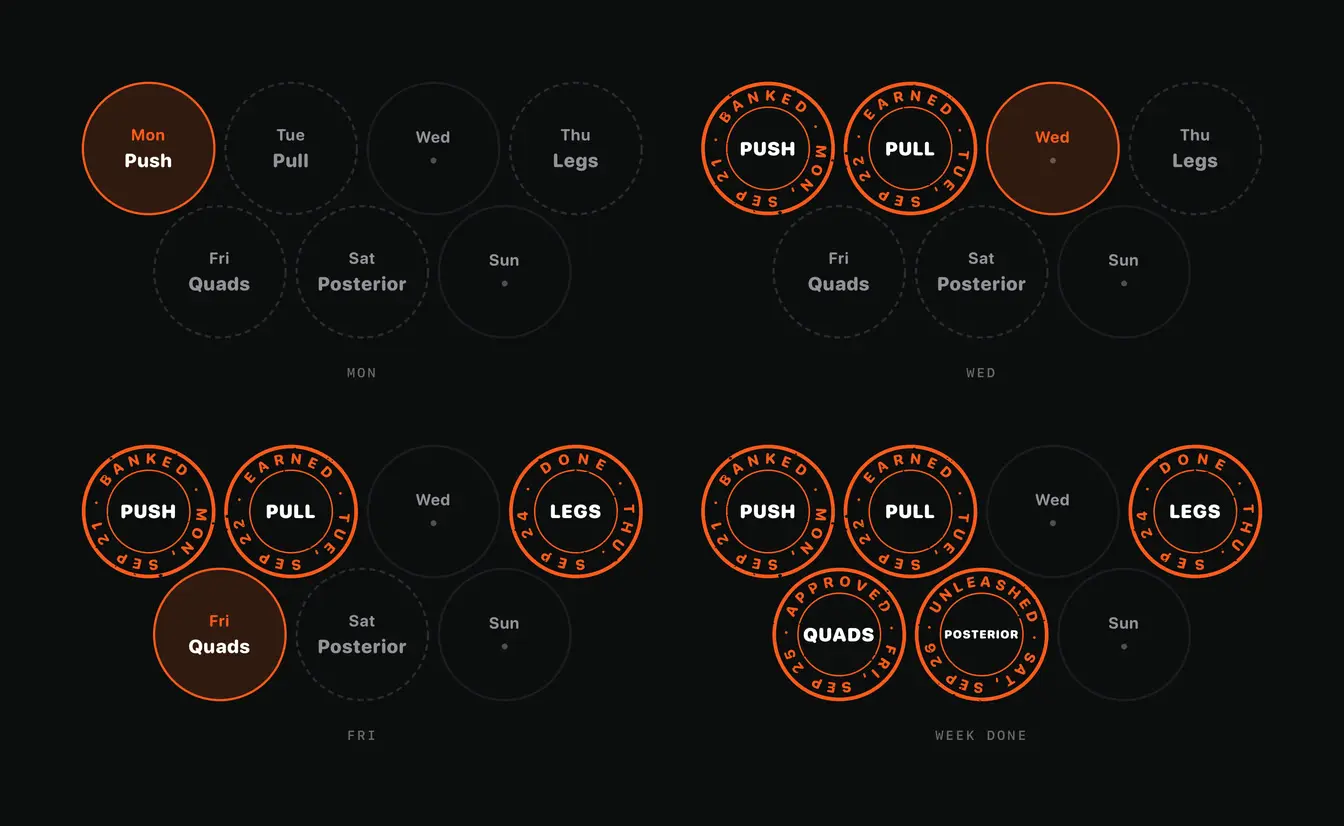
  6. The week card four times, each with seven circles in a row of four over a row of three. On Monday only Push is tinted as today. By Wednesday Push and Pull are seals. By Friday Legs is sealed too and Quads is today. When the week is done five of the seven circles are seals and Wednesday and Sunday stay rest days.
    The week card is a stamp card. Seven circles that never move, filling up with ink. No progress bar and no score.
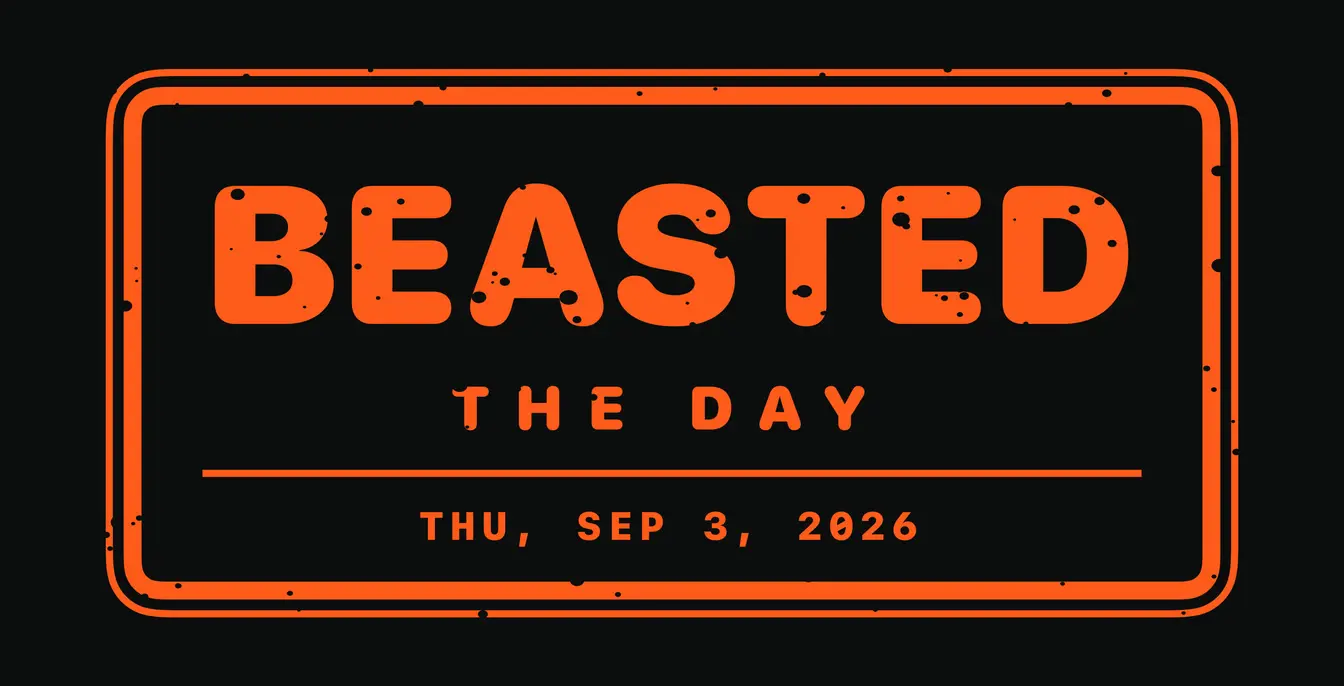
  7. One stamp up close, beasted the day, dated Thursday the third of September 2026. The orange letters and rules are pitted with small dark specks, while the date line is clean.
    The ink wear is a fixed scatter of specks, so the stamp reads pressed rather than printed. The date stays clean so a speck never eats a digit.
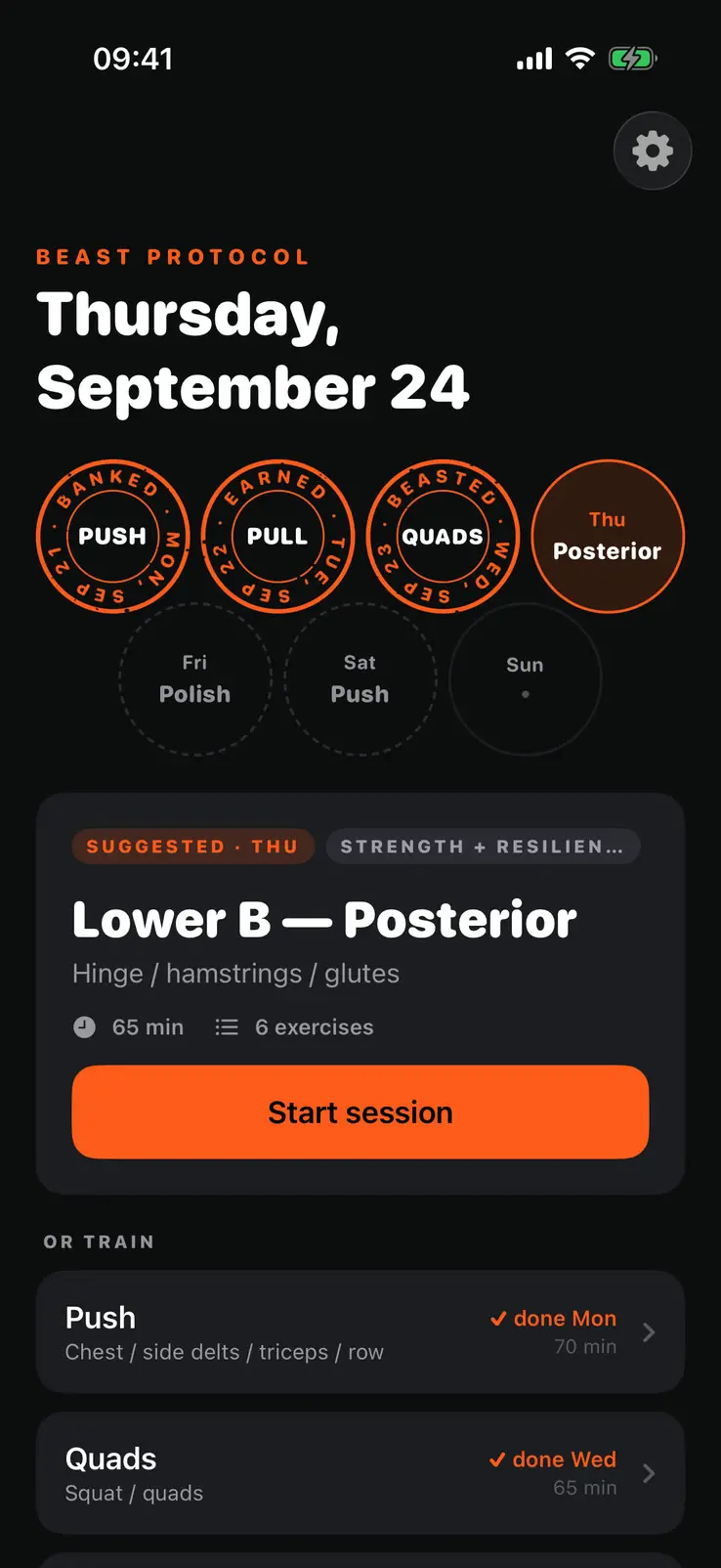
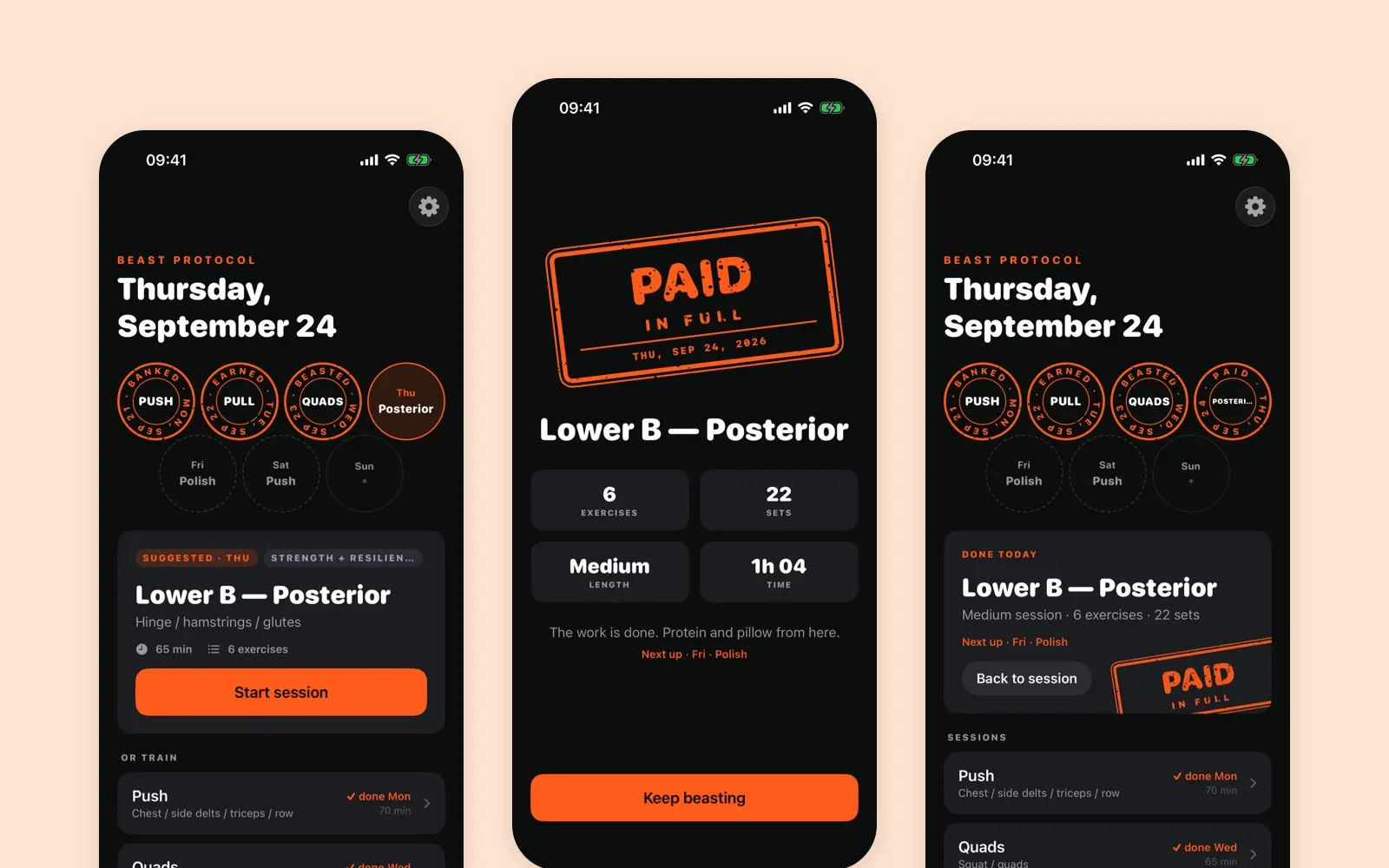
  8. Today on Thursday the twenty fourth of September. The week card has seals for Push, Pull and Quads, Thursday tinted with Posterior, and Friday, Saturday and Sunday still to come. Below it a card tagged suggested for Thursday offers Lower B, Posterior, sixty five minutes and six exercises, with a start session button. Other sessions are listed under it, marked done on the days they were done.
    Thursday morning: three seals in and today's session suggested.
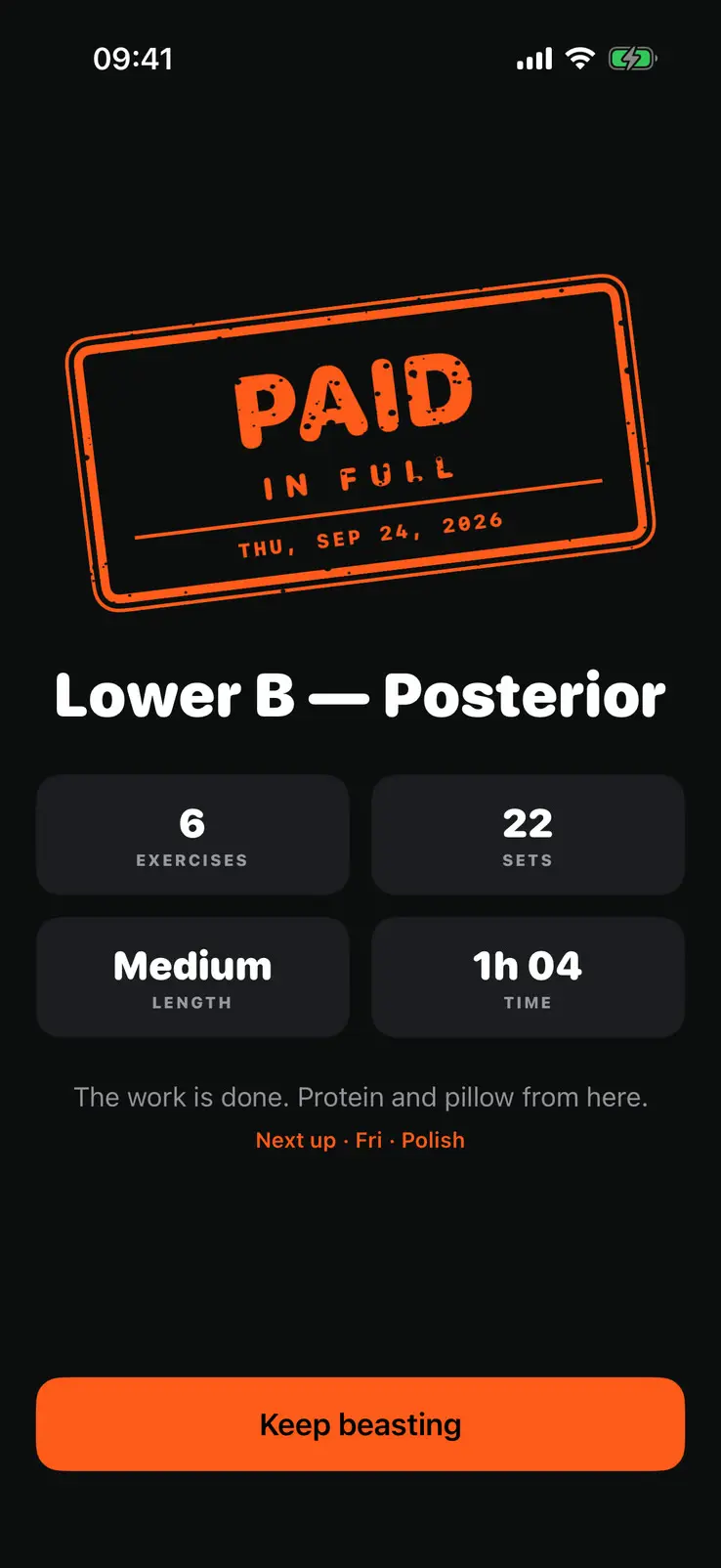
  9. The finish screen. A tilted stamp reading paid in full, dated Thursday the twenty fourth of September 2026, over Lower B, Posterior. Four figures below: six exercises, twenty two sets, Medium length and one hour four minutes. A line says the work is done, the next session is named, and a button at the foot reads Keep beasting.
    The stamp lifts, slams down and lands with a haptic hit. With Reduce Motion on, it is simply there.
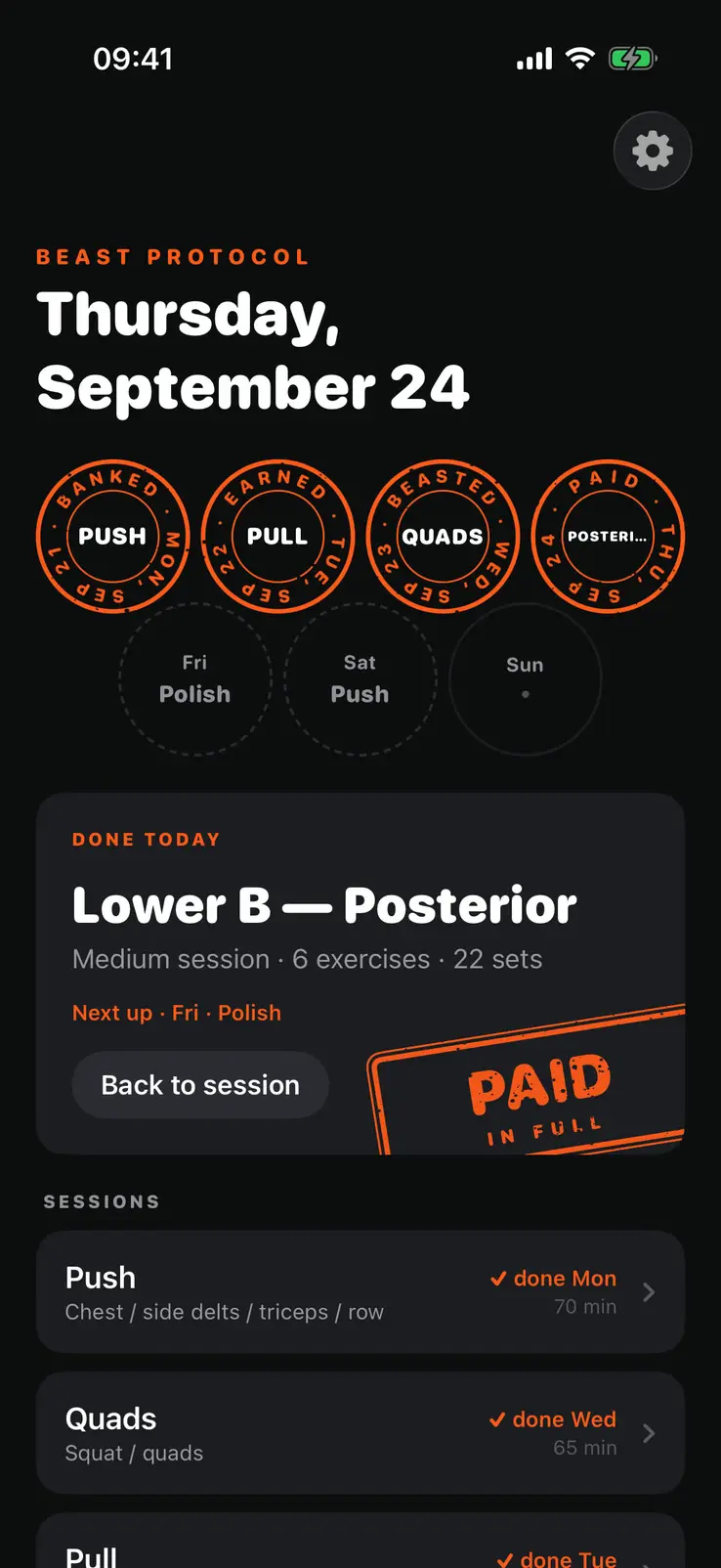
  10. Today again after finishing. The week card now has four seals, the fourth reading paid on Posterior. The card below reads done today, Lower B, Posterior, medium session, six exercises, twenty two sets, with the next session named and a back to session button, and the paid in full stamp pressed off its corner.
    Back on Today the fourth seal is in, and the done card carries the same stamp. The stamp comes from the date and the session, so one workout always gets the same one.

How it is built

The program is generated from a single source file into JSON, so the training content is never hand edited. The data model is tiered, where a long session is a superset of a medium one and a medium of a short one, and session length is just a filter. A test enforces that invariant.

State lives in one observable store with an injectable clock, which makes date behaviour testable instead of hopeful. Persistence is plain Codable JSON. Everything works offline.

What changed

The first screenshots here are from 7 September. Since then:

  • Today. The strip of days became a week card that fills up with stamps. No streak and no score.
  • Sets. You can tap sets off one by one. It is entirely optional, and it is there to reduce cognitive load.
  • Logging. The plate system shows the bar loaded for the weight you type, which takes more load off the session.
  • Rest. A Live Activity puts the timer on the lock screen, because you usually lock your phone during an exercise.
  • Finishing. A stamp lands where the tick used to be, with a strong haptic.
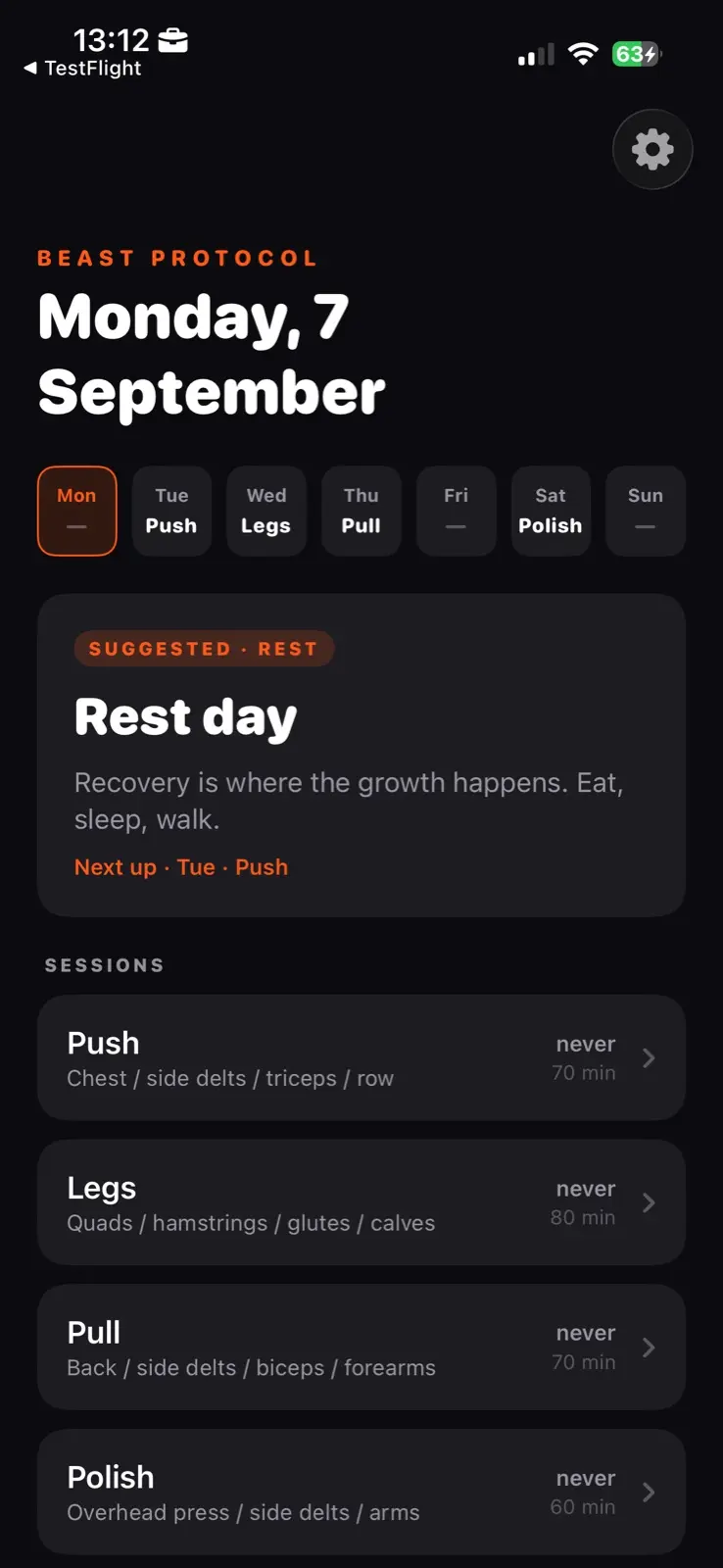
  1. Today's screen, dated Monday the seventh of September. A strip of the seven days runs across, each carrying its session name or a dash. Below it a card tagged suggested and rest reads Rest day, with the next session named under it. Under that every other session is listed with the muscles it covers, when it was last done and how long it takes.
    Today, 7 September.
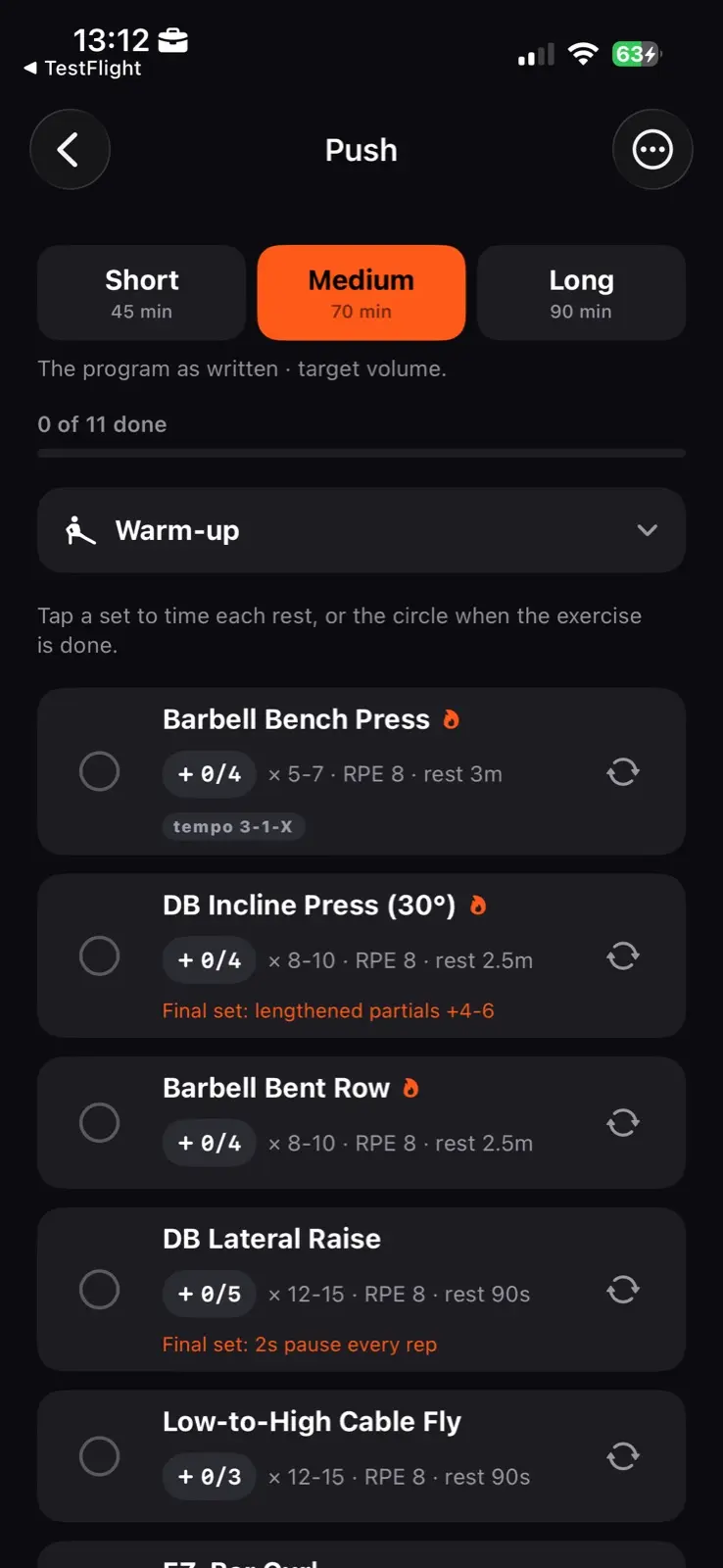
  2. The Push session. Three lengths across the top, Short at forty five minutes, Medium at seventy chosen, and Long at ninety. Under them a count reading zero of eleven done and a warm-up row. Then the exercises, each with its set count, rep range, RPE and rest, and some with a tempo or a note on the final set.
    A session, 7 September.

What I took from it

The hard part was not the code. It was saying no to things that look like value. Every video, badge and chart I did not add made the app better for the person it is actually for. And every time I reached for a menu to solve flexibility, the right answer was to put the choice in place instead.

It is in open beta on TestFlight.

Screens
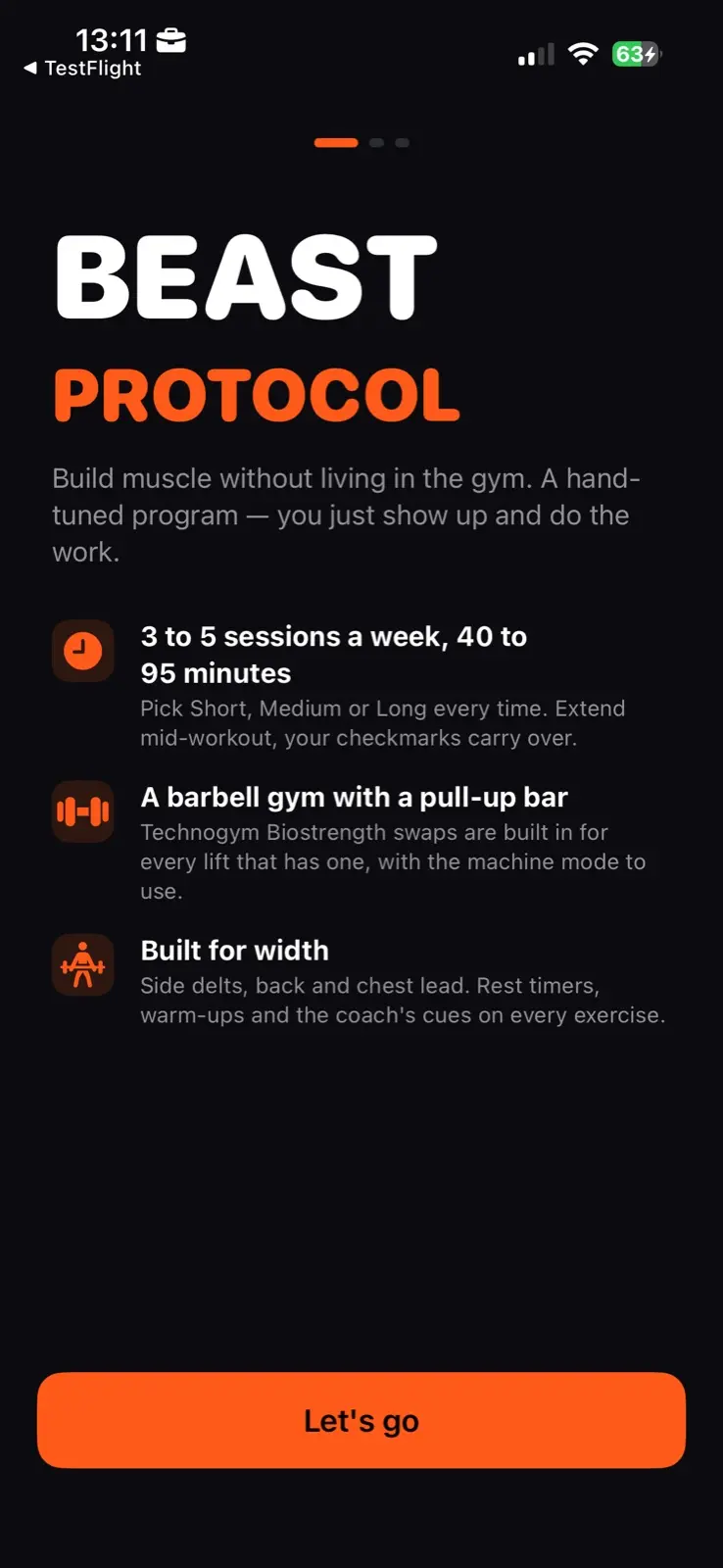
  1. The opening screen. The name over two lines, then a line saying the program is hand tuned and you just show up. Three rows follow: three to five sessions a week at forty to ninety five minutes, a barbell gym with a pull-up bar, and a program built for width. One button at the foot reads Let's go.
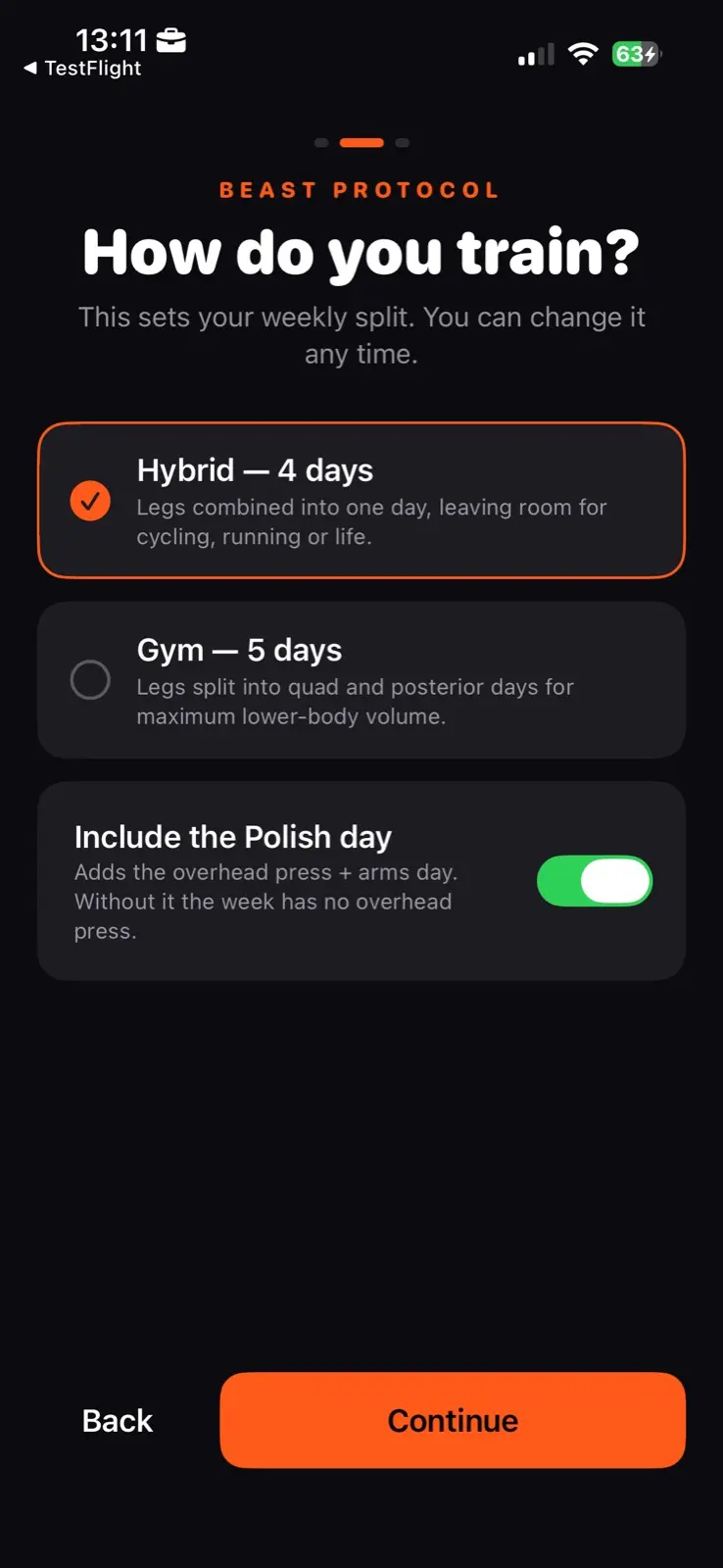
  2. The second setup step, headed How do you train. Two options: Hybrid at four days, chosen, with legs combined into one day to leave room for cycling, running or life, and Gym at five days with legs split across two. Under them a switch to include the Polish day, on, with a note that the week has no overhead press without it.
    The one thing it asks for, because it is the one thing it cannot work out on its own.
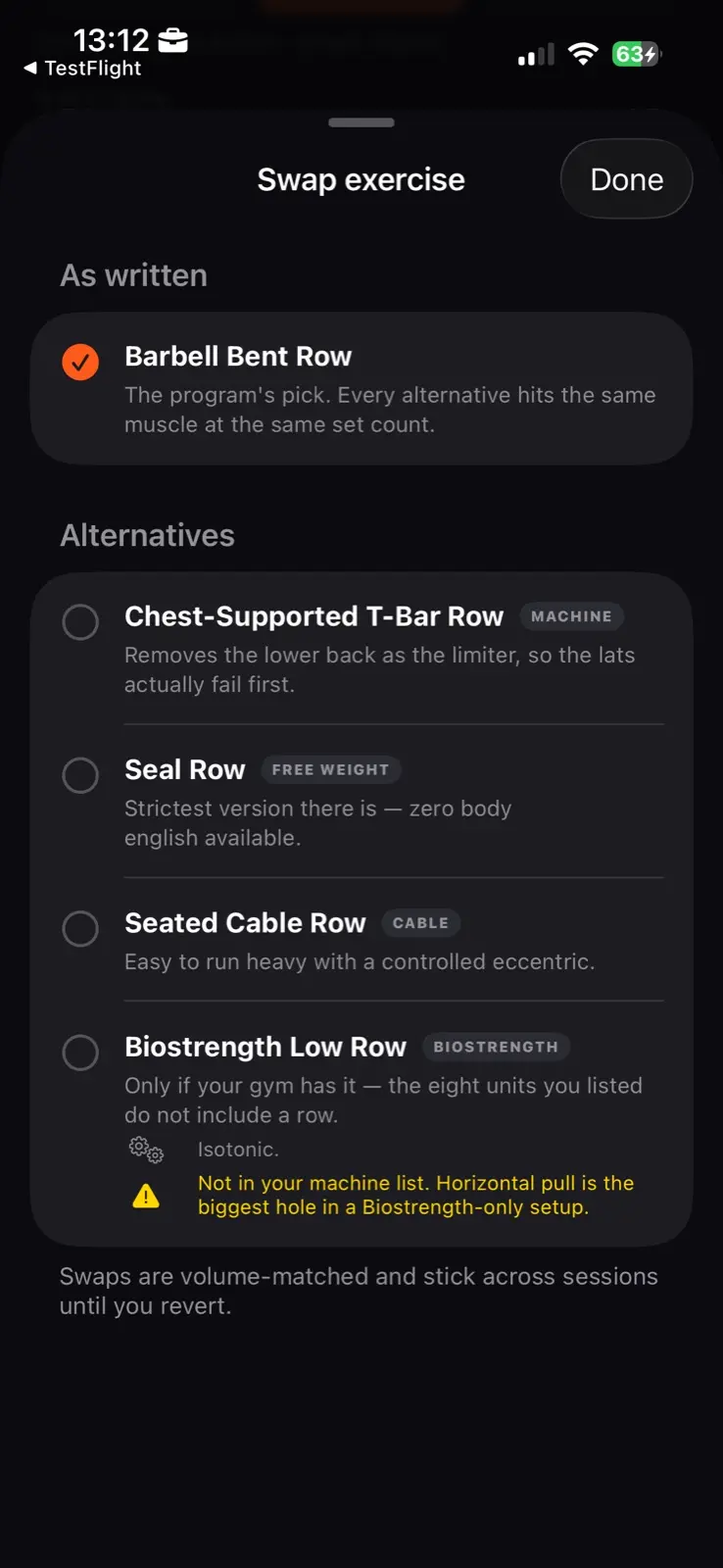
  3. A sheet headed Swap exercise. At the top, the program's own pick under the label as written, with a line saying every alternative hits the same muscle at the same set count. Four alternatives follow, each tagged by the equipment it needs and each with a line on what it changes. The last carries a warning that it is not in the machine list. A note at the foot says swaps are volume matched and stay until you revert them.
  4. The plate system takes cognitive load off the session again. That is the whole idea of the app.
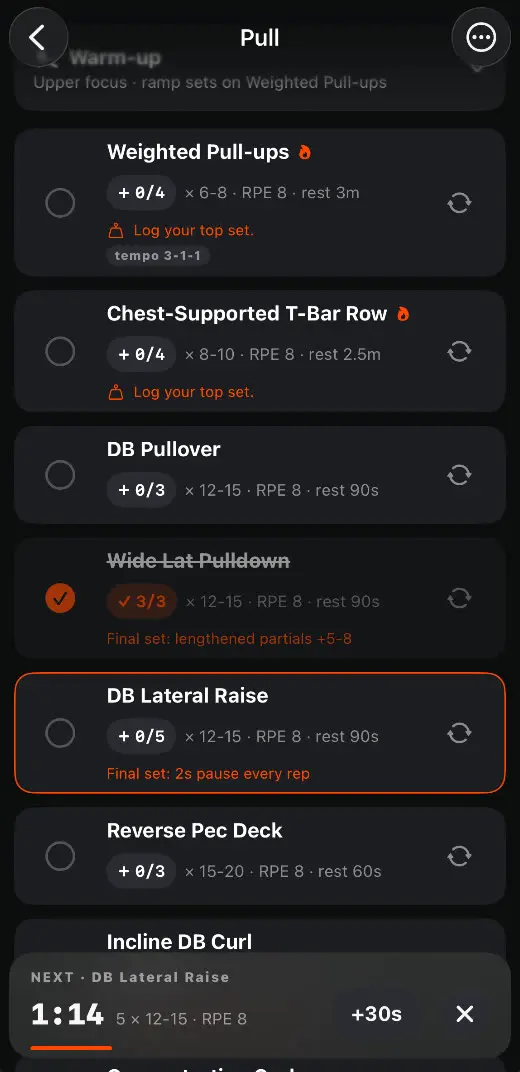
  5. The Pull session with one exercise ticked and the next, DB Lateral Raise, outlined. Each exercise carries a set counter, such as plus zero of four, and the two heavy lifts ask you to log your top set. The rest bar at the foot counts 1:14 down to the lateral raise, five sets of twelve to fifteen at RPE 8, with a plus thirty seconds control and a close control beside it.
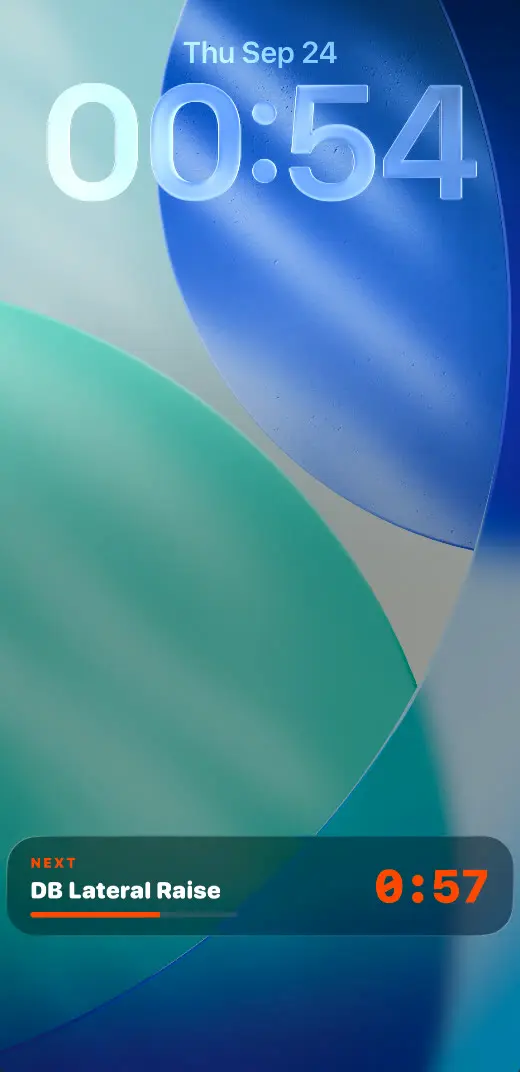
  6. The lock screen at 00:54 on Thursday the twenty fourth of September. At its foot a Live Activity reads next, DB Lateral Raise, over a part filled progress bar, with 0:57 counting down beside it in orange.
    You usually lock your phone during an exercise. The Live Activity means you can still see what is going on.
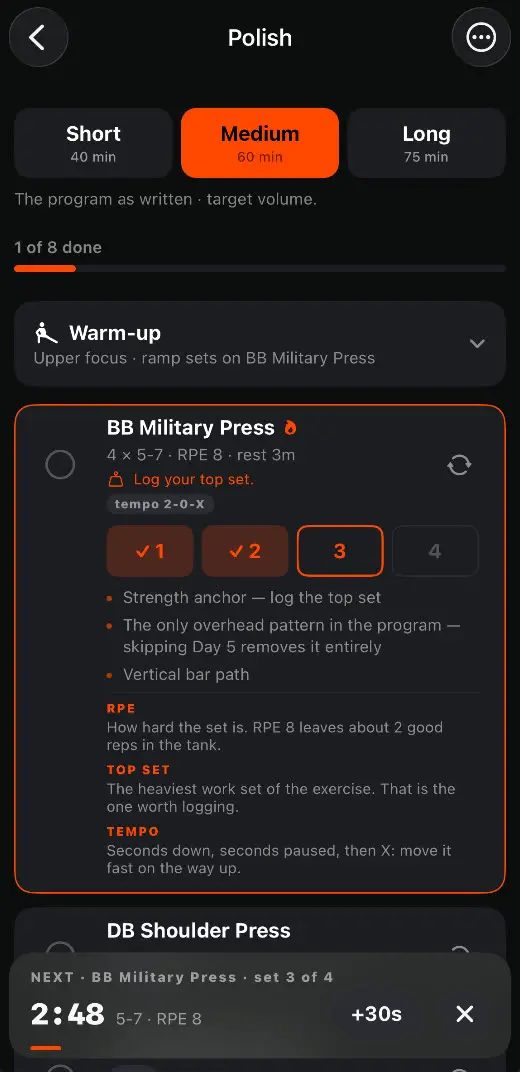
  7. The Polish session at Medium, sixty minutes, with one of eight done. BB Military Press is open: four sets of five to seven at RPE 8 with three minutes rest, a prompt to log the top set and a tempo of 2-0-X. Under it four set buttons, the first two ticked, the third outlined as next and the fourth waiting. Short cues on the lift follow, then plain definitions of RPE, top set and tempo. The rest bar at the foot counts 2:48 to set three of four.
    Sets can be tapped off one by one. It is entirely optional, and again it is built to reduce cognitive load.
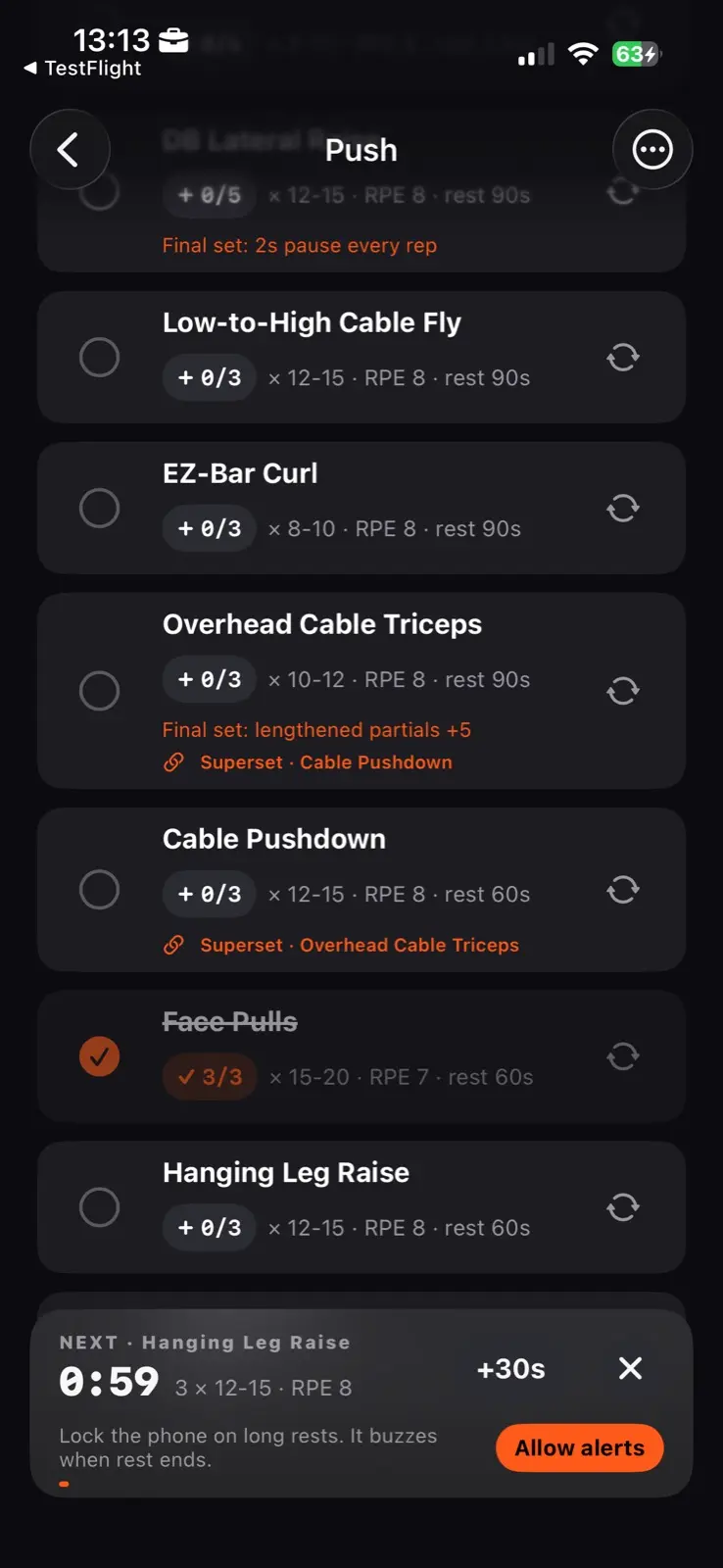
  8. The same session part way through. Two exercises are marked as a superset and name each other, one is ticked and struck through, and a bar across the foot counts fifty nine seconds down to the next exercise, with a plus thirty seconds control beside it and a line saying the phone can be locked on long rests.
    The rest bar hands off to the superset partner instead of vanishing, and it survives a locked screen.
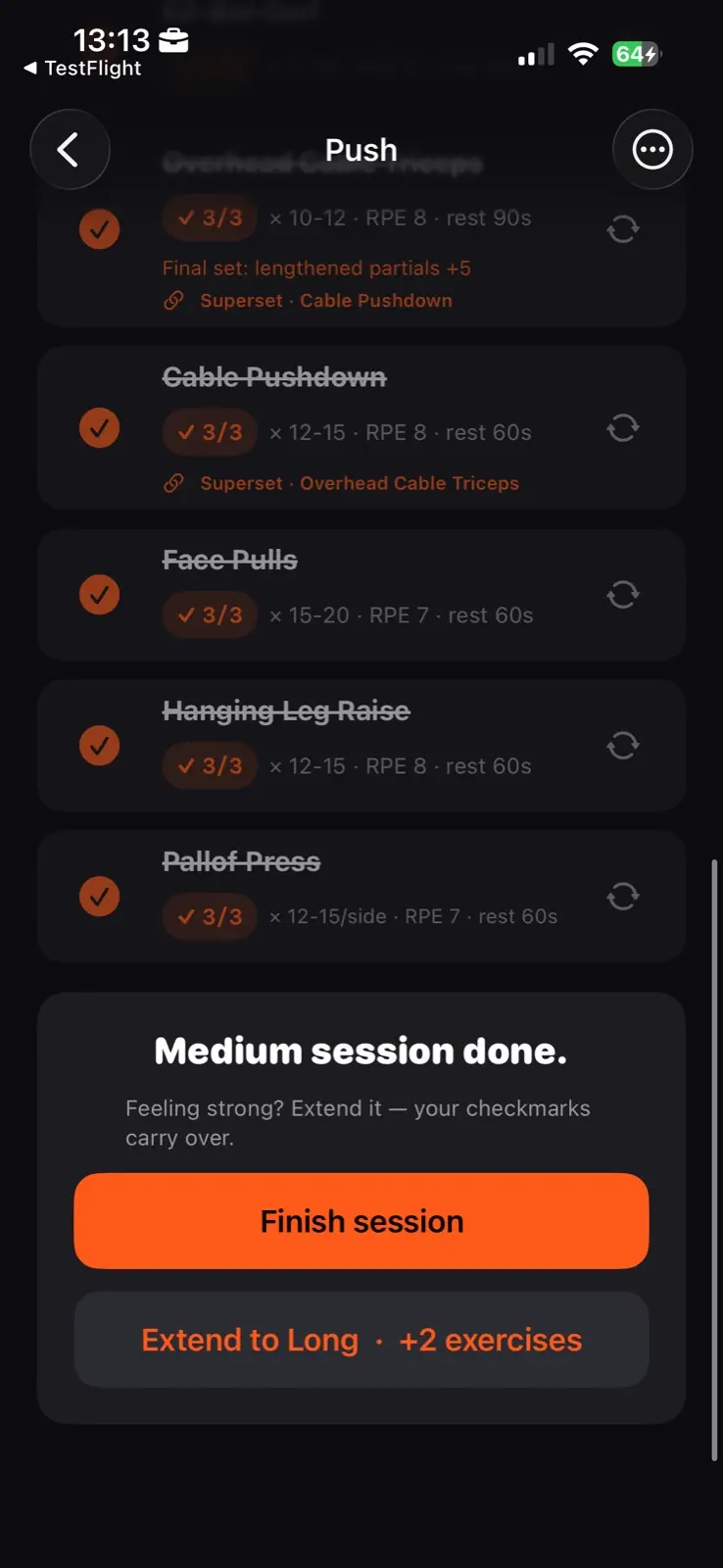
  9. The foot of a finished session. Every exercise is ticked and struck through. A panel reads Medium session done, asks whether you are feeling strong, and offers Finish session, with an option under it to extend to Long for two more exercises.
  10. There are ten different stamps, and each lands with a strong haptic to add to the dopamine rush of finishing.
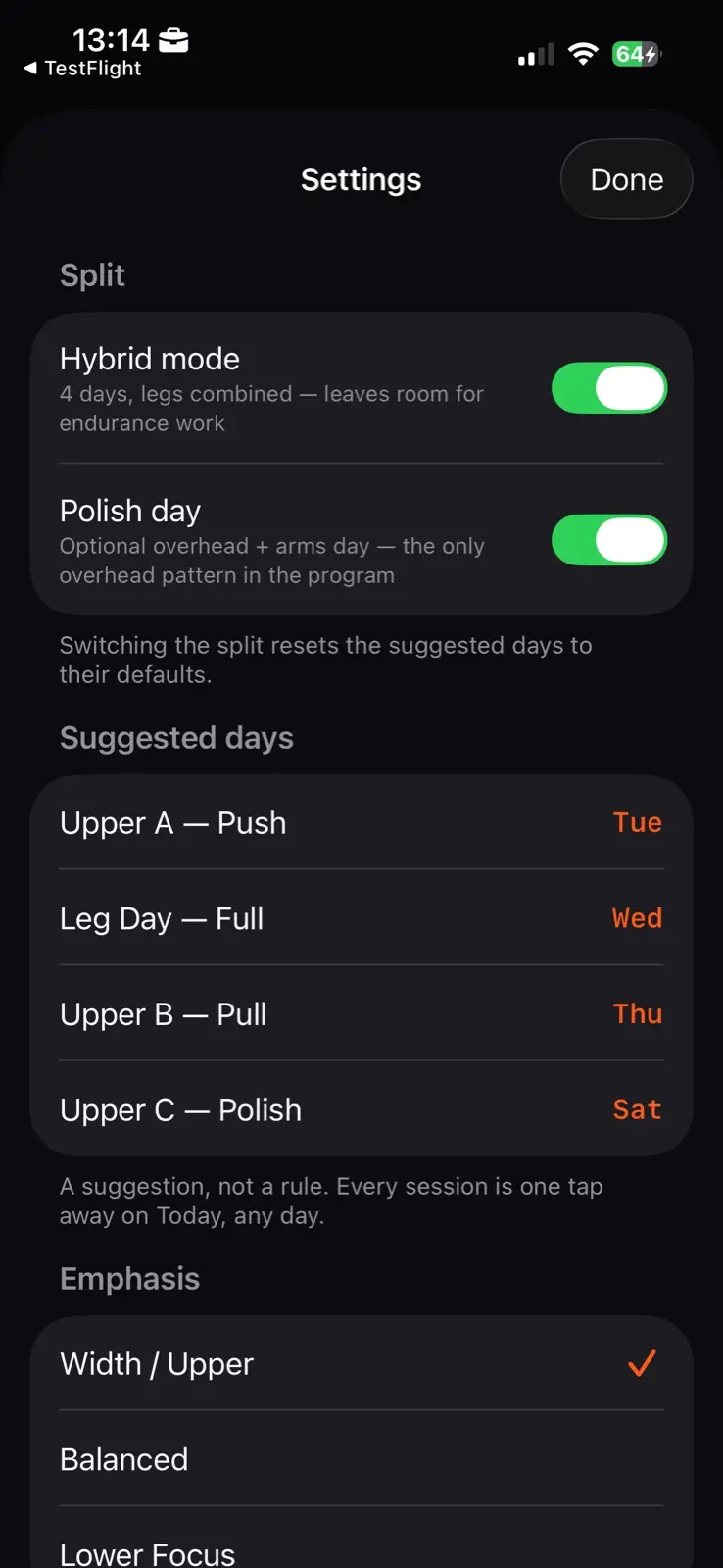
  11. The settings sheet. A split section with hybrid mode and the Polish day both on. Then suggested days, listing four sessions against four weekdays, with a note that it is a suggestion rather than a rule and that every session is one tap away on Today. Below that an emphasis section, with width and upper chosen over balanced and lower focus.

More apps

See all 27