Self-Maintaining Knowledge Vault
A knowledge base that updates itself every week. Nine scheduled jobs sweep the sources, file what arrives, and bring every summary back into agreement.
second-brain · 2026 · how it works
settings
metricPeople reached the repos who could not before. No count.
The knowledge base got better the more people were in it. Getting in meant a git client, a key pair, and a client connecting an agent to the vault. That is an ordinary morning for an engineer, and the people who needed the vault most were designers, researchers and product managers.
The obstacle is never running a command. It is not knowing which one, and not knowing whether it worked.
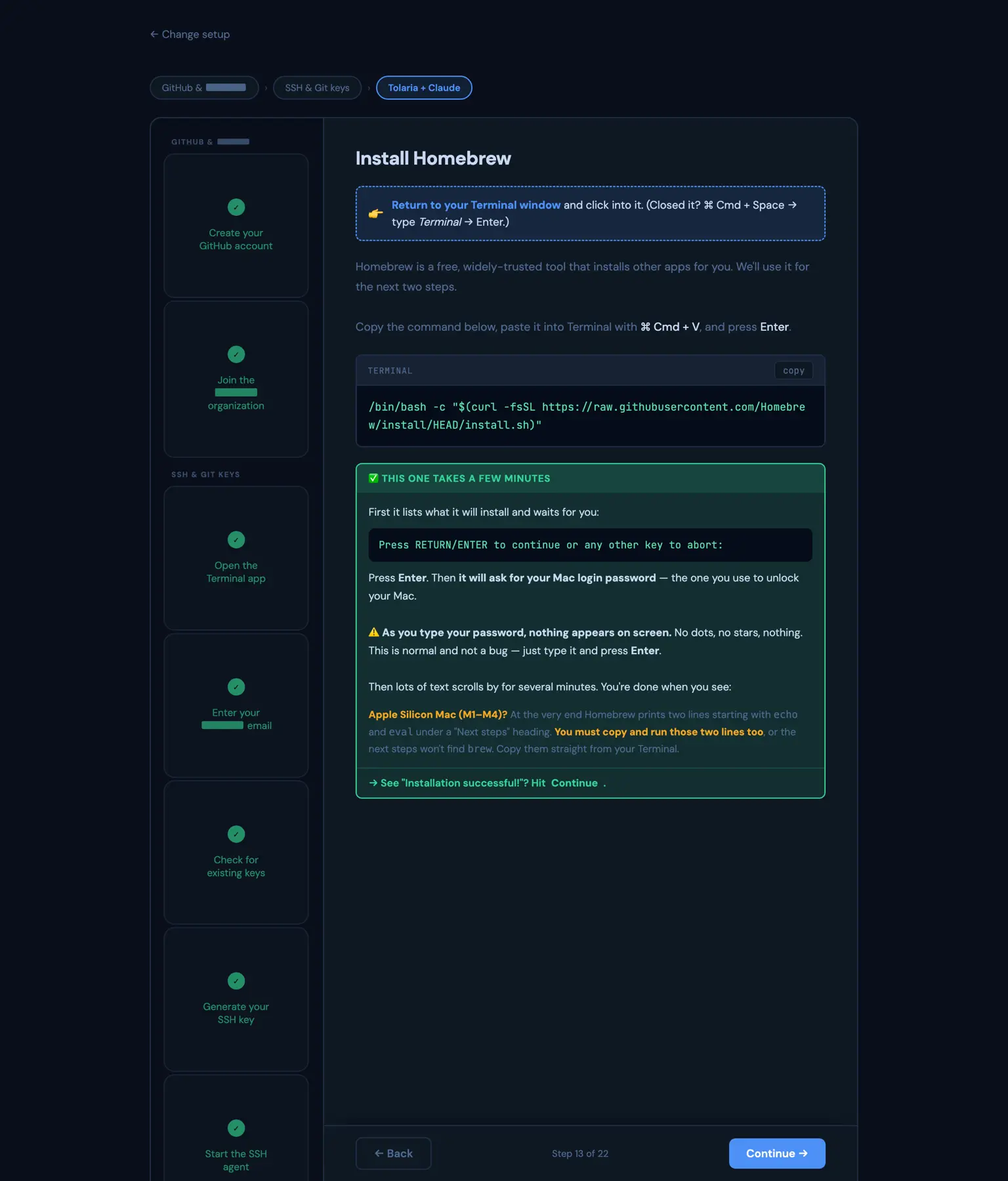
An installer that needs installing has already lost. Somebody who cannot clone a repository cannot run a setup script either. The only artifact with no prerequisites at all is a page you open in a browser, so that is what this is: one self contained file, no server, no dependency, nothing to install in order to start installing.
It cannot execute anything on your machine and it never pretends to. What it removes is every decision. Install the package manager, install the runtime, generate a key of the right type, start the agent, copy the public half of the key to your clipboard, install the vault client. Each command exact, in the order it is actually run, one click to copy, with the path for people not on a Mac handled rather than mentioned in a footnote.
It is a load bearing part of the knowledge base rather than polish on top of it, and it did the job: people ended up on the repositories who could not have got there on their own.
A knowledge base that updates itself every week. Nine scheduled jobs sweep the sources, file what arrives, and bring every summary back into agreement.
Two component systems, desktop and app, rebuilt 1:1 between the frontend repo and Figma, every variant and state, so a prototype made with AI already looks like the product.